
Augusta
Members
-
Joined
-
Last visited
Everything posted by Augusta
-
i am having the same issue i hope it can get fixed let me know if you found a solution
-
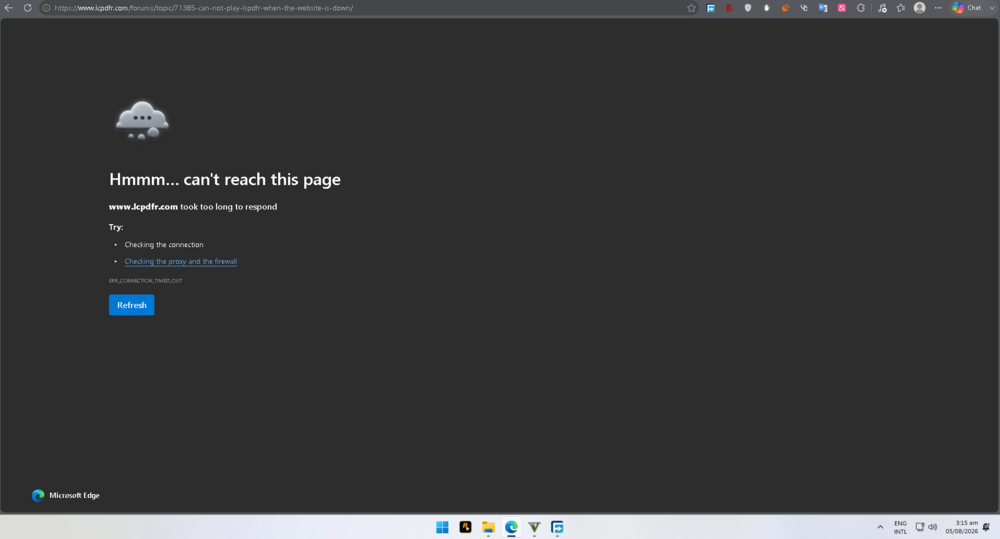
Hello I'm having trouble accessing the LCPDFR website on my home network. I'm not sure if I've been IP banned or if I messed up a setting somewhere, but it works perfectly fine when I turn on a VPN in my browser. Any advice on how to fix this would be amazing! Also, because I can't connect, most of my mods fail their update checks, which ends up freezing and crashing my LSPDFR plugin. Thanks in advance!
-
-
-
-
 Ahh I see .. hmm u can try to remove every plugin one by one u have and then trying it out if it works or not but it would take very long time .. I would recommend it just remove the void tracer plugin .. it doesn't add much just a watch dog hud .. it won't be worth wasting alot of time .. also sorry for late replys
 -
-
Hi ty for the log file there is also of problems 1:missing eup outfits 2:missing car models 3:alot of errors for outfit variation missing 4:the police tabe make sure u have the police tape in ur dlc list 5:the plugin I have made is conflicting with suspect Sense.. u have to delete one of them.
-
-
-
-
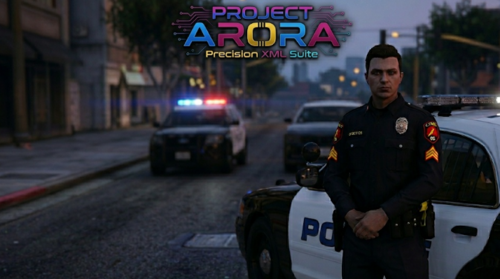 hi ty for the comment i can understand the menus .. its alot and confusing but making it simple or adding less menu are kinda not possible only if i just cram everything into a menu and then submenu and then another sub menu that would be even worse and for the second one i already made a version where u can inject pax pax chance etc and for livery and modidications .. if u get in a car set a livery and modify it and then manual or auto inject it .. it will auto scan the livery and mods for the car and put it into the xml files btw can u text me discord it would be very helpful if u can test the latest version of this plugin i barely get any time to test it my discord username: august_walker
 -
-
-
-
ARORA VOID SCANNER: OVERDRIVEThe Ultimate Next-Generation Tactical AR Feed for LSPDFR. Welcome to the future of policing. Arora Void Scanner is a highly advanced, zero-lag Augmented Reality (AR) holographic overlay designed to give you real-time, deep-sync intelligence on any Pedestrian or Vehicle in Los Santos. Gone are the days of boring text menus. Void Scanner projects a highly customizable, animated, 3D holographic datapad directly into your game world, physically anchored to your targets. THE HYBRID DEEP-SYNC ENGINEVoid Scanner doesn't just guess data—it reads minds. This plugin features a revolutionary "Deep Sync Engine" that perfectly integrates with the community's favorite overhaul mods. Stop The Ped (STP) Integration: Fully syncs with STP's internal API and Metadata. When you scan a suspect, Void Scanner instantly pulls their exact Gun Permits, Alcohol/Drug influence, and even reads the exact contents of their pockets and vehicle trunk before you even run a physical search. Policing Redefined (PR) Integration: Uses Deep Reflection to peek into PR's PedRuntimeData memory, flawlessly displaying PR's native Moods, Resistance Probability, Surrender Probability, and native Hunting/Fishing Permits. The "Reverse-Sync" Feature: If you use STP (which lacks native Hunting/Fishing licenses), Void Scanner will generate those missing licenses and instantly inject them back into the ped's brain, ensuring that the rest of your mods are perfectly synced with your scanner. Smart Exclusivity: The engine intelligently detects what you have installed and routes the data flawlessly, completely preventing mod conflicts. TACTICAL FEATURES & BIOMETRICSALPR Override: Look at any vehicle and instantly receive a holographic read-out of its Model, Plate, live Speed, Registration, Insurance, and Trunk Contents. Live Biometrics: Animated biological bars react to the suspect's state. Watch their Heart Rate (HR), Blood Pressure (BP), SpO2, and Stress Levels spike dynamically if they are fleeing, in combat, or have a gun drawn on them. Dynamic Lore Generation: Suspects are generated with realistic Jobs, Income, Criminal Histories, Warrants, Parole Status, and CCW (Concealed Carry) probabilities. Contextual Threat Icons: The UI dynamically generates glowing, animated icons based on the situation (e.g., Glowing Red Skull for Wanted, Orange Running Man for Fleeing, Blue Handcuffs when detained). TOTAL CUSTOMIZABILITY (NO CODING REQUIRED)KEYBINDS & CONTROLSEnable Diagnostics Test Key (Z): Toggles the ability to spawn a test pedestrian. Turn this off if you accidentally hit Z during regular gameplay. Main Menu Key & Modifier: Change the key used to open this exact menu (Default: I). You can add a modifier (like Shift or Ctrl) so it requires two keys to open. Editor Mode Key & Modifier: Change the key used to enter the F10 Drag-and-Drop Hologram Studio. PRESET MANAGERLoad Custom Preset: Instantly swap to a different layout you have saved previously. Save Custom Preset: Type in a name (e.g., "NightMode" or "Minimalist") to save your exact current layout, colors, and keybinds. Reset UI Positions: Messed up your Drag-and-Drop layout? Click this to snap all text and icons back to their default, factory-perfect positions. SCANNER POSITION & ARAuto-Scan on Interact (E): If enabled, pressing your interaction key (E) near a ped or vehicle will automatically scan them. Anchor to 3D World: If ON, the scanner projects as a physical hologram floating next to the suspect in the world. If OFF, it becomes a static 2D HUD locked to your screen. Dynamic Depth Scaling: If ON, the hologram shrinks and grows naturally as you walk closer to or further from the suspect. AR Anchor Point: Choose where the physical hologram hovers (Head, Chest, or Pelvis). Targeting Style: Choose how the scanner visually links to the suspect (Solid Line, Dashed Line, 3D Bounding Box, or None). Line Color: Type a color name (like "Red") or hex code (like "#FF0000") for the targeting line. Scanner Offsets & Frame Sizing: Manually adjust the exact width, height, and X/Y positioning of the background frame. TOGGLE DATA BLOCKSDon't want certain information cluttering your screen? Simply turn them off here! Show Lore Block: Toggles the Job, Income, and personal Notes. Show CCW Alert: Toggles the Concealed Carry Probability warning. Show Criminal History: Toggles the rap sheet. Show ALPR Network: Toggles vehicle data (Speed, Registration, Insurance). Show Biometrics: Toggles the live API sync data (Moods, Resistance, Surrender rates). ADVANCED TEXT ENGINEThis menu contains a sub-folder for every single line of text on the scanner. Inside each text line's menu, you can edit: Visible Element: Turn this specific line on or off. Text / Macro: Edit what the text says! You can type plain words, or use macros like {NAME} or {AGE} to let the engine fill in the blanks. Assigned Page: Move this text to Page 1, Page 2, or Page 3 (which you cycle through using PageUp/PageDown). Font, Color, & Animation: Make the text glitch, pulse, or typewrite in any color and font you want. BIOMETRIC BARS CONFIGShow Animated AR Bars: Turn the live EKG / Heartbeat visualizers on or off. Global Bar Width: Make the bars wider or narrower to fit your custom layout. Individual Bar Menus (Stress, HR, BP, etc.): Go in here to change the color and choose from 30 different animation styles (like "EKG Pulse", "Digital Rain", or "Warning Strobe"). CUSTOM HOLOGRAM BUILDERWant to add your own police department badge or a custom glowing reticle to the scanner? Place any .png image into your Plugins/LSPDFR/VoidTrace/Icons folder. Select it from the Select Image list. Choose a Visibility Link (e.g., tell it to only appear if the suspect is Wanted, or only if they are In a Vehicle). Set the Glow Color and Animation. Click Add to HUD. You can then press F10 to drag it wherever you want! THREAT ICON CONFIGS (Wanted, Combat, DUI, etc.)Your scanner uses smart icons that only appear when specific conditions are met. Go into these folders to swap out the .png icon, change its glowing color, alter its size, or make it strobe/pulse when the suspect becomes a threat. DATABASE DEBUG (Master Override)Master Override Mode: Turn this ON to completely detach the scanner from the game world. Force Toggles: Use the checkboxes below it to manually force the scanner to think the ped is Wanted, Drunk, Cuffed, or Dead. This is an essential tool for creating and testing your custom layouts so you don't have to spend hours searching for a drunk pedestrian just to see if your DUI icon looks good! SYSTEM MAINTENANCEClear / Reset VoidTrace.ini: The nuclear option. If you completely break your layout, mess up your text, or experience severe glitches, click this. It deletes your configuration file and completely restores the scanner to its pristine, factory-default state. INSTALLATIONOpen the downloaded ZIP file. Highlight all contents (the Plugins folder and LemonUI.RPH.dll). Drag and drop them directly into your Main Grand Theft Auto V directory. Load the game and go On Duty. Have Fun. REQUIREMENTSRagePluginHook (Latest Version) LemonUI.RPH.dll (Included in the download) Highly Recommended: Stop The Ped by BejoIjo OR Policing Redefined. (The scanner works flawlessly standalone, but truly shines when synced with these mods). CONTROLS & USAGE(All keys can be changed in the in-game Keybinds Menu!) E (Context): Auto-Scan the ped/vehicle directly in front of you. X: Hard-lock / Disconnect the neural link from a distant target (aim your gun/camera and press X). I: Open the Void Scanner Overdrive Menu to tweak colors, animations, toggles, and layout settings. F10: Toggle the Drag-and-Drop Hologram Editor Mode. Page Up / Page Down: Cycle through the Scanner Data Pages (Core ID, Biometrics, Lore/History). Z: Spawn a Diagnostic Test Subject (Can be disabled in settings). Created by Team Arora. IF YOU LIKE MY PROJECTS PLS SUPPORT ME IT GIVES ME MOTIVATION AND I NEED SOME MONEY FOR CIGS CUZ IM BROKE AS F AUGUST MOD SHOP | Whop
-
Glad to hear and ty for downloading the mod Hmm that's a good idea I will try to implement that but rn I am working on another project it's like a dynamic hud editor like in watch dogs which tells the npc name age etc .. after that project is over I will try to implement this and ty for the comment
-
OLD Tutorial: Outfit and Car injection tutorial - YouTube PLS READ THE CHNAGE LOGS SO U CAN UNDERSTNAD THIS COMPLEX AHH DUMB AHHH PLUGIN AND ALSO TY FOR DOWNLOADING ALSO ONE MORE THING YOU FIND ANY BUGS FOR DONT UNDERSTAND ANYTHING ABOUT THIS PLUGIN CONTACT ME ON DISCORD USERNAME: august_walkerJUMP SCARE (EXPAND THE PAGE) PROJECT ARORA: CYBER EDITIONPrecision Injection. Automated Logic. Absolute Configuration Control.If you’ve spent any time modding LSPDFR, you know the struggle: you find a beautiful new car, and then you spend the next hour Alt-Tabbing, squinting at messy XML lines, and praying you didn’t miss a single bracket that’s about to crash your game. We got tired of that. So, we built a digital architect to do all that heavy lifting for you—without ever leaving the driver's seat. Arora is the "brain" of your LSPDFR setup, wrapped in a high-contrast, neon-infused Cyberpunk interface that looks like it belongs on a terminal in Night City. The Neural ScannerConceptual Render: The Neural Scanner identifying vehicle DNA (Model and its Name). Ever spawn a car from a massive pack and realize you have no idea what its internal name is? Just sit in the car and hit [L]. Arora instantly reaches into the game's memory, pulls the exact model DNA, and cross-references it with a real-world dictionary. It won't just tell you it's police3; it’ll tell you it’s a Ford Police Interceptor Sedan. The Target Lock InjectorConceptual Render: The Target Lock Injector rewriting game logic in real-time. This is the heart of the Mod. When you’re sitting in a vehicle you love, hit [N]. Arora opens a context-aware "Target Lock" menu. With a couple of clicks, you can force that car into your game's logical structure: Agencies: Add it to the LSPD, Sheriff, or any custom EUP agency fleet. Duty Selection: Automatically format and inject it into your duty_selection.xml so it's waiting for you in the garage. Regional Backup: Send it to Ultimate Backup or Policing Redefined sectors. Arora intelligently tags every file with [UB] or [PR] so you always know exactly which mod you’re modifying. The Obsidian Master SuiteConceptual Render: The Master Configuration Suite in its OLED Void aesthetic. The [F5] menu is your central hub, forged in a deep OLED Void aesthetic. It’s a full holographic database where you can: Browse the Fleet: See every car assigned to every precinct and region in your game. Live Spawner: Don't just look at a name on a list—highlight any car in your XML and press [ENTER]. Arora will manifest it in the world instantly so you can see it in action. The Nuclear Stress TestThink of this as the "Big Red Button" for developers. Press [J], and Arora grabs a high-performance prototype and injects it into every single configuration file you own simultaneously. It’s the ultimate way to verify that your backup regions and duty menus are reading your files correctly. Built-In Tactical SafetyWe’re obsessed with game stability. Arora works with a "Zero-Failure" protocol so you don't have to worry about breaking your game: The Auto-Rebalancer: Forget the calculator. When you add a car, Arora automatically recalculates the chance percentages for every vehicle in that node so they perfectly sum to 100%. Dup-Guard: It scans for duplicates before every injection. If the car is already there, Arora blocks the command and tells you. No bloat, no errors. Chronos Backups: Every time Arora touches a file, it creates a timestamped .bak copy in your Plugins/AroraBackups folder. If you ever change your mind, your original data is just one click away. HOW TO USE PROJECT ARORAPHASE 1: THE NEURAL SCANNERHop into any vehicle (police or civilian). Press [L] while sitting in the driver's seat. Result: Arora reaches into the game’s memory and pops up a notification. It won't just say police3; it’ll tell you the Real-World Name (e.g., Ford Police Interceptor Sedan). Use this to double-check spawn names before you accidentally inject a car you didn't want. PHASE 2: THE QUICK INJECTORPark the car you want to add to your game. Press [N] to open the context-aware Injector Menu. Select Your Target: Agencies: Choose an agency (LSPD, BCSO, etc.). Arora will automatically add the car to their patrol fleet. Duty Selection: Want the car to show up in the police garage? Select the duty roster, and Arora will auto-generate the names and descriptions for you. Regional Backup: Send the car to Ultimate Backup or Policing Redefined. Look for the [UB] or [PR] tags next to the file names so you know exactly which mod you’re editing. Result: The XML is rewritten instantly. Arora handles the math, the formatting, and the saving. PHASE 3: THE COMMAND DECKPress [F5] to open the Master Suite (even if you're on foot). Browse Your Agencies: You can scroll through every XML file in your folder. Holographic Spawner: * Find a car in your agency list. Press [ENTER]. Result: Arora manifests the car right in front of you. This is the fastest way to test if a new vehicle model is working or if it's going to crash your game. Manual Entry: Don't have the car nearby? Use the "Manual Injection" tool to type in a model name and force it into any file. PHASE 4: THE NUCLEAR OPTION (Don't do this unless you are testing the plugin)For the developers Press [J] to initiate the Nuclear Stress Test. The Chaos: Arora grabs a random high-performance vehicle and injects it into every single XML file you have. The Purpose: This is used to verify that your system is reading all your folders correctly. If the "Test Car" shows up in every backup menu and every garage, your setup is 100% healthy. SAFETY PROTOCOLS: THE FAIL-SAFESDon't worry about breaking things. Arora is babysitting the code. Auto-Rebalancing: Every time you add a car, Arora recalculates the chance percentages. You’ll always have a perfect 100% spawn rate across your fleet. Dup-Guard: If you try to add a car that’s already in that file, Arora will block the command and tell you. No duplicate spam. Chronos Backups: Check your Plugins/AroraBackups folder. Every single time you hit "Inject," Arora saves a copy of the original file. If you ever change your mind, your old data is right there. HOW TO MODIFY THE CORE Setting Default Description MenuKey F5 Opens the Master Configuration UI (Vehicle Management & XML Diagnostics). OutfitMenuKey F6 Opens the Outfit Configuration UI (EUP Variations & Ped Linking). ScanKey L Triggers the Asset Scanner (Identifies current vehicle model & class). InjectKey N Engages the Quick Inject Menu (Instantly injects your current vehicle). RandomInjectKey J Initiates the Nuclear Stress Test (Mass Random Injector). RandomInjectEnabled true The master toggle for the [J] key functionality. REQUIREMENTSTHE CORE ENGINERage Plugin Hook (RPH) LSPDFR 0.4.9 (or higher) MANDATORY LIBRARIESRAGENativeUI.dll Standard .NET Framework ARORA XML INJECTION UPDATE CHANGE-LOG2:Change Log Info: Major Bug Fixes: 1: (Hash error) When you try to auto inject a car using the N key u get a hash something like this 0x6EF89CCC when you auto inject that car into anything it will write that hash code instead of the model of the car I have fixed that now if the engine don't know the car model name it will ask for the model name once u enter that model name it will be saved in the plugin and if you inject that car model again it won't ask for it again Nerd shit: y is this happing well because the code is written in C# so it can't access the low-level code of GTA 5 engine which makes it harder to get addon cars model name. 2: Ultimate Backup "Duplicate Zone" Fix: Fixed an issue were injecting a car into a CustomRegion created a duplicate folder. The XML targeted now checks for the label="..." attribute alongside name="...". 3: Ultimate Backup "Vehicle Set" Formatting Fix: Stopped the parser from forcing <Special Unit> nodes to use <Vehicle Set>. It now opportunistically writes <Vehicles> or <Peds> directly, matching UB's strict standards. 4: Agency XML Pathing Correction: Fixed a bug where custom divisions appeared in the Car menu but vanished in the Outfit menu due to a missing <Loadouts> wrapper. 5: Native UI Array Crash Fix: Deleting the final vehicle in a fleet no longer causes the menu to crash out of bounds. It now safely forces the sub-menu to close and rebuilds the panel. 6: Ultimate Backup vs. Policing Redefined Syntax Fix: Fixed a major issue where Arora was injecting UB tags into PR files. The engine now uses an intelligent deep scan to dynamically adapt to the file type. 7: Double Script Name Prompt Fixed: Resolved a bug in the Agency menu that caused the UI to prompt the user for the outfit "Script Name" twice. 8:"No Vehicle Found" Outfit Glitch Fixed: The safety gate no longer blocks outfit injections if the player is on foot. ADDITIONS: SYSTEM BACKUP: Now you can back up your files if u fuck up something and dent have to worry about redoing Everything. In-Game Division Builder: Added the ability to construct entirely new Agency Divisions (Loadouts) directly from the UI. By clicking the new [+] Create New Division button, users can instantly generate custom divisions (e.g., "K9 Unit", "Air Support") in their agency.xml and immediately begin injecting vehicles and peds into them without ever opening a text editor. IMPORTANT INFO PLS UNDERSTAND AND READ THIS: 1: When making a division it is important that you have mini and max ped set up. 2: Make sure that you also set Flags for these divisions Flag Name Category Description & In-Game Effect RespondsAsBackup Dispatch Mandatory for standard units. Allows the division to be dispatched when you call for Code 2, Code 3, or Pursuit backup. RespondsAsTransport Dispatch Designates the unit exclusively for "Prisoner Transport" calls. The AI will arrive, arrest, and drive suspects to jail. RespondsAsAirBackup Dispatch Marks the loadout as an aviation unit. The AI spawns in the sky, tracks suspects with a spotlight, and ignores road nodes. RespondsAsK9 Dispatch Tells the dispatch system this is a K9 handler. The officer will spawn with a dog partner to assist in foot pursuits. SWAT AI Behavior Overhauls combat AI. Officers become highly aggressive, have pin-point accuracy, actively flank, and heavily utilize tactical cover. IsUndercover AI Behavior Alters how the AI approaches a scene, often arriving without sirens to maintain stealth during unmarked tactical operations. NoBlip UI / Map The unit will physically spawn and assist you, but they are hidden from your minimap (no blue/red radar blips). 3: You have to add peds into the new created division through the f6 menu » Sync Weapon Arsenal: A groundbreaking quality-of-life feature. Equip the exact weapons, flashlights, and attachments you want your AI cops to have on your player character, click this button, and Arora will instantly clone your live weapon wheel directly into the XML <Weapons> node for that division. » Configure Ped Count: No more digging through XML to find <NumPeds min="1" max="2"/>. This UI button allows you to type in the exact minimum and maximum number of officers that will spawn inside the vehicles of this division. » Toggle Flags: A fully interactive UI checklist replacing manual XML tag writing. Open this menu to toggle critical AI behaviors on or off (e.g., [X] SWAT, [ ] RespondsAsTransport, [X] RespondsAsBackup). Checking a box instantly writes the flag to the XML; unchecking it safely deletes the node. » View / Remove / Tune Vehicles: The core fleet management suite remains intact, allowing you to spawn holographic previews of assets, permanently delete them, or tweak their percentage spawn chances via a slider. Replacing & Overwriting Existing VariationsPerfect for updating outdated uniforms or fixing an outfit that is missing a badge or radio. If you realize an existing EUP outfit has the wrong tie or an outdated badge, you no longer have to dig through thousands of lines of XML to find the exact <Component id="8"> to fix it. How it works: Fix your Ped: Spawn the outfit you want to fix, use a trainer to correct the clothing pieces, and stand ready. Navigate to the Replacer: In the F6 menu, click [+] Replace Variation in [Outfit Name]. Target Lock: Arora dynamically lists every single variation currently saved inside that outfit (e.g., > Overwrite: Standard (M), > Overwrite: Winter (F)). Smart Renaming Engine: When you select a variation to overwrite, Arora doesn't just blindly delete it. It prompts you with the existing Name and ScriptName. You can either type a new name, or simply leave the prompt BLANK to keep the original names. The Eraser: Arora safely strips out the old <Components> and <Props> from that exact XML node and injects your fresh, updated live clothing data in its place. IMPORTANT SHIT AGAIN PLS READ THIS: IF YOU ARE CREATING A NEW OUTFIT/UNIFORM PLS BY THE LOVE OF GOD DONT FORGET TO LINK THAT PED INTO THE AGNECY THROUGH THE F6 MENU AKA OUTFIT INJECTION The Step-by-Step Process: Dress for the Job: Use a trainer or EUP menu to put your player character in the exact uniform you want the AI to wear. Open the F6 Router: Navigate to either » Agency Peds (for standard LSPDFR dispatch) or » Ultimate Backup / Policing Redefined Regions. Select Your Target: Arora dynamically lists every active Agency and Division (e.g., LSPD > SWAT Team) or Map Zone (e.g., Los Santos City). Click [ADD PED]: Arora will prepare the injection. (THIS WHOLE IS STEP 5) 1. The Formula: [Outfit_Script_Name].[Variation_Script_Name]An EUP ScriptName is always composed of two parts, separated by a single period (.). Part 1 (The Outfit): The broad category of the uniform (e.g., lspd_cop, bcso_deputy). Part 2 (The Variation): The specific look or season (e.g., m_base, f_winter, m_class_a). Perfect Examples: lspd_cop.m_base (Standard male LSPD officer) bcso_deputy.f_winter (Female Blaine County deputy in winter gear) sasp_pilot.m_helmet (Male pilot with a flight helmet) 2. How to know what to typeYou cannot guess the ScriptName; you must type exactly what is saved in your EUP XML files. If you created the outfit using Arora OS: Think back to the prompts Arora gave you when you hit [+] Create NEW Outfit. You were asked for an Outfit ScriptName and a Variation ScriptName. Simply combine those two answers with a period. If you are using pre-installed EUP: Open your lspdfr/data/custom/outfits.xml file. Look for the <Outfit> you want, find its <ScriptName>, and then find the <ScriptName> of the <Variation> nested inside it. 3. What happens if you leave it BLANK?Arora OS features a highly intelligent dual-engine. You do not have to type a ScriptName if you aren't using EUP! If you leave the prompt entirely empty and hit Enter, Arora activates Vanilla Mode. Instead of linking to an EUP file, the engine will instantly scan the physical clothing currently on your live player character (extracting all 12 component IDs and textures) and hardcode those exact numbers into the XML for a standard GTA V ped model (like s_m_y_cop_01). The Golden Rule: * Wearing a custom EUP multiplayer character? Type the exact ScriptName format. I HAVE ADDED ALOT MORE THING BUT THESE WERE THE MAIN ONES REST U CAN FIND IN THE MENU WHICH ARE EASY TO UNDERSTNAD CHANGE-LOG1:OUTFIT CONFIGRATION (F6) MENU INFO IMPORTANT AHHH SHI: FIRST THIS COULD BE HELPFUL FOR THOSE PEOPLE WHO MAKES CONFIGURATION FOR LSPDFR UB OR PR ALSO ONE FOR THING { WHEN ADDING REPLACING OR DOING ANYTHING DONT LOAD LSPDFR PLUGIN JUST LOAD THIS ONE MAKE CHNAGES THEN LOAD LSPDFR IF LOAD LSPDFR AND THEN MAKE CHNAGES THE XML FILES WILL CHANGE BUT LSPDFR WONT READ IT CUZ IT HAS ALREADY LOADED THOSE XML FILES INTO THE RAM}BTW MAKING THIS MOD FUCKED MY WHOLE LSPDFR GAME FOLDER IM SO COOKED 😭PROJECT ARORA Developed by Arora Team LSPDFR XML Management PluginNEXT PROJECT: Project Arora WIP - YouTubeIF YOU LIKE MY PROJECTS PLS SUPPORT ME IT GIVES ME MOTIVATION AND I NEED SOME MONEY FOR CIGS CUZ IM BROKE AS F AUGUST MOD SHOP | WhopFELT CUTE UwU❤️
-
So hello my name is august .. I have made a plugin called project Aurora sounds cringe ahh but meh. WHAT DOES THIS MOD DOES? 1: has basic stuff like menu etc 2: it is use to inject ur addon cars or base car into agency.xml and duty_selection.xml (Now you would be asking what do these do like wtf is this dumbass talking about) Have u ever tried to take a car any car that's from base game like not police cars just simple ones like npc drives when u enter with it in the garage it game crashes .. it's cuz those car models are not it in ur XML files same with addon cars. 3:what the plugin does is simply takes those model names and injects them into the files as I said .. 4:(what's the point dumbass just use a trainer to spawn them) well those agency and duty XML files make them addon cars or any cars spawn in the world like in police traffic roaming around their jurisdiction etc .. plus u can have fleat of cars in ur police garage just go on duty and then garage and get them plus of u put them back in garage game won't crash FEARURES 1:it has good ui I think 2:easy to inject cars u can like do it through the menu like give them their own names etc but the model name has to be same as the base or addon car. 3:tells you if there is a duplicate in your XML files 4:get in car press L key to see the car model and name press N key to inject them into XML files 5:dw about chances % they all gonna add up to 100 If anyone is interested in testing it pls dm me also I'm not trying to be rude that would be lovely if some who can know how XML files works can test it TYSM Have a good day or night or afternoon or evening