mitsutan
Members
-
Joined
-
Last visited
Everything posted by mitsutan
-
-
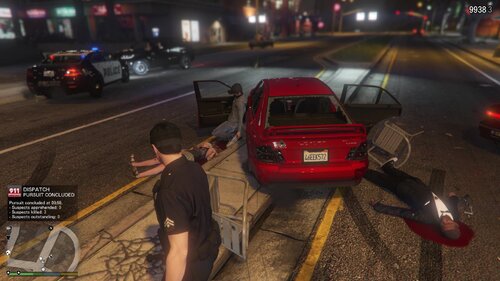 🚗 MizCallouts (Includes "Baby Driver" Callout) Welcome to MizCallouts! This is my first attempt at creating a LSPDFR callout. There is only one so far, but I plan to add other callouts if I get any ideas. This LSPDFR plugin introduces a highly cinematic, intense high-speed pursuit inspired by classic getaway action movies. 🌟 Features "Baby Driver" Bank Heist Getaway: Respond to a triggered bank alarm and intercept the fleeing suspects. - Elite Getaway Driver: The suspects flee in a custom Red Sultan. The driver is highly skilled, making them incredibly agile and difficult to catch in heavy Los Santos traffic. - Intense Drive-By Shootings: Approach with caution! The passengers are armed with Micro SMGs and will aggressively shoot at your patrol car during the pursuit. - Multi-Language Support: Natively supports both English and Japanese. ⚙️ Installation 1. Download the .zip file and extract it. 2. Drag and drop the Plugins folder into your main Grand Theft Auto V directory. 3. Go On Duty in LSPDFR, and wait for the callout! 🌐 Language Configuration You can easily switch the display language between English and Japanese. Open the INI file located at Plugins/LSPDFR/MizCallouts/MizCallouts.ini and set your preferred language: - Language=en (for English) - Language=ja (for Japanese) GitHubGitHubGitHub - Mitsutan/MizCalloutsContribute to Mitsutan/MizCallouts development by creating an account on GitHub.