


mrflint
Members
-
Joined
-
Last visited
Everything posted by mrflint
-
 Same as some others here, I'm also getting a crash when near a police station. For those having an issue keeping the partner in the car, you have to activate the child lock when he gets in, which is F9 by default.
- 542 comments
- 98 reviews
-
 Just found the issue, actually. Apparently it's Arrest Manager, Albo is aware of it and will be fixing in the next update.
 -
-
From the album: Troubleshooting
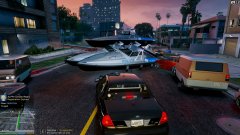
Police boat spawning in the street on Spanish avenue in West Vinewood whenever I go on duty. Not sure what the cause is. -
-
-
Finally broke down and got a 360 in December and hardly play it. I'm sure once GTA V comes out, my system will get more play time than it's had since purchase.
-
BTW: Have you tried SirenTool at all? It was made with ELS in mind, but works with non-ELS, too. It doesn't allow you to switch light modes, but does mute the siren -- as well as some other cool things. That's currently what I'm using right now, but it would be nice to be able to switch light patterns.
-
I'm interested. I just came on here looking for a solution to this exact issue. Would be interested in seeing what you figured out. Thanks.
-
Can this be used in conjunction with ELS? I'd like to use this mod on police and police2 non-ELS cars, but keep ELS for some other cars that don't spawn as often. Is that possible or will this mod be applied to all emergency vehicles, conflicting with ELS?
- 54 comments
- 39 reviews
-
Thanks, Code3. I'll have to keep an eye out for it.
-
Looks like Ridgerunner's This skin, I'm not sure. Maybe Custo's With Yard1's
-
Does anyone know of an existing snow plow mod? It would complete the snow mod beautifully, it's really the only thing missing. I've googled the hell out of this and have come up with nothing but a few old threads of people that appeared to be working on a couple, but no download links to be found. I've considered looking into making it myself, using the Trashmaster, but I really don't have the first clue of how to do this. And I only know how to model in Maya, which is apparently useless when it comes to mods for GTA IV. Anyway, if anyone knows of one I'd love to hear about it.
-
-
-
Was just about to paste my settings in here and realized there was a typo. FBI works fine now. Still have an issue with stability though. I'm using v.5 which works for the police bike, but I can't play for more than 30 or 40 minutes before the script stops working. This happens whether or not I have other scripts running, so it doesn't seem to be any sort of a conflict (at least not that I can tell). I will have to try v.6, maybe I'll have better luck there. I think it might have something to do with the global settings, but I can't be sure. Which version are you using and how stable has it been for you?
- 28 comments
- 12 reviews
-
Has this mod pretty much been abandoned? Looks like the the last post was about 5 months ago in this thread. Anyway, I love what the script can do, but have some issues if anyone's listening and may be able to help. I can get this to spawn everything but the police bike for some reason. I'm using a mod that brings all EFLC vehicles into GTA IV, which has separate .img files handling files, etc., but they all load just fine. And like I said, Traffic Spawner gets police3 and police4 into traffic with no problem, but policeb just will not show. I've also added an FBI entry and that doesn't show up either.
- 28 comments
- 12 reviews
