evvybwoy
Members
-
Joined
-
Last visited
Everything posted by evvybwoy
-
-
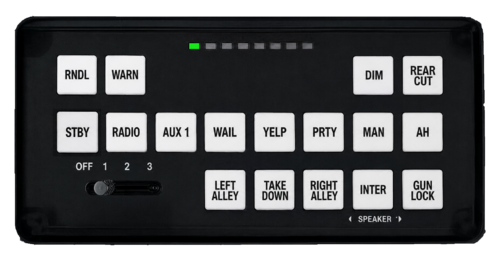 could you post a pic of what it look like?
 -
SirenMaster UI by IcrazyOfficial Important Please do not upload this file anywhere else. This UI was created by IcrazyOfficial on YouTube. Please do not sell, redistribute, or profit from this file in any way. If you'd like to share it with others, please share the official download link from either my LSPDFR page or my Patreon (it's free). This helps ensure everyone receives the latest version and proper support. 🎥 YouTube: IcrazyOfficial Installation Guide Step 1 – Install SirenMaster Before using this UI, you must install SirenMaster. Download it here: https://www.lcpdfr.com/downloads/gta5mods/scripts/54553-sirenmastery-ui-only-mode/?tab=comments&sort=newest Step 2 – Install the UI Open the downloaded folder drag and drop the plugin folder in your game and you should be good
-
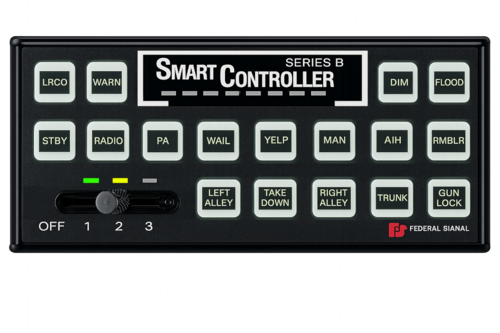 SirenMaster UI by IcrazyOfficial Important Please do not upload this file anywhere else. This UI was created by IcrazyOfficial on YouTube. Please do not sell, redistribute, or profit from this file in any way. If you'd like to share it with others, please share the official download link from either my LSPDFR page or my Patreon (it's free). This helps ensure everyone receives the latest version and proper support. 🎥 YouTube: IcrazyOfficial Installation Guide Step 1 – Install SirenMaster Before using this UI, you must install SirenMaster. Download it here: https://www.lcpdfr.com/downloads/gta5mods/scripts/54553-sirenmastery-ui-only-mode/?tab=comments&sort=newest Step 2 – Install the UI Open the downloaded folder drag and drop the plugin folder in your game and you should be good Thank you for downloading and using my SirenMaster UI! If you enjoy it, be sure to check out IcrazyOfficial on YouTube for more GTA V LSPDFR content, mods, and showcases. 🚔
 -
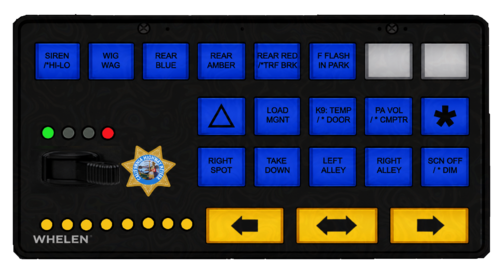 SirenMaster UI by IcrazyOfficial Important Please do not upload this file anywhere else. This UI was created by IcrazyOfficial on YouTube. Please do not sell, redistribute, or profit from this file in any way. If you'd like to share it with others, please share the official download link from either my LSPDFR page or my Patreon (it's free). This helps ensure everyone receives the latest version and proper support. 🎥 YouTube: IcrazyOfficial Installation Guide Step 1 – Install SirenMaster Before using this UI, you must install SirenMaster. Download it here: https://www.lcpdfr.com/downloads/gta5mods/scripts/54553-sirenmastery-ui-only-mode/?tab=comments&sort=newest Step 2 – Install the UI Open the downloaded UI folder. Copy all of the included files. Paste them into your Grand Theft Auto V main directory. Allow Windows to replace any existing files if prompted. Thank you for downloading and using my SirenMaster UI! If you enjoy it, be sure to check out IcrazyOfficial on YouTube for more GTA V LSPDFR content, mods, and showcases. 🚔
 -
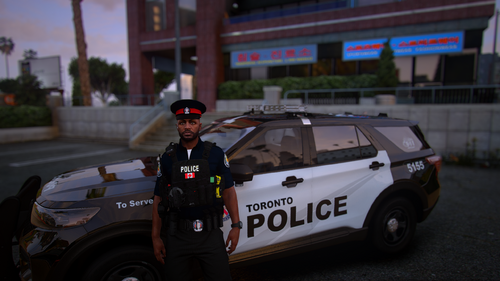 This slang pack makes every conversation with NPCs feel like you're standing on a street corner in downtown Toronto, chatting with someone from one of the city's Jamaican communities. Expect authentic Toronto street slang, Caribbean expressions, and natural Jamaican-influenced dialogue that brings your interactions to life. Whether you're talking to pedestrians, store owners, or random people on the sidewalk, the conversations will have the energy and vibe of a real Toronto street chat.
 -
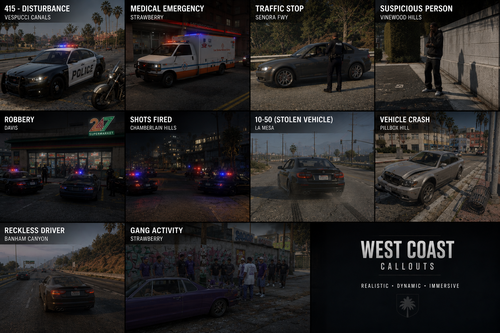 Could you make two versions for V_2.5.1? I think you're adding too many extra features, and it's affecting my FPS. I really don't want to remove the callout because I like it, but version 2.0.0.0 runs great for me. It would be awesome if you could make a version that only includes the callout without all the extra stuff that doesn't have anything to do with it. Things like the seatbelt feature and the world feature seem to affect my FPS even when they're turned off. A lightweight version with just the callout would be greatly appreciated.
- 32 comments
- 5 reviews
-
-

- 1
-
-
 Are you tired of the old seatbelt icons and want something new and cooler? Good news I’ll be uploading my custom Seatbelt Icons Mod here! It’s super easy to install: just download it, then copy and paste the files into your game. File come with 6 seatbelt you can pick from. Important: You will need to download the main Seatbelt Mod for this to work. Here’s the link:Seatbelt - Script Modifications & Plugins - LCPDFR.com Checkout my LSPDFR Videos! https://youtube.com/@icrazylinkz?si=OGRGe4IEbojfwSKq
 -
-