




J T
Members
-
Joined
-
Last visited
Everything posted by J T
-
like I said its buggy cars run into walls
-
what I did was add whatever car you wanted to spawn in traffic like fbi or noose add them to what ever traffic fix you have either traffic load or traffic flow and in the cargrp file remove those fbi,noose from popcycle cops group and add them to wherever popcycle area you want to add them or just do all of them...I like this method over the script one because they don't run into walls and they still respond to calls
-
agreed leave it to rockstar be patient pulling shit like this will only deter them from releasing the real thing on pc
-
you should use reality iv 2.0 its very nice lookin and enhances the non els coronas
-
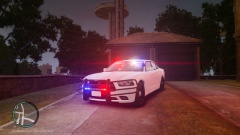 I didn't make jack shit nor did I make any claims that I did I don't even know what im "showing off" anyway
 -
-
stay on topic...troll...they are anything but "conspiracies" when even the local newspaper reports it but anyway..we need to ban knifes though or more mass stabbings could occur im waiting for dear leader obama to appear on tv surrounded by kids to get this knife control kicking come on obozo where are those tears now?
-
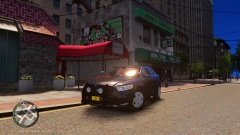 when he released it back on modding chest...I made sure I kept couple copies of it on dvd discs so I never lose this beast
 -
-
-
-
we need to ban knives! we need knife control!.......................................right slimory?
-
whether you are being sarcastic or not aliens do not exist they are demons masquerading as aliens
-
just be damn patient this question has been asked a billion times they are probably working on a port right now but keeping it under wraps so they don't get backlash like they did with the console delay
-
I love the set up I don't like bxbugs model its to small hope to see a dsf version of these
- 42 comments
- 12 reviews
-
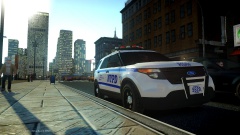 this still planned for release? what happened?
 -
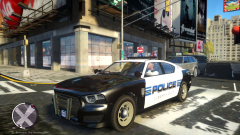 could be dirty car try cleaning it with wash and fix script
 -
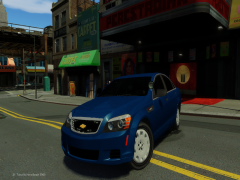 hope these will be released
 -
theres an enbeffect file in all enbs you have to look for it in the directory then open it with word and find where it says ebbrightness and just lower it until you like it
- 17 comments
- 4 reviews
-
-

- 1
-
-
-
kinda like the supposed release of an unlocked chevy caprice
-
1.remove that tin foil hat so you can actually think for yourself 2. 2012 elections were rigged not like the other ones werent* rolls eyes* obama and romney were funded by both goldman sachs and jp morgan 3. the government caters to wall street and the bankers NOT the American people hasnt the past 14 years taught you anything about that? oh and they read off a teleprompter...with out it they stutter and cant even finish a sentence, honestly do I really need to post hundreds of articles pointing out the obvious? I suggest you do a little research before coming back and acting like nothing is wrong and everyone else that doesn't go along with lamestream media is a "conspiracy theorist" or do I need to get crayons and pictures for you?
-
cj made one that's included in an lapd pack
-
its also buggy as hell and the grille isn't accurate along some other things
-



