


TUNES
Members
-
Joined
-
Last visited
Everything posted by TUNES
-
Dude I love you (no homo)
-
Ive seen several tutorials about how to install lightbars, rambars, etc. but I havent seen any tutorial about changing the wheels in an unlocked model. It would be greatly appreciated if someone could take a little bit of his time and create a small tutorial, wether its a video or a separate thread. ** I would prefer if BxBugs' unlocked crown vic is used as an example in the tutorial.
-
Any help would be greatly appreciated, because Im really into finishing this project!
-
I am actually working on adding those 09 CVPI rims on a model, and once I finish the project, I can work on those textures and lights :)
-
Yep, looks like it.
-
Ok so I made sure I followed everything you guys told me, I resized the wheel_lf_[COL], and made sure the wheel is lined up, But the car still looks retarded in-game! What in the world is going on!? Here are some pics:
-
I am not sure, but I think this is a Code 3 Excalibur. Heres Lt. Cain's CVPI with the Excalibur lightbar: http://gtapolicemods.com/downloads.php?do=file&id=477 ** and Btw you can change the color of the lightbar, If you want me to do it for you, just PM me.
-
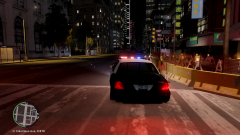 Looking great! well done :D
 -
So earlier this morning, I was attempting to do my first mod ever. The project was to install the 09 CVPI wheels by BxBugs onto his unlocked crown vic model. All the work was done in zmodeler, no problems, no errors, it looked great. Heres even a pic of how the finished product looked like in OpenIV: But when I fired up GTA IV and spawned the car, this is how it turned like: Does anyone know what might have gone wrong, and is there a way to fix this?
-
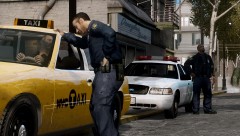
From the album: Saudi Emergency pack
-
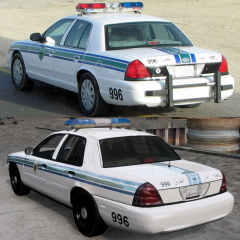 Well, if they feel like trolling, they might do that.
 -
What do you mean?
-
From the album: Saudi Emergency pack
Does it look like it? -
You can try this if you want to: Theres also a "red sky bug" fix for it here:
-
No problem bro! glad I could help you out :D
-
Try running GTA IV as administrator: right click on the laucher and then choose "run as administator"
-
I suggest that you read this: P.S.: I dont think this is the right place to look for support regarding LCPDFR
-
Did you install GTA IV after you downloaded it? --------- If no: run the installer and it'll guide you as you move forward --------- If yes: just run the LCPDFR installer and choose which features you want installed, then it will automatically put it in your game **If there are still any problems PM me.
-
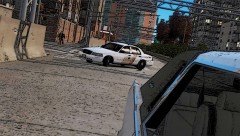
From the album: Saudi Emergency pack
-
I cant really tell which ENB he is using, but if you want a good ENB series that doesnt attack your FPS, I recommend Game4Video's ENB series, which you can get here: ------------------------ Installing the ENB: just extract the ".rar" file into your GTA IV directory, and replace any files if it asks you to. ------------------------ P.S.: I recommend that you back up your files in case something goes wrong.
-
Eat some potatoes
-
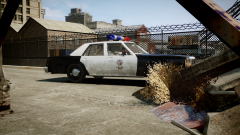 Feeling nostalgic?
 -
-
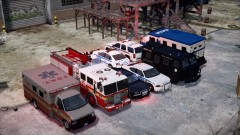 Awesome collection! and bro if u need any help with skins im always available :D
 -
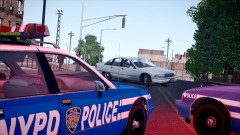 That has to be one of the coolest pics ive seen!


