


TUNES
Members
-
Joined
-
Last visited
Everything posted by TUNES
-
![[WIP] CVPI with a Code3 Mx-7000 LED lightbar and two Setina pushbars](//s3-gallery.int-cdn.lcpdfrusercontent.com/gallery/album_1565/sml_gallery_65185_1565_122145.jpg)
From the album: W.I.Ps
-
@S_a_m_e_e_r: No I dont @NickieB : yes I do
-
I unchecked the Automatically generate MipMaps levels bar and selected DXT5 and the rambar still is missing the textures, any other thoughts?
-
I was working on a CVPI with a MX-7000 LED lightbar and a setina pushbar, and when I finished exporting the model, I noticed what seems to be a texture problem with the rambar. Heres a pic: and heres what it looks like in zmodeler. Is there something wrong with the hierarchy? any help?
-
And make sure that you dont close the texture editor until you import all the models you want
-
Make sure you that when you import a certain model, you choose the "PNG" texture option, because that is the type of file textures use.
-
Thanks Savior, I think ill just go with the Mx-7000 LED for now, and see how it looks like.
-
This is a HQ Mx-7000 Lightbar, but its non-els If someone could could use his ELS mapping skills and convert it to an els version, I will give him a fresh donut.
-
-
-
-
Actually thats a good point, I was supposed to release this mod as a locked version, but I forgot to lock it. So anyways ill remove that note
- 12 comments
- 5 reviews
-
Thats what you see here in the Kingdom, plus several cars such as the Suburban, the Camry, and the Land Cruiser.
-
Unless you have magical powers, you cant. Thats the only way And its not that hard to install, just replace the Vehicles.img in the .rar file with your original Vehicles.img file and youre done!If you want the original cars back, you can get the vehicles.img here : http://www.mediafire.com/?vjlu0tc85juue8hPlease people ignore this kid, he obviously doesnt know what hes talking about.
- 12 comments
- 5 reviews
As per request by "bradyg" in this thread: NAME: Chevrolet Silverado Nova Scotia Department of Natural Resources - VERSION: V1.0 - EXTRA PARTS: ELS, Multiple Liverys. - LIGHTBAR: WHELEN EDGE 9000 - OPTIMIZED FOR: Polpatriot - MOD STATUS: UNLOCKED - PROJECT STATUS: CLOSED CREDITS MODEL: - Model Chevrolet Silverado by Bxbugs123, parts from nik287, converted to GTA IV by Bxbugs123, Modified by TUNES - Bed Cover, Bed Liner, Side-Steps & Better Built Toolbox by bxbugs123 RIMS: Bxbugs123, Textures By Lt.Caine LIVERY: TUNES LIGHTBAR: Whelen Edge Modeled & converted for GTA IV by Bxbugs123, Modified by TUNES Main textures made by Bxbugs123 & Lt.Caine FILES INCLUDED - polpatriot.wtd - polpatriot.wft - readme.txt - template.png (x2) - screenshots (x3) Do whatever you want with this mod, but remember to include credits :)- 12 comments
- 5 reviews
-
-

- 1
-
No problem :)A locked version of the silverado wont do a modder any good, the Unlocked model you're looking for is here: http://gtapolicemods.com/downloads.php?do=file&id=1870 And If I have some free time, ill work on it and maybe finish it by tomorrowI suggest that you watch this video: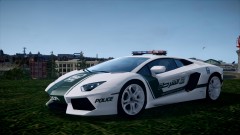 Reminds me of when I saw a Bugatti Veyron "Taxi" whilst in Dubai, lolI dont think you can delete cars in spark iv, because I use OpenIV instead. But I would recommend replacing that car with another car. Or you can download OpenIV from here http://openiv.com/ and then you can delete the unwanted files

![[WIP] CVPI with a Code3 Mx-7000 LED lightbar and two Setina pushbars](http://s3-gallery.int-cdn.lcpdfrusercontent.com/gallery/album_1565/sml_gallery_65185_1565_122145.jpg)
