


Vulture203
Members
-
Joined
-
Last visited
Everything posted by Vulture203
-
Alright
-
I'm pretty stupid for not realising this earlier Thank you
-
alright launching it now well it worked I'm officially in lspdfr
-
So maybe that's preventing it so I'm going to delete my save files and go into gta 5 normally and create a new one oh ok
-
So gta legacy has kinda a issue with corrupting your save files And I think I might have a corrupted save
-
Alright I think I mightve figured it out
-
yeah okay. Do I also have to uninstall all my guns and stuff? I think I might have one more solution ill try
-
Meaning uninstall lspdfr?
-
Well... It didn't work... correctly installed
-
alright I think its installed
-
where it tells me to install the thing mods/update/update.rpf/common/data/
-
and I just paste that in the directory it tells me to go to open iv
-
okay
-
wdym?
-
I assume I should go with the more mods option then choose which density I want?
-
Could you explain which ones I need to install because I'm stupid
-
okay will install
-
https://www.lcpdfr.com/downloads/gta5mods/misc/24718-gameconfigxml-for-lml-or-manual-install-by-rde-team/
-
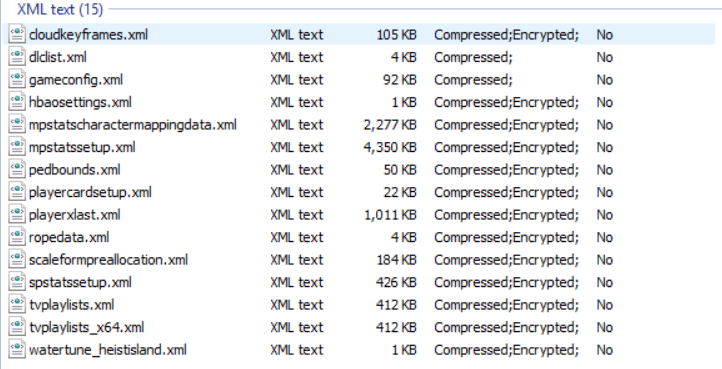
gameconfig.xml The one on the essentials page of lspdfr
-
Let me check ELS files were placed into els folder. Other yfts, ytds etc went into open iv
-
Oh damn well thanks for you help though. It still gets stuck on Thread CopManager #1
-
Alright installed but still stuck on the loading screen. 😞
-
Also rage native ui is coming up at december 12th 2024 not 7/1/2025 so I'm not exactly sure I've modded in other games but LSPDFR seems a bit hard
-
Script hook V is installed but I've never heard of scriptt hook v . net Do you have a link?
-
Yes 7/1/2025

