


ThatOneHick
Members
-
Joined
-
Last visited
Everything posted by ThatOneHick
-
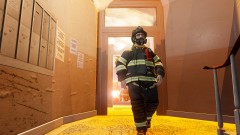 PLEASE TELL ME HOW YOU GOT THAT MASK ON! I HAVE BEEN TRYING FOREVER AND IT WON'T WORK FORE ME!
 -
IPhone 5 all the way!!!
-
IDK what's up with people on this site. His question was why he can't edit any mods and release them! The answer is copyright. Am I wrong?! NO! IDK why everyone is being an a** on here.
-
okaaayyy... IDK whats shoved up in you. I was just saying that people can't release models they don't own because it copyright.
-
I know I am not allowed to advertise other websites on this website, but I'm not. But take a look at this group. Their moderators seem like the bees knees and the site seems legit. MODERATOR NOTICE Advertising link removed - cp702
-
Do you not know what copyright means?
-
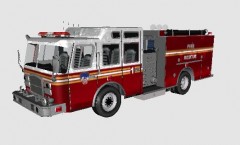 OMFG Yes. May I beta test or do you beta test your own work?
 -
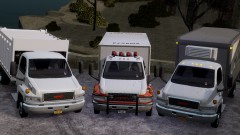 Wait, were these made by the same creator?
 -
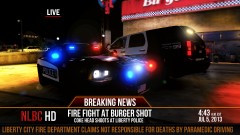 The news probably wouldn't say "Coke Head", but nice!
 -
I am trying to spawn the face mask for the firefighter in this ped pack: '?do=embed' frameborder='0' data-embedContent>> Can anyone find out how to spawn it. People say to change the eyes in the trainer, but that doesn't work!
-
-
-
Ocean View Fire Department, RCMP Fire, and plenty of others, but I don't know if they are hiring right now, ...there also is Harbor County Fire & Rescue.
-
The name of the model is the "MTL Hazmat Truck" by Luxart. How to install: Use "SparkIV" or "OpenIV" and replace the texture with the one given!
-
I am trying to submit a file on LCPD:FR. I included everything it asks for and it says I need a screenshot. I reupload the screenshot and it says the same thing. I changed the dimensions and everything and it still wont work. Is anyone else having this problem? How can it be fixed? Nevermind. I changed the file type and it worked!
-
The name of the model is the "E-One Hurricane" by KevinDV. How to install: Use "SparkIV" or "OpenIV" and replace the texture with the one given!
- 2 comments
- 6 reviews
-
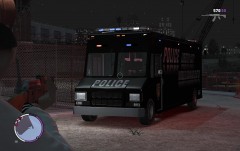 Nice!
Nice! -
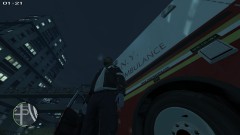 NYPD? You mean FDNY!?
 -
Thank you!
-
Before anyone posts stuff, I know that SA models are a little high polly, but some are not. I was wondering if anyone could tell me how to convert San Andreas mods to IV?!
-
Would you mind making a video or screenshot your steps? I am doing everything the readme file is saying and what you are saying and it is still not working.
-
And plus, the owner had to watch his dog get shot! That's go to be tough on him the most!
-
I know the cop was just trying to himself and the other officers. It looks like the dog was trying to bite the officer before the officer shot her firearm. I don't know why dogs do this, but its equivalent to us when we stick our chests out when we want to looks tough. Also, dogs sometimes don't understand what is going on. When something happens to their owner, they would like to protect them and prevent them from harm. In my eyes, I would have to blame the officer. He was just too jumpy and was startled when the dog approached him. Sorry for all the officers out there, but I have to blame this guy.
-
I'm still trying to figure it out. I tried replacing it with the helmet. It works, but you cant wear a helmet at the same time as mask.:(
-
The author is incorrect. I tried that as well and it doesn't work.

