ThatOneHick
Members
-
Joined
-
Last visited
Everything posted by ThatOneHick
-
-
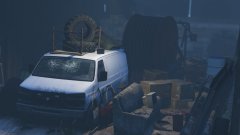 Oh so the van is drivable? Lol I thought it was a prop on the map. Kinda like how the Vapid Uranus is:
 -
-
No seriously... where is it?? I want to check it out!
-
Where is that at?? I want to restore it!
-
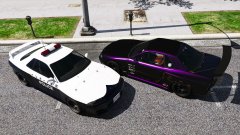 "Run! I dare you!"
 -
-
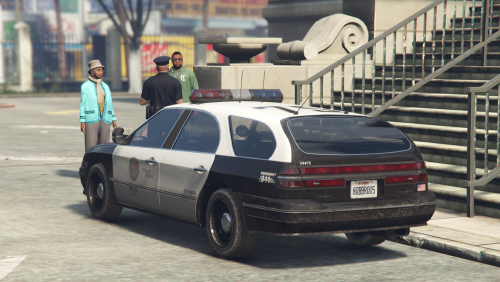
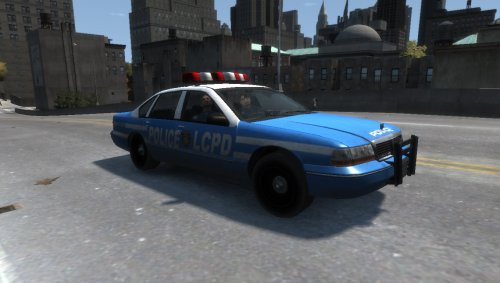
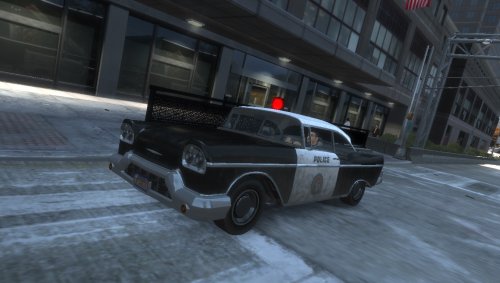 Want a model to be converted, submit your requests here: http://www.thatonehick.com/request-a-conversion.html Follow my workshop forum on gtaforums to keep up with what is to come next: http://gtaforums.com/topic/868573-thatonehicks-workshop/?hl=thatonehick _______________________________________________________________ Overall model by: - "ThatOneHick", Declasse Tornado by: - "Rockstar Games", Declasse Tornado 4 door by: - "Automan", Declasse Tornado 4 door converted to IV by: - "ThatOneHick", Light beacon by: - "Rockstar Games", Screenshots taken by: - "ThatOneHick", UV Mapped by: - "ThatOneHick", _______________________________________________________________ This modification is to only be posted on "GTA4-Mods", "GTAInside", "LCPD:FR", & "ThatOneHick's" site by "That One Hick"! Actions will be taken if another user uploads this modification anywhere! _______________________________________________________________ How to install: Use SparkIV or OpenIV and import model with any vehicle (mostly preferred a police car)! Please read the "readme.txt" file in the download for more information on data lines! _______________________________________________________________ Thanks for downloading! Please leave a rating:) Declasse Tornado Police [4-Door] [Non-ELS] [UV Mapped].rar
- 4 comments
- 1 review
-
-

- 6
-
-
Yeah it helped. Thanks Providence Law!
-
So I recently created a UV mapped version of Thundersmacker's Declasse Premier he converted from Max Payne 3 and the car spawns everywhere. His version he released doesn't do this. Does anyone know why this is happening? It may be a simple fix but I don't know why it does this.
-
-
 I left a template in the download that has the license plate mapped on it. You can fit the license plate of your liking on there.
- 11 comments
- 4 reviews
-
-
Want a model to be converted, submit your requests here: http://www.thatonehick.com/request-a-conversion.html _______________________________________________________________ Overall model by: - "ThatOneHick", Cargen Sedan by: - "Rockstar Games", Cargen Sedan converted to Declasse Premier by: - "Thundersmacker", Liveries created by: - "ThatOneHick", Decals for liveries by: - "Compeast", Screenshots taken by: - "ThatOneHick", UV Mapped by: - "ThatOneHick", _______________________________________________________________ This modification is to only be posted on "GTA4-Mods", "GTAInside", "LCPD:FR", & "ThatOneHick's" site by "That One Hick"! Actions will be taken if another user uploads this modification anywhere! _______________________________________________________________ How to install: Use SparkIV or OpenIV and import model with any vehicle (mostly preferred a police car)! Please read the "readme.txt" file in the download for more information on data lines! _______________________________________________________________ Thanks for downloading! Please leave a rating:) Declasse Premier Police Cruiser [Non-ELS] [UV Mapped].rar
- 11 comments
- 4 reviews
-
-
- 8
-
-
-
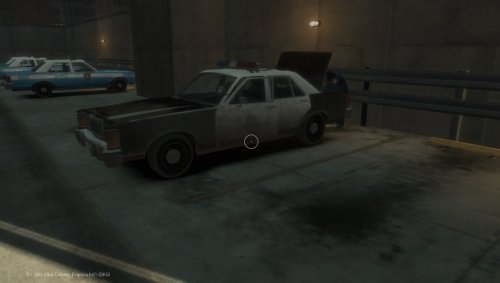 @Hullian111 Hello Hullian111. Thank you for your feedback. Without feedback, I am not aware of cons of what I should improve on/need to fix and pros on things that the community likes. For the cons you posted, I have looked into the lightbar issue of it not spawning on cars at some points and I found the same mistake as well. I have looked into this issue and corrected it. I named the lightbar in Zmodeler "extra_1", which would have made the lightbar spawn on certain cars randomly. I renamed it to "misc_h" to prevent the lightbar from having spawning issues. For the livery trunk problem, I realised I uploaded an old template. I decided before relase to map the back-facing part of the trunk/boot so you can add text to it (like what I did for the LCPD livery where it says "police"). I uploaded the correct vehicle files, just forgot to update the template in the zip. Thank you for bringing these issues up so I can correct these.
- 3 comments
- 2 reviews
-
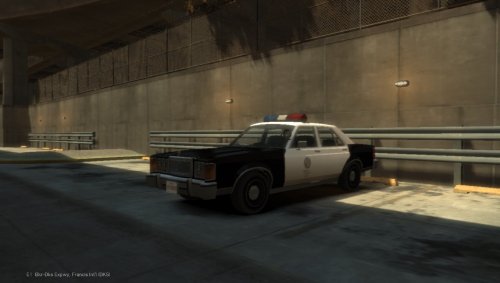 The livery and decals were ripped from a HD vice city model by myself. The credits are correct. :)
 -
Want a model to be converted, submit your requests here: http://thatonehick.com/request-a-conversion.html _______________________________________________________________ Overall model by: - "ThatOneHick", Willard Marbella by: - "Rockstar Games", Lightbar by: - "Rockstar Games", Lightbar converted by: - "ThatOneHick", Liveries created by: - "ThatOneHick", Screenshots taken by: - "ThatOneHick", UV Mapped by: - "ThatOneHick", _______________________________________________________________ This modification is to only be posted on "GTA4-Mods", "GTAInside", "LCPD:FR", & "ThatOneHick's" site by "That One Hick"! Actions will be taken if another user uploads this modification anywhere! _______________________________________________________________ Change log: - Swapped the vinilla LCPD Stanier wheels with the Feroc2 wheels, - License plates are now mapped on the livery template, - Inserted a LSPD, VCPD, and LCPD livery, - Fixed issue with dirt mapping on the tires, _______________________________________________________________ How to install: Use SparkIV or OpenIV and import model with any vehicle (mostly preferred a police car)! Please read the "readme.txt" file in the download for more information on data lines! _______________________________________________________________ Thanks for downloading! Please leave a rating:) Willard Marbella Police [Non-ELS] [UV Mapped].rar
- 3 comments
- 2 reviews
-
-
- 2
-
-
Want a model to be converted, submit your requests here: http://www.thatonehick.com/request-a-conversion.html _______________________________________________________________ Overall model by: - "ThatOneHick", Willard Marbella by: - "Rockstar Games", Lightbar by: - "Rockstar Games", Lightbar converted by: - "ThatOneHick", ELS/DROT Mapped by: - "ThatOneHick", Liveries created by: - "ThatOneHick", Screenshots taken by: - "ThatOneHick", UV Mapped by: - "ThatOneHick", _______________________________________________________________ This modification is to only be posted on "GTA4-Mods", "GTAInside", "LCPD:FR", & "ThatOneHick's" site by "That One Hick"! Actions will be taken if another user uploads this modification anywhere! _______________________________________________________________ Change log: - Swapped the vinilla LCPD Stanier wheels with the Feroc2 wheels, - Instead of only 4 rotors working, all of them now rotate, - License plates are now mapped on the livery template, - Inserted a LSPD, VCPD, and LCPD livery, - New ELS mapping (now you can change each rotor's light texture to your liking without effecting another one's rotor), - Fixed issue with dirt mapping on the tires, _______________________________________________________________ How to install: Use SparkIV or OpenIV and import model with any vehicle (mostly preferred a police car)! Please read the "readme.txt" file in the download for more information on data lines! _______________________________________________________________ Thanks for downloading! Please leave a rating:) Willard Marbella Police [ELS] [DROT] [UV Mapped].rar
-
I figured out that I moved the tires where they are suppose to be without moving the collision for them. I alligned the collision for the wheels and it fixed everything.
-
![Police Marbella [ELS] [UV Mapped]](//s3-gallery.int-cdn.lcpdfrusercontent.com/monthly_2016_09/small.57d2295f5c717_GTAIV2016-09-0822-59-04-307.jpg.ba337e10d632620749b4c55eaa32ce54.jpg)
From the album: Police Marbella
-
![Police Marbella [Non-ELS] [DROT] [UV Mapped]](//s3-gallery.int-cdn.lcpdfrusercontent.com/monthly_2016_09/small.57d2295d57028_GTAIV2016-09-0822-58-39-491.jpg.c51d0de9d161e62c2c646456b669ad31.jpg)
From the album: Police Marbella
-
This album will show off the police Marbella I am working on.
-
From the album: Police Marbella
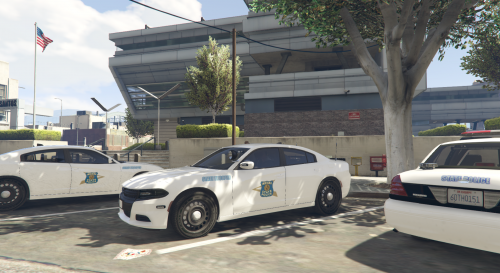
Dirt mapping is fixed. Now I have to fix an issue with the rotors when the emergency lights aren't active and the ELS version will be complete. I will release a Non-ELS version as well. -



![Police Marbella [ELS] [UV Mapped]](http://s3-gallery.int-cdn.lcpdfrusercontent.com/monthly_2016_09/small.57d2295f5c717_GTAIV2016-09-0822-59-04-307.jpg.ba337e10d632620749b4c55eaa32ce54.jpg)
![Police Marbella [Non-ELS] [DROT] [UV Mapped]](http://s3-gallery.int-cdn.lcpdfrusercontent.com/monthly_2016_09/small.57d2295d57028_GTAIV2016-09-0822-58-39-491.jpg.c51d0de9d161e62c2c646456b669ad31.jpg)