


Lazerus
Members
-
Joined
-
Last visited
Everything posted by Lazerus
-
 Hey bugz, just a quick question. Is that CVI that was being worked on going to be released? The one that had like a zillion different options that you can change?
 -
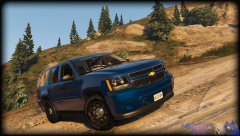
Just some pictures of me playing gtav, enjoy :)
-
 RCMP skin pack wip
-
 RCMP pack wip
-
 RCMP pack wip
-
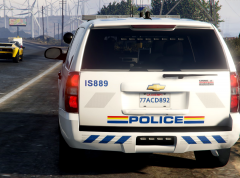 RCMP pack wip
-
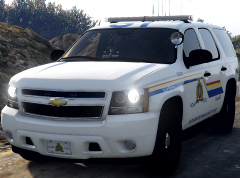 RCMP pack wip
-
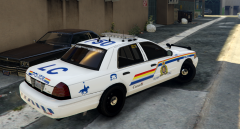 RCMP skin (crown vic) *whip*
-
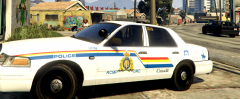 RCMP skin (crown vic) *whip*
-
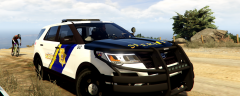 BC Sheriff skin whip (2016 ford explorer)
-
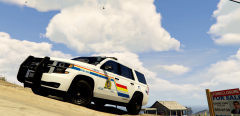 RCMP skin whip (2015 tahoe)
-
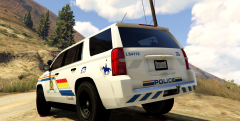 RCMP skin whip (2015 tahoe)
-
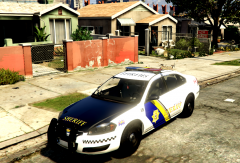 BC Sheriff skin (whip)
-
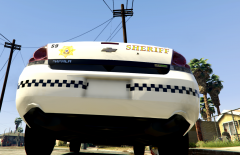 BC Sheriff skin (whip)
-
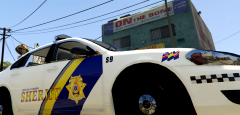 BC Sheriff Skin (whip)
-
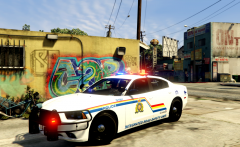 RCMP skin whip *bxbugs charger*
-
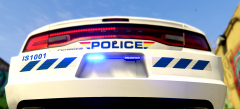 RCMP skin whip *bxbugs charger*
-
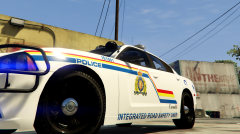 RCMP skin whip *bxbugs charger*
-
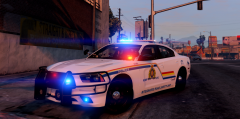 RCMP Skin
-
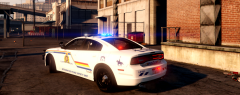 RCMP skin
-
-
From the album: GTAV in game shots
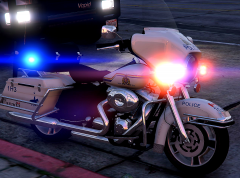
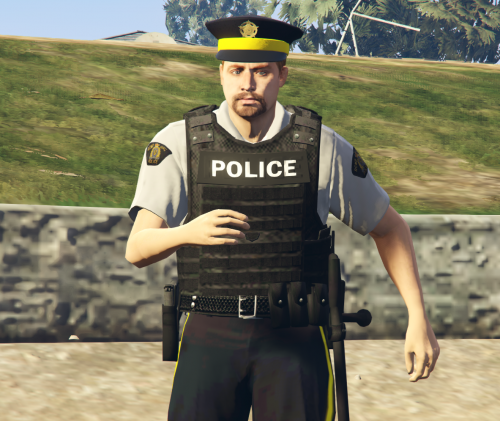
Just finished doing up the rcmp bike for the pack. Now I know this bike isn't setup *light wise* correctly for the rcmp but, its a close resemble to their bikes, which is why I used it compared to the vanilla one in game. Came out rather nicely I think. Just have to do a Helo skin up, final touch ups and this pack should be complete soon ;) -
 Sweet! Nice work! Guess I need to step on it and get my vehicle skins done soon :P
- 21 comments
- 6 reviews
-
-

- 1
-
-
I think more or less its to catch folks who come from behind them, and aren't very perceptive. I seen there the other day one of the new 2015 unmarked models have a bike rack on the back of it with a civi bike loaded onto it, with family stick figure decals on the back window. Thought that was a little more clever.
-
hahah. believe it or not the units here in Nanaimo bc *which I took the idea from* do this. Not sure how effective it is but, I chuckled. Even some of the older Tahoe models they have in their fleets have stick family decals on the back windows :P. They bought new Tahoe's recently *unmarks* for the k9 guys and there a little harder to pick out.
-
From the album: GTAV in game shots
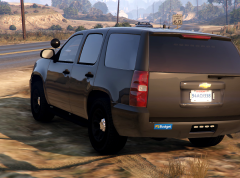
RCMP getting sneaky with trying to make it look like there unmarks are rent a car vehicle buhaha :P -
From the album: GTAV in game shots
few other models I did up. The new Tahoe I'm using has taken the forest ranger slot. Works well. Love Bxbugz new slicktop cvi model, nice job bugz! -
From the album: GTAV in game shots
Gumps sexy Tahoe, out on patrol. -
From the album: GTAV in game shots
Gumps sexy Tahoe, out on patrol. -
-
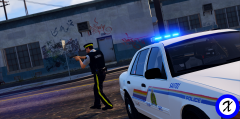 cool beans, nice job either way.
 -
nice outfit, is this a released item? If so mind sharing the link. Thanks in advance.
-
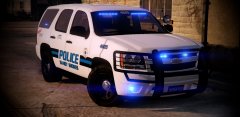 so purrrrty =D
 -
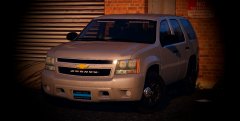 Gump, you need to stop making such sexy Tahoe's, don't make me spank you :o
 -
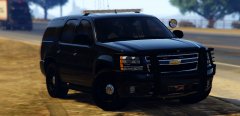 Gump you marvelous sexy man! so beautiful! love it!!
 -
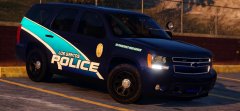 gump, you think youll make a non slicktop version of this Tahoe? Just curious ;) love the skin on this one, nicely done.
 -
-
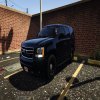 There's so much fap in there.. I just don't have that much tissue... bah ill use bed sheets. NIce work Gump!
 -
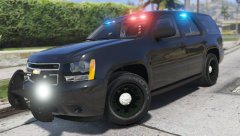 id love to get my hands on that sexy Tahoe. Nicely done!
 -
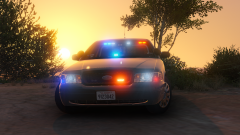 Don't like it, the exit door is over there *points*. No one is forcing you to stick around. I actually like CVI's and I'm sure I'm not the only one. On a side note, I do hope bugz releases this beauty
 -
From the album: GTAV in game shots
sorry I haven't updated on this pack I'm working on. Just finished the crown vic skin. Came out rather nicely. Also will include the window design shown. I've also wrapped up a Taurus skin as well. Still need to make a Silverado one... maybe a Tahoe. Then just go over everything and do up several extra skins depending on the model and if it has extra "skin slots". Hope you like this. -
From the album: GTAV in game shots
sorry I haven't updated on this pack I'm working on. Just finished the crown vic skin. Came out rather nicely. Also will include the window design shown. I've also wrapped up a Taurus skin as well. Still need to make a Silverado one... maybe a Tahoe. Then just go over everything and do up several extra skins depending on the model and if it has extra "skin slots". Hope you like this. -
From the album: GTAV in game shots
This is the BC sheriff skin for the new 2016 ford explorer, hope you like :P -
From the album: GTAV in game shots
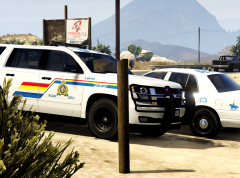
front shot of the 2015 Tahoe with the rcmp skin, hope you like :)



