


Drdrift1212
Members
-
Joined
-
Last visited
Everything posted by Drdrift1212
-
 The newer version solve the problem. I didn’t say it, but it is a very very very good mod
- 37 comments
- 1 review
-
-

- 1
-
-
-
It didn’t change anything. The problem is even when I change the keybind, it just doesn’t do anything
- 37 comments
- 1 review
-
-
here it is. I have an idea, if you send me the panel preferences.ini and telle me where I put it, it can use it and solve the issue RagePluginHook.log StrikeEmergencyLightingController.txt
- 37 comments
- 1 review
-
-
-
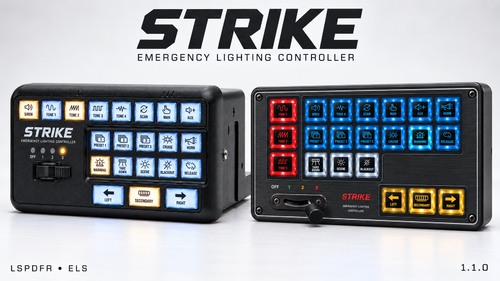
Well everything is loaded in the game, but I can’t reduce the size of the controller and it takes like half of the screen. In the .ini I changed the scale, but nothing changed in the game. So I tried with the f12 screen thing and there’s no mouse so it just moves the camera
- 37 comments
- 1 review
-
-
-
I need help. The controller is way too big and when I changed the scales, it didn’t work. I tried with the settings in the game, but there’s no mouse. So, the screen is there but I can’t control anything. I just want the controller to be more smaller
- 37 comments
- 1 review
-
 I have an idea for a new callout. I love it with Peterucallout, but it doesn't always work. It’s called illegal immigrant in truck. So like it’s just a truck on the road and we have to look inside it and we arrest them as well as the driver. Sorry for my English, it is not my first language.
- 57 comments
- 8 reviews
-
- it
- us
- lore
- lspdfr callout
-
Tagged with:
-
 Hi, I’m from Quebec and I was wondering if I can help you to do the Quebec one. I’m just proposing, I know it’s a lot of work, but if you’re interested let me know. I want to do it for free
 -
nothing changed
-
I tried, but nothing changed
-
Just not loading
-
That's what I did, but still nothing works.
-
I tried, but rage don’t load. It stays on the launching message
-
Hello, my English is not really good, so sorry for all the mistakes. So, I'm new to GTA 5 and lspdfr. I installed the latest version of both and rage has a problem at startup. I run rage to open gta, but when I launch it, I don't get anything that tells me that lspdfr is running but gta is running good. I've been on this for days and nothing works. I was told I need to install the latest version of rage, but the site is currently down. Could someone help me launch lspdfr?
