
Oliver Raw
Members
-
Joined
-
Last visited
Everything posted by Oliver Raw
-
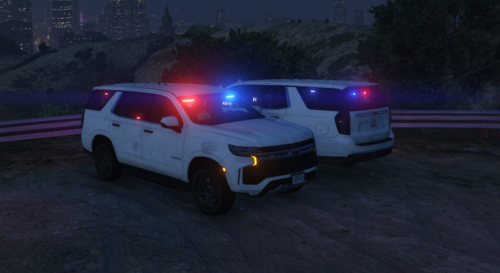 Please note: I did not create Dynamic Lighting System or The Unmarked Tahoes. I just converted the V2 DLS configs so people can use the Unmarked Tahoes with DLS V1! Some features will be unavailable from the DLS V2 version found in the original download, including the break lights during Stage 3 and Side Lights Requirements: - Dynamic Lighting System V1.4.1 by TheMaybeast (https://www.lcpdfr.com/downloads/gta5mods/scripts/29261-dynamic-lighting-system) - Unmarked Tahoes by michelin15 (https://www.lcpdfr.com/downloads/gta5mods/vehiclemodels/50699-non-els-dlsv2-unmarked-tahoes) INSTALLATION 1 - Install Dynamic Lighting System V1 and Unmarked Tahoes (Instruction can be found in mods) 2 - Drag and drop the "18tahoeum.xml" and "21tahoeum.xml" files to your DLS folder (Grand Theft Auto V\Plugins\DLS) - If aksed to replace or skip files, press replace. PRESSING SKIP WILL NOT INSTALL THESE CONFIGURATIONS 3 - The config will be automatically applied when you spawn one of the cars CREDITS @TheMaybeast | Dynamic Lighting System (https://www.lcpdfr.com/profile/427610-themaybeast) @michelin15 | Creating the Cars, and Lighting Patterns used (https://www.lcpdfr.com/profile/356374-michelin15)
 -
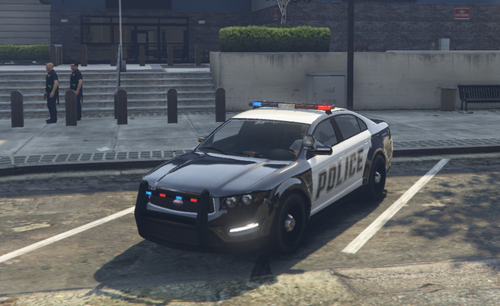 This is a quick and easy to install config file so you can use Dynamic Lighting System with the Vanilla Vehicles. I do not own DLS or any of the vehicles used. Please note I am always looking for feedback on my work! TO USE THIS YOU NEED DLS V2 Dynamic Lighting System: My Plans Add More Vanilla Vehicles Make Custom Stage 3
 -
 Amazing Plugin!!, I am wondering if there is a chance of getting the Light Controller UI from DLS V1 in DLS V2
- 281 comments
- 22 reviews
-
-

- 1
-