tubbylemon
Members
-
Joined
-
Last visited
Everything posted by tubbylemon
-
It worked! Thank you so much!
-
It still won't work. I update ScripthookV and my game congif, yet it keeps crashing with the same message.
-
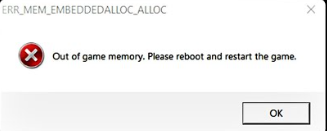
When I tried playing LSPDFR this morning, RPH kept crashing upon startup. I now see this error message shown whenever I boot up GTA via RPH:
-
ty
-
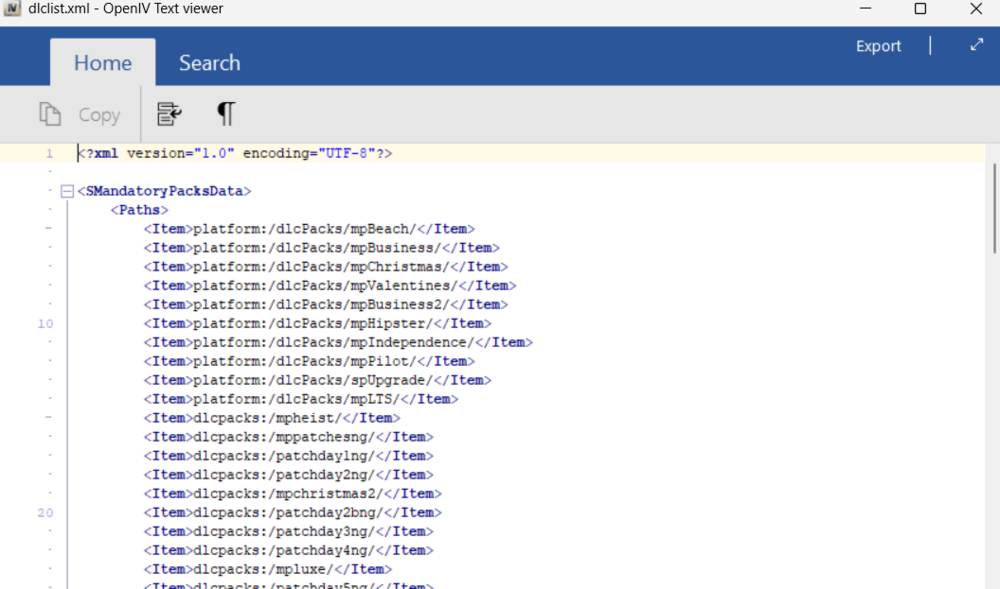
this is the top of my xml
-
I've done some more testing and I now believe it is instead an issue with my GTA game itself. When I play vanilla GTA without mods or plugins, it's especially buggy with controls not working properly. The character creation is also buggy as I'm only able to use a couple hairstyles and accessories.
-
This may or may not be related to my issue, but this message pops up in the dlclist.xml file when I try to edit it:
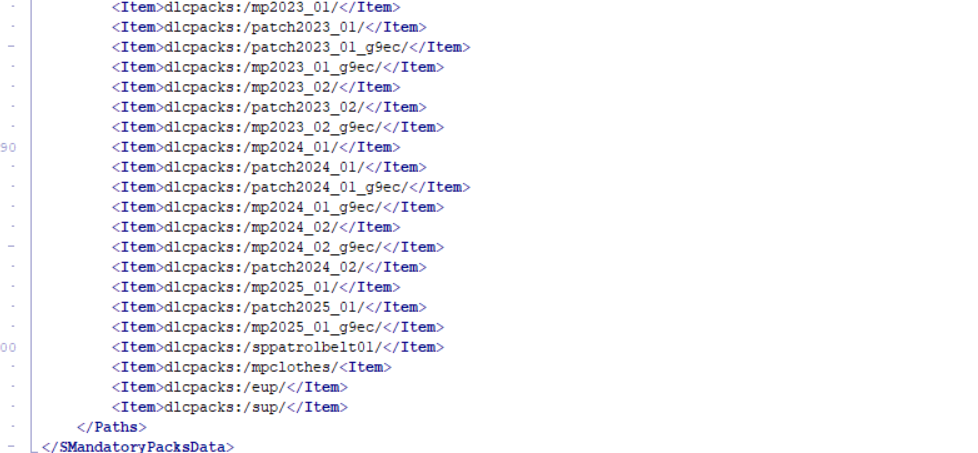
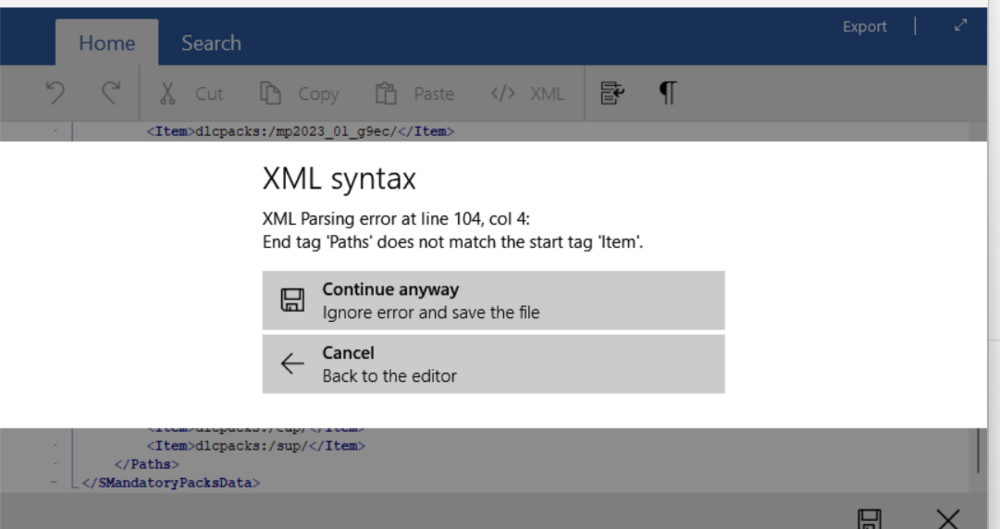
-
Whenever I load into the game, it says that the EUP mod cant load because EUP law and order was not installed. I have had EUP law and order installed for months now and it was working fine up until this morning. I tried reinstalling it a couple of times, though the message still won't go away and I'm unable to use the mod. I would usually brush this off as usually an update by GTA itself since this has happened before, but I don't think it had any major updates recently which makes me believe that it is something from my end that I currently don't know about yet.
-
whenever i try to call for state police backup with the vanilla backup menu, it says "There's an issue with the backup configuration files. Please revert any changes."
-
i've already made a forum about this in the past, and my question was partially answered, but sometimes i just like looking at my old logs whenever i'm bored. I know that the newest log always generates right below my ragepluginhook app in my GTA V folder, but it would be kind of nice for my logs to be more organized in my log folder.
-
I know it's quite late, but I'm wondering how I could view my other logs prior to my newest one since they won't show up anymore in the logs folder. It's nothing that urgent, but I'm a bit curious.
-
this helps so much ty
-
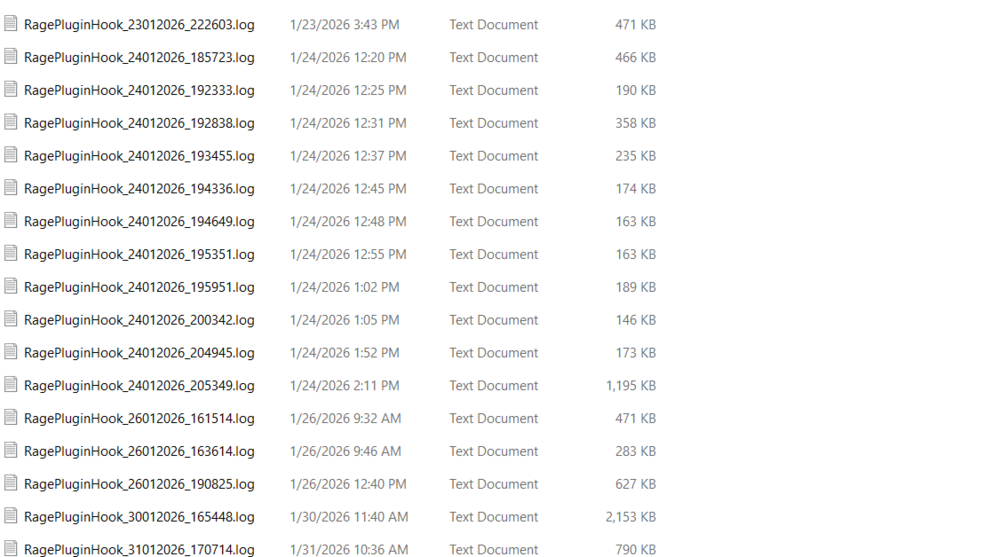
This isn't that big of a deal but it's more of an inconvenience if anything. Sometimes my plugins crash randomly at times, though the issue goes away when I reload said plugin. I used to look at my logs whenever I encountered a small issue like this, but now my log won't even show up in my log folder in my GTA V directory. It would be really nice to know what is or why this is happening. Again, not too much of a big deal considering I can load the plugins. For reference, these are my logs prior: (keep in mind the last time I played was on February 28th.) these are my latest logs in the past month of january btw
-
for some reason i cant even download lspdfr without it being blocked *im not very tech savvy*
-
For some reason I can't take a screen shot of the message, but when I try to update LSPDFR, it says "Error for opening file writing." I've done some more research and it's apparently because Windows 11 updated. However, when I disable my antivirus, it still won't go away. It should also be worth mentioning that my RPH startup file got removed.
-
thank you so much
-
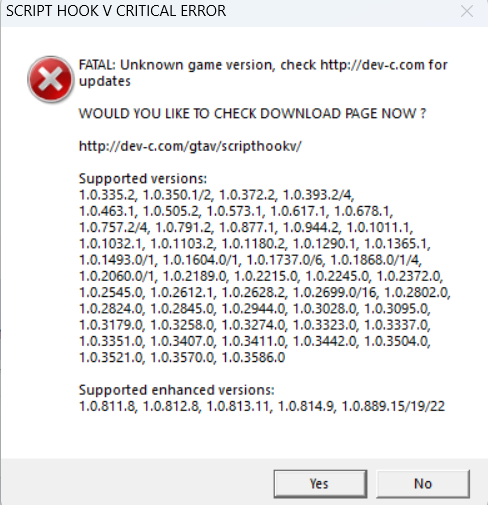
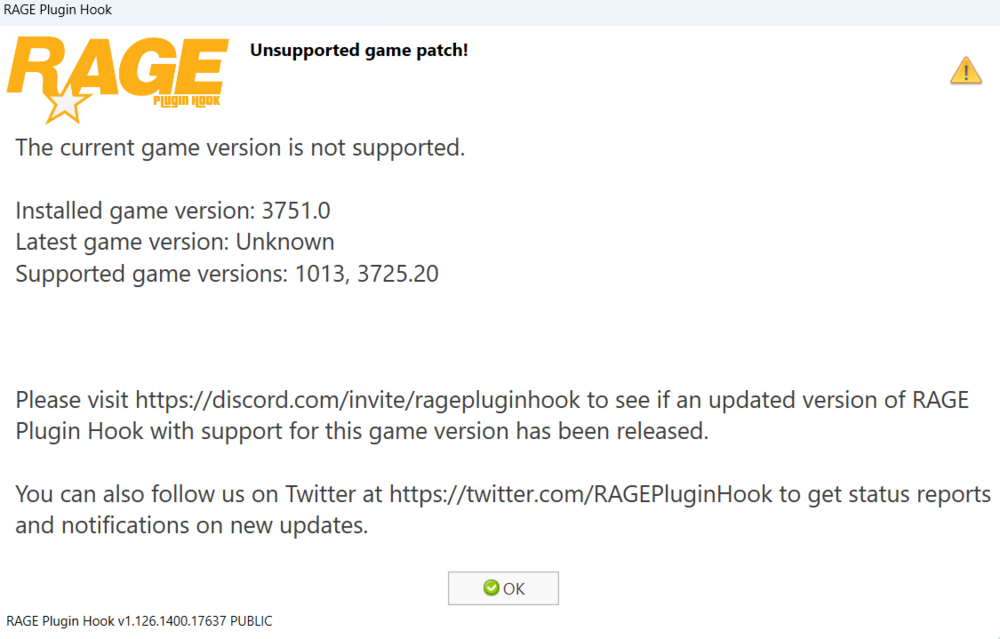
Whenever I play LSPDFR, this message pops up saying that my game version isn't supported. I have ragenativeUI and scripthookv installed as well as the latest version of LSPDFR installed. but this keeps coming up. It would help a lot if I knew how to fix this issue.
-
i forgot that i needed to download eupfr
-
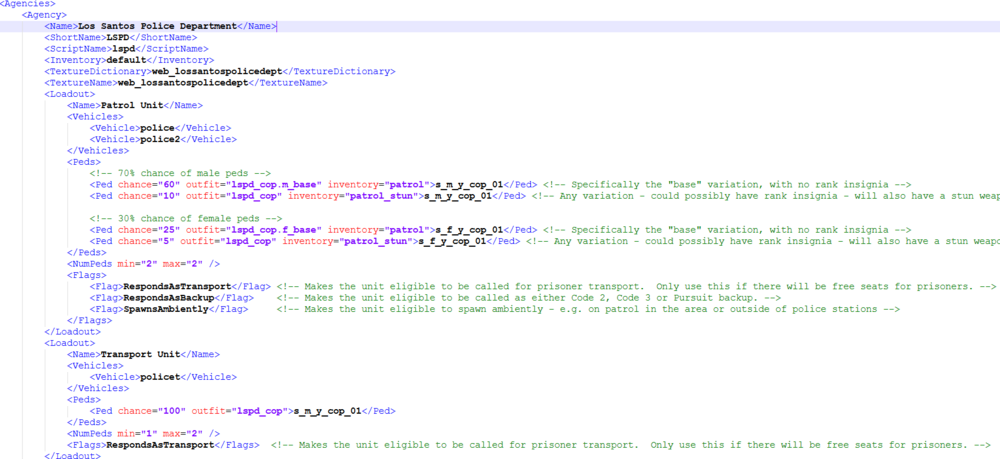
This helps a lot! However, when I check agency in lspdfr/data, I can't find the same inventory and outfit slots that were present in the ultimate backup XMLs. Again, I'm not very tech savvy. Here's a picture of what I see for example when I try to edit:
-
im mostly just talking about the uniforms, not the cars themselves
-
This is a little hard to explain, but hear me out. I've made some changes with the uniforms and accessories of my Ultimate Backup units in the XML files (e.g bodycams, mics etc.) While my units do come with these modifications whenever I call for backup using the Ultimate Backup menu, the standard LSPDFR backup units and ambient cops spawn in with the base Ultimate Backup EUP uniforms. Again, this isn't too big of an issue but it would definitely help to understand what's going on. As it stands I don't have a video or image of this issue, but I'm working on it.
-
Whenever i try to play lspdfr, this message pops up. I keep reinstalling script hook v and getting the newest version, but it still doesn't seem to work.