KDNK Customs
-
Joined
-
Last visited
Everything posted by KDNK Customs
-
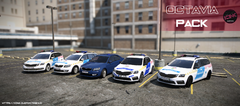
From the album: Skoda Octavia | Magyar rendőrautó pack
-
A pack tartalma: Skoda Octavia RTK Skoda Octavia PHOENIX Skoda Octavia Unmarked Skoda Octavia RTK RS Skoda Octavia RS sedan Fényhíd típusa: NON ELS Matrica minősége: 4K A járművet az alábbi linken találod meg: https://kdnk-custom.tebex.io
-
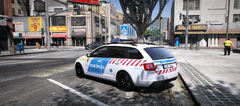
From the album: Skoda Octavia | Magyar rendőrautó pack
-
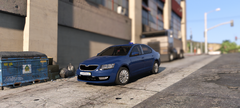
From the album: Skoda Octavia | Magyar rendőrautó pack
-
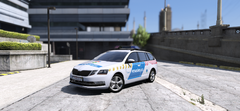
From the album: Skoda Octavia | Magyar rendőrautó pack
-
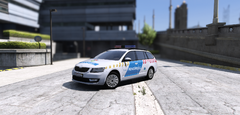
From the album: Skoda Octavia | Magyar rendőrautó pack
-
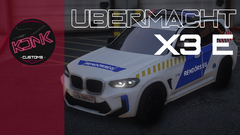
From the album: BMW IX3 | Magyar rendőrautó
-
BMW IX3 Fényhíd típusa: NON ELS Matrica minősége: 4K A fényhíd 6 féle LED felirat kiírását teszi lehetővé TORLÓDÁS --> QUEUE LASSÍTS --> SLOW DOWN KÖVESSEN --> FOLLOW BALESET --> ACCIDENT ÚTLEZÁRÁS --> ROAD CLOSED KÖZÚTI ELLENŐRZÉS ---> TRAFFIC CONTROL A járművet az alábbi linken találod meg: https://kdnk-custom.tebex.io/package/6653154
-
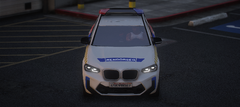
From the album: BMW IX3 | Magyar rendőrautó
-
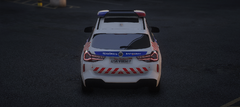
From the album: BMW IX3 | Magyar rendőrautó
-
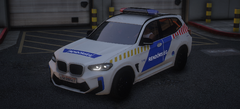
From the album: BMW IX3 | Magyar rendőrautó
-
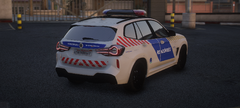
From the album: BMW IX3 | Magyar rendőrautó
-
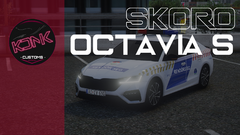
From the album: Skoda Octavia S | Magyar rendőrautó
-
Skoda Octavia S Fényhíd típusa: NON ELS Matrica minősége: 4K A fényhíd 6 féle LED felirat kiírását teszi lehetővé RENDŐRSÉG - POLICE KÖVESSEN - FOLLOW BALESET - ACCIDENT TORLÓDÁS - QUEUE ÚTZÁR - ROAD CLOSED A járművet az alábbi linken találod meg: https://kdnk-custom.tebex.io
-
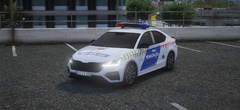
From the album: Skoda Octavia S | Magyar rendőrautó
-
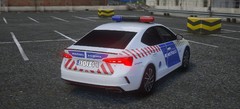
From the album: Skoda Octavia S | Magyar rendőrautó
-
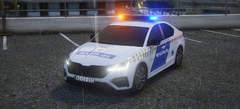
From the album: Skoda Octavia S | Magyar rendőrautó
-
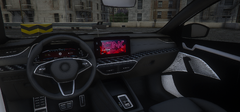
From the album: Skoda Octavia S | Magyar rendőrautó
-
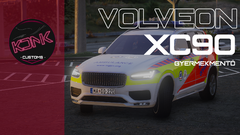
From the album: Volvo XC90 | Magyar gyermekmentő
-
Volvo XC90 Fényhíd típusa: NON ELS Matrica minősége: 4K A járművet az alábbi linken találod meg: https://kdnk-custom.tebex.io
-
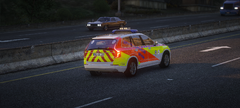
From the album: Volvo XC90 | Magyar gyermekmentő
-
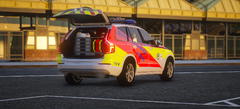
From the album: Volvo XC90 | Magyar gyermekmentő
-
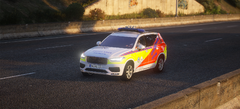
From the album: Volvo XC90 | Magyar gyermekmentő
-
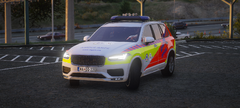
From the album: Volvo XC90 | Magyar gyermekmentő
-
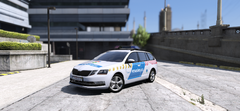
From the album: Skoda Octavia | Magyar Rendőrautó pack