Chappie
Members
-
Joined
Everything posted by Chappie
-
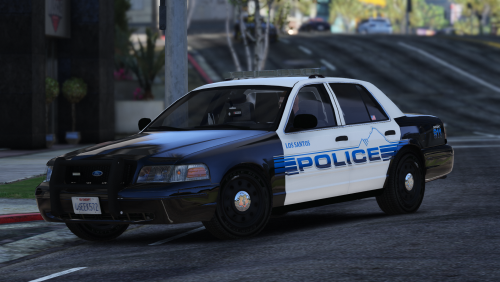 These are really bloody nice. I love the mountain outline above the police, it was executed perfectly. Great job, Brad.
- 25 comments
- 10 reviews
-
-

- 1
-
-
.thumb.jpg.1db0be3e377ccefdd47e57a95ec56762.jpg) Mine has quite a few entries in it. everything is set to siren setting 14. If you want it, go for it. This is where I have it. C:\Program Files (x86)\Steam\steamapps\common\Grand Theft Auto V\mods\update\x64\dlcpacks\mpvalentines2\dlc.rpf\common\data carvariations.meta
Mine has quite a few entries in it. everything is set to siren setting 14. If you want it, go for it. This is where I have it. C:\Program Files (x86)\Steam\steamapps\common\Grand Theft Auto V\mods\update\x64\dlcpacks\mpvalentines2\dlc.rpf\common\data carvariations.meta- 239 comments
- 70 reviews
-
I've done everything mentioned, still have the red coronas with all blue. meh. Silly me, I forgot carvariations. ¯\_(シ)_/¯
- 239 comments
- 70 reviews
-
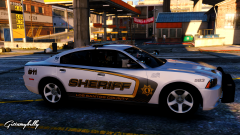 holy fuck bud. it's glorious.
 -
I think it would be a pretty cool call out if it's executed correctly.
-
 Not really. There are ways, I've just gotta venture into the metas and figure it out.
- 501 comments
- 104 reviews
-
-
- 1
-
-
I think Hurk might have goofed. There is supposed to be spotlights. He's a busy bee so when he has the time he'll get to it.
- 501 comments
- 104 reviews
-
-
- 1
-
-
Are you replacing? or adding on vehicles? the vehicles.meta should go here. C:\Program Files (x86)\Steam\steamapps\common\Grand Theft Auto V\mods\update\x64\dlcpacks\mpluxe\dlc.rpf\common\data\levels\gta5
- 501 comments
- 104 reviews
-
-
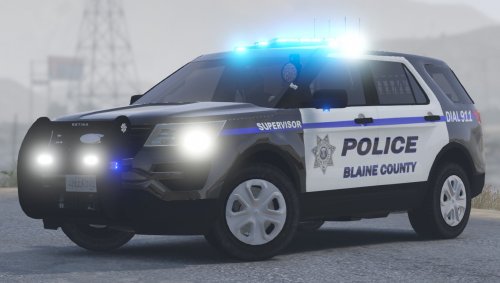 Love the explorer! really love the lighting set up. Also, you spelled supervisor wrong. GG.
- 35 comments
- 14 reviews
-
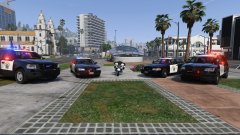 no-sir.
 -
Who?
-
OH BILLY!
-
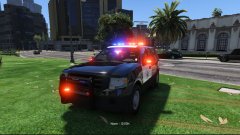 Fuck yeah bud!
 -
I don't believe you can. You can however report the comment and ask for deletion, that's what I do and have been instructed to do in the past. Maybe a moderator can offer a better option.
-
-
My game is fine for 10-15 minutes. but after that time, and a few call outs, my game stutters, and so does the audio. I've never had this issue until recently. I took out all of the call outs I've been using and it doesn't seem to be a problem anymore. The ones I took out were Code 3 callouts, assorted callouts, and secondary. I'm not sure if this is my problem, RPH's problem, or the call out authors problem. Any insight would be much appreciated. I'm on RPH 41. Pc specs Intel Core i5-4690k 3.5GHz Asus Z97-A 8GB Kingston HyperX Fury Black memory. WD 1TB Blue EVGA GeForce GTX980 4GB SC ACX 2.0 NZXT Phantom 530 (white) Corsair HX750i
-
Can we like, stop killing each other?
-
-
-
 Am I able to just get the added models? none of the ped, population and other changes? What would I need to edit, or leave out when installing?
- 1,509 comments
- 85 reviews
-
Is there a way to only have RDE added models? None of the ped, population stuff, etc?
-
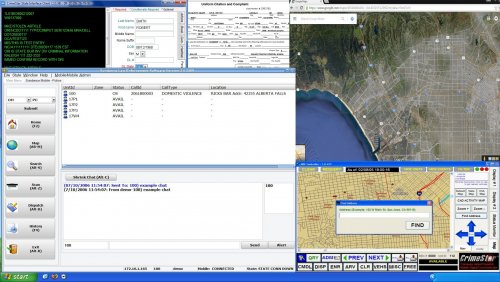 This makes it so much more appealing to go into the computer, great work mcsexy!
- 3 comments
- 7 reviews
-
-
- 1
-
-
 The BMW borrows animations from other bikes, as you know the default just doesn't work well. You can download the meta at the top of the file page, just below the "About This File". If you don't want to use this meta because you have custom lines in, take the meta you downloaded from the top of this file page, open the meta, Ctrl + F and search policeb (or just scroll til you find it), copy the entire policeb entry, and paste it into your current vehicles.meta over the previous policeb. Make sure you don't add unnecessary characters or your game will likely crash.
- 218 comments
- 42 reviews
-

.thumb.jpg.1db0be3e377ccefdd47e57a95ec56762.jpg)