


bwzav
Members
-
Joined
-
Last visited
Everything posted by bwzav
-
-
I think this could be nice : Washington DC Police 2013 Ford Police Interceptop With a FS Valor lightbar.
-
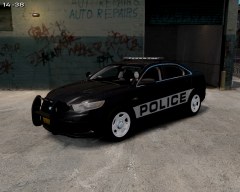 indeed looks goodZeer mooi. Klein vraagje hoe zit het met de Audi's van de WPR. // Great work. Small question what's the status from the Audi's from the WPR?
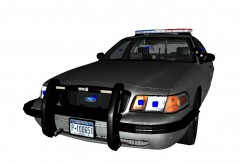 This pusbbar looks great.
 Great charger!
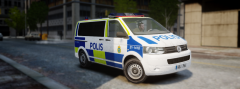 looks great.
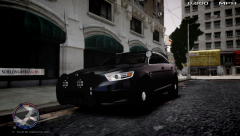 sweet
sweet![[WIP] Arjent S2 Charger](//s3-gallery.int-cdn.lcpdfrusercontent.com/gallery/album_1177/sml_gallery_9139_1177_7202.jpg) Nice!
Nice!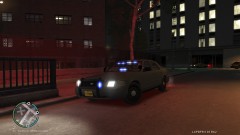 Wow really nice. Any one a link?
![[REL] Fire Dept. Suburban](//s3-gallery.int-cdn.lcpdfrusercontent.com/gallery/album_544/sml_gallery_6074_544_422937.png) Really nicePROBLEM FIXED.I'm using Game4videos ENB and with ELS V6 my lights looked great. Buth now with ELS V7 my lights look like sh*t. Any one a answer?
Really nicePROBLEM FIXED.I'm using Game4videos ENB and with ELS V6 my lights looked great. Buth now with ELS V7 my lights look like sh*t. Any one a answer?

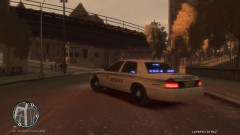

![[WIP] Arjent S2 Charger](http://s3-gallery.int-cdn.lcpdfrusercontent.com/gallery/album_1177/sml_gallery_9139_1177_7202.jpg)
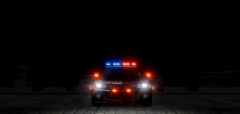
![[REL] Fire Dept. Suburban](http://s3-gallery.int-cdn.lcpdfrusercontent.com/gallery/album_544/sml_gallery_6074_544_422937.png)

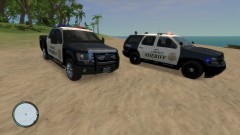


Account
Navigation
Search
Configure browser push notifications
Chrome (Android)
- Tap the lock icon next to the address bar.
- Tap Permissions → Notifications.
- Adjust your preference.
Chrome (Desktop)
- Click the padlock icon in the address bar.
- Select Site settings.
- Find Notifications and adjust your preference.
Safari (iOS 16.4+)
- Ensure the site is installed via Add to Home Screen.
- Open Settings App → Notifications.
- Find your app name and adjust your preference.
Safari (macOS)
- Go to Safari → Preferences.
- Click the Websites tab.
- Select Notifications in the sidebar.
- Find this website and adjust your preference.
Edge (Android)
- Tap the lock icon next to the address bar.
- Tap Permissions.
- Find Notifications and adjust your preference.
Edge (Desktop)
- Click the padlock icon in the address bar.
- Click Permissions for this site.
- Find Notifications and adjust your preference.
Firefox (Android)
- Go to Settings → Site permissions.
- Tap Notifications.
- Find this site in the list and adjust your preference.
Firefox (Desktop)
- Open Firefox Settings.
- Search for Notifications.
- Find this site in the list and adjust your preference.