


llArcher64ll
Members
-
Joined
-
Last visited
Everything posted by llArcher64ll
-
Thank you. That list was all that could fit on my screen, so I didn't see the button. Hitting Enter let me press it despite not being visible.
-
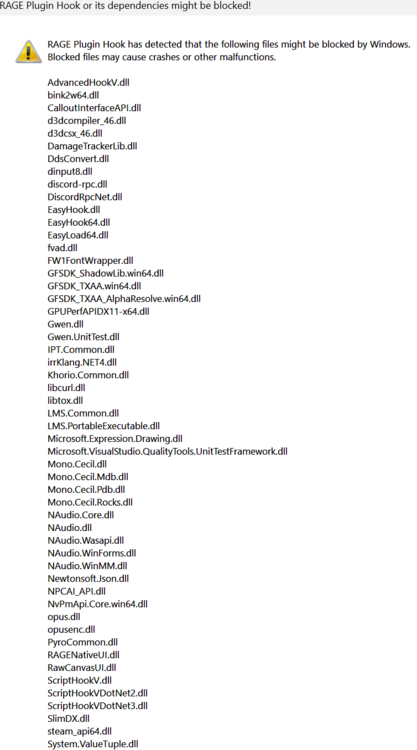
I recently transferred my game to a new SSD. Prior to this, I had RPH working without problems. I have Windows Defender and SmartScreen off while also having GTA and RPH as exclusions. My permissions for RPH are full control for Users, System, and Administrators. I'm unsure why I'm having this problem since everything worked before.
-
Was able to reproduce with an RTX 4070 TI. I found that turning off the smooth motion setting within the NVIDIA app was the solution. Prior the game would crash before the opening screens finished, occasionally giving the D3d initialization error. On Enhanced frame gen also messes with Rage Hook by not allowing the console to open when pressing F4.
-
I had the exact same issue. Right click on the RPH.exe and select properties->compatibility and check the select program for restart box. Then click apply and try to laucht the RPH.exe. This fixed it for me.
