


Danielpm
Members
-
Joined
-
Last visited
Everything posted by Danielpm
-
Thanks a lot, mate! I did that and it worked. Cheers!
-
You're having the same problem as me; my taillights are flashing, and the steady lights work fine, but the rotating ones don't.
-
Hi, the ELS isn't working properly for me; the steady lights come on but the rotating ones don't. I've already reinstalled it and nothing has changed.
-
It's already solved, thanks!!
-
Hi, I installed ELS with advancedhook along with a graphics mod and visual settings, and the lights are not shining.
-
It now works for me, I had errors on my PC, thank you very much for all the help!
-
I just saw it and I have total control over all 3 things.
-
I did it yesterday when I told you
-
Hi, I've already done it and it didn't work.
-
Oh, okay! No problem, let's see if we can find the problem.
-
When I start the game, the rage plugin hook does not load, and the LOG file does not appear in the GTA folder.
-
I have tried many things and I have not been able to get it to work.
-
@Bastión Desconocido can't find the problem?
-
Hi, can anyone help me? I downloaded lspdfr and the rage plugin hook .log file doesn't appear. I start the game through rage and rage doesn't connect to the game. I imagine it's because that file isn't there. Please help.
-
nothing?
-
aaah okay okay, we're in touch, thanks
-
No matter how many times I download the lspdfr, the LOG file is not downloaded to the folder
-
were you able to find out something?
-
Okay, tell me whatever, I'll wait for your response.
-
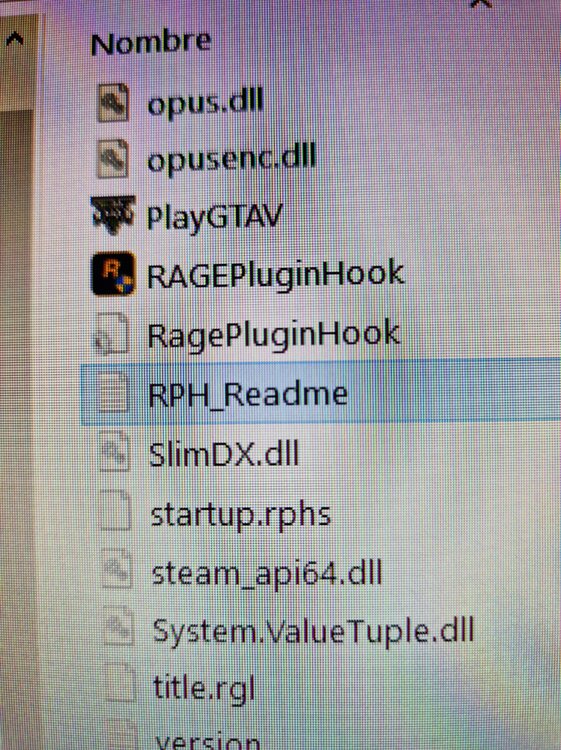
Este archivo es?
-
I just tried it and it doesn't work
-
I have done what he told me and it doesn't work either.
-
How do you do it with Windows Defender?
-
still not working
-
I uninstalled the entire game and folders and I reinstalled it and I deactivated the defender and I deactivated the battleye, I am going to download the lspdfr again and try to see

