


.jpg.47e747c76cfd24c3ef1eee634a37857a.jpg)

Meffy
Members
-
Joined
-
Last visited
Everything posted by Meffy
-
when i load into RPH with gta 5 i cant move i just stand still theres no ui such as the minimap only the ui from mods the mod that shows the ui is traffic suite nightyield something like that for some reason my hair in game is pink and before it happened i was in random clothes my settings were different and my controls were bugged even tho they were normal im gonna try renaming mods folder to _mods if that doesnt work please help. RagePluginHook.log
-
Rph is crashing after 5 seconds when i click on the load into story mode with rage plugin hook button i didnt download any mod no nothing i uninstalled the ones before and still crashes please help heres my ragepluginhook.log RagePluginHook.log
-
ok i renamed mods name folder to _mods and it worked but i didnt even install anything like nothing well i mean i did but i uninstalled the stuff i downloaded and it still doesnt work
-
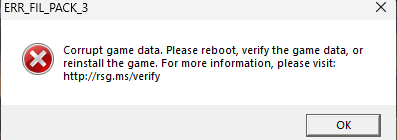
does anyone know how to fix this? changing mods folder name to _mods doesnt work verifying game files doesnt work and whatever it says to do doesnt work. RagePluginHook.log
-
after i press J in a car a few times my game crashes because of els it works fine unless i click J a few times i have all of the cars i downloaded vcfs in Grand Theft Auto V /ELS/pack_default also heres my ragepluginhook.log RagePluginHook.log
-
download eup using this tutorial i used it and it stopped my game from crashing and try downloading cars that are the most lapd related if u cant find any use a vehicle livery from vehicle skins also what u can download "it can be laggy" is la billboards but u have to do it manually as the oiv download doesnt work atleast for me.
-
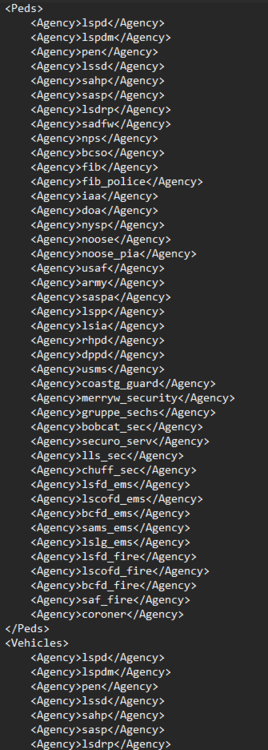
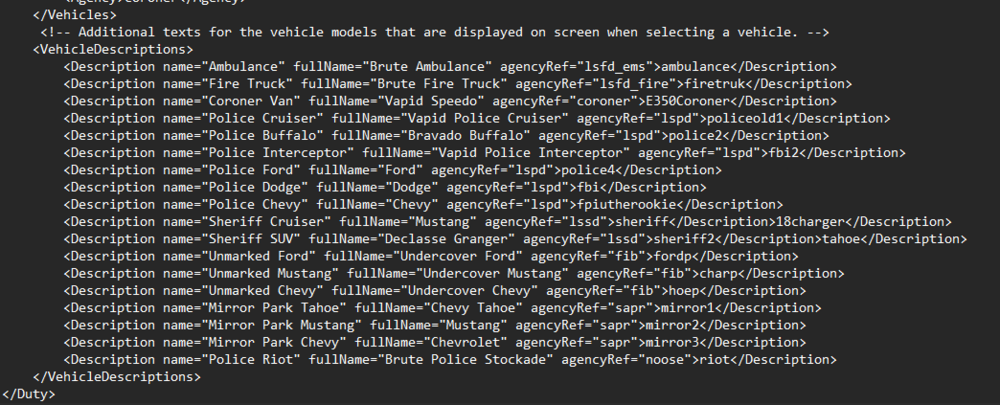
thats the whole duty_selection_eupfr.xml i didnt fit all the agencys in so alot are missing but thats basically it
-
do do they need to have lets say police2.yft or just police2 because it still crashes
-
just to be clear the correct place of the copied dutyselection is Grand Theft Auto V\lspdfr\data\custom the copied file in there should be named duty_selection_eupfr right?
-
I’m facing a different problem now. Whenever I go into a police department and try to load into the on duty button, my game crashes at the loading screen. However, when I remove the dutyselection.xml file, the game works perfectly fine without crashing. I’m going to check and update the file to see if anything is wrong. I’ll keep you updated. If anyone knows how to fix this, please help!
-
thanks ur a lifesaver
-
is it possible to add addon vehicles to the dutyselection?
-
is there a list of all the vehicles that i can add? edit ive explained everything i meant wrong in general I meant that i have a car pack that replaces vehicles so in \mods\update\x64\dlcpacks\patchday28ng\dlc.rpf\x64\levels\gta5\vehicles.rpf\ i have replace cars or whatever that is and because of that all of the cars ingame are replaced by that so instead of park rangers showing the actual cars its shows the car pack cars i mean like fib doesnt have fib cars it has lspd cars "the ones from the mod" (edit again) Im dumb i think i got it sorry also whats all the name of the cars like idk policet and what they are
-
is it possible to fix the thing where lets say sahp , lspd , fib , noose or whatever have the same car? if i want to get a car from the fib there isnt one its replaced by a car from a mod and there isnt even liveries and its only 1 car is this fixable (tell me if u didnt understand it)
-
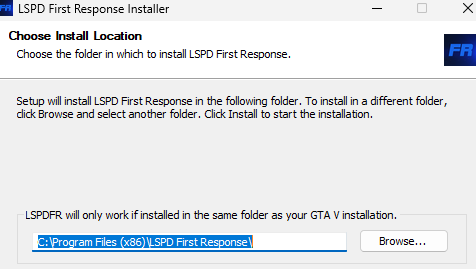
in the lspdfr download u have to pick the right directory. U have to click browse and then go to your gta 5 directory. also dont remove the lspdfr files in your plugins folder
-
now i would say either reinstall windows or get help from a moderator in the ragepluginhook Discord
-
do this how i say in order no shortcuts or something 1.verify game files 2. open RPH while holding left shift then go to plugins and click load all plugins and then save and launch 3.then let it open then when it crashes or doesnt 4.after that reset your computer 5. open rph with admin mode also if u have mods from https://www.gta5-mods.com/ it can crash ur game ive deleted those mods from that site and it worked. if it doesnt help send a picture of your plugins folder in Grand Theft Auto V/plugins also plugins/LSPDFR
-
 probably not most of the stuff changing are Little things u probably wont even see u would have to buy the patreon version "if there is one" for updates to be important
- 71 comments
- 27 reviews
-
-

- 1
-
-
nevermind it doesnt work this is not a solution ..
-
when going to the arrest warrant callout when i arrive there it says Dispatch officer arived at scene in infinity
-
also heres what i mean

-
reinstall lspdfr and ragepluginhook im not an expert but i think that helped me with crashes and it wont remove your plugins use the setup install with lspdfr remember "edit" incase it removes make a copy of ur plugins folder
-
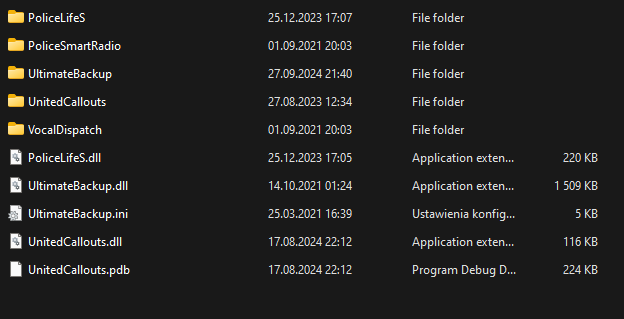
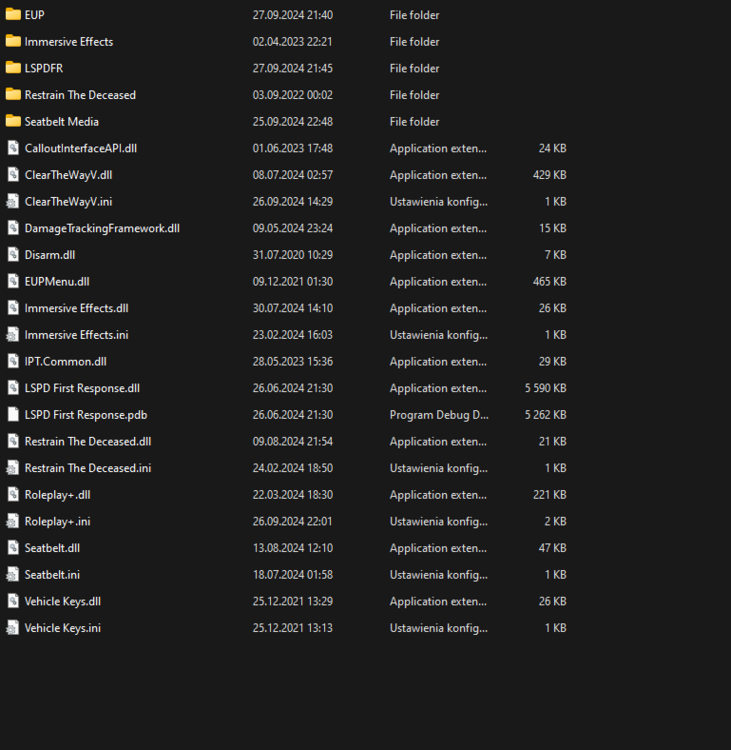
When the plugins are loading in in the loading screen LSPD First Response plugin crashes the Plugin not the game all of the plugins work. Ive tried Reinstalling lspdfr reinstalling ragenativeui reinstalling ragepluginhook from the discord of Rage Plugin Hook uninstalling some plugins still doesnt work. Here are my plugins in the plugins folder and in plugins/LSPDFR Also ragepluginhook.log RagePluginHook.log
-
nevermind it works now it was a plugin
-
when i press Y on my keyboard after getting the thing the call or something idk the exact name of it my game doesnt crash but lspdfr does it turns off immediatly i can reload the plugin but its really annoying and it can crash my game sometimes im pretty sure




