SilverLaw99
Members
-
Joined
-
Last visited
Everything posted by SilverLaw99
-
-
-
-
-
-
 Yess, Future updates include compatability with NPCAI and PolicingRedifined.... When would ya'll wanna see that
- 108 comments
- 5 reviews
-
-
-
-
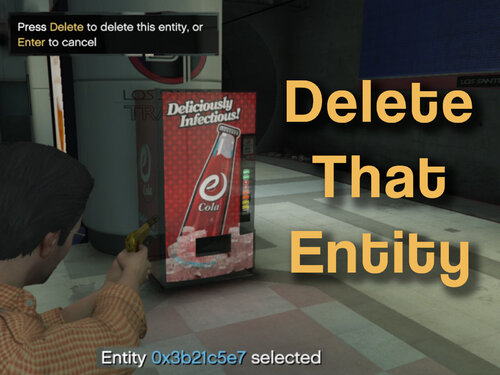
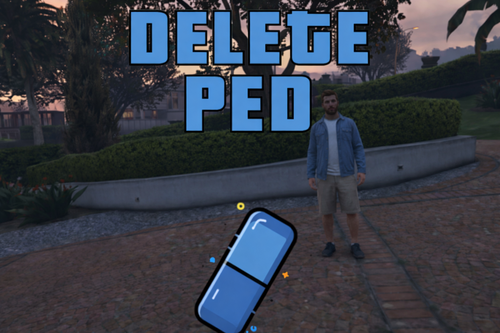 Yes ya'll im aware that you can just do with Menyoo also but lets be honest, especially me. I do not feel like installing menyoo and settin it all up and im pretty sure at least some of ya'll feel the same. So i made this simple plugin to resolve that and to resolve those annoying frozen broken peds that sometimes just stand in the middle of the street and nothing. Simply just go up to a ped press Alt + L and done, you can adjust the ini file to configure the keybinds to ur liking and an ini option to configure whether or not you wanna protect emergency peds, installation is in README, Enjoy!
 -
 yea so pursuit detection is the main purpose of this plugin and yes it works with other callout packs
- 43 comments
- 1 review
-
-

-

- 2
-
-
.thumb.png.4ae541125774b3d59e60a0636013f9c1.png) The plugin works perfectly and is exactly what I needed. I used to use copholster but its completely outdated and does not work as good anymore.
The plugin works perfectly and is exactly what I needed. I used to use copholster but its completely outdated and does not work as good anymore.- 144 comments
- 12 reviews
-
-

- 1
-
-
-
-
ResistPlus is infact open source along with deepcallouts and the other 2 plugins that 1adamtwelve listed: https://github.com/yasd2/ResistPlus
- 43 comments
- 1 review
-
-
- 2
-
-
If youve been keeping up, ive retired from lspdfr plugins so no longer updating/making anymore plugins
- 43 comments
- 1 review
-
-
- 1
-
-
-
Correction: Not all the mods only autobackup+, unitcontrol and deepcallouts
- 108 comments
- 5 reviews
-
-
- 1
-
-
Ty for the feedback! Ill take it into consideration as idk if I wanna make it open source just yet due to people not crediting me yk? ( btw i use your calloutpack its amazing 🙂 )
-
Hello everyone! For those of you who know me and my plugins, you’ve probably noticed that I’ve started removing certain ones that have issues and that I’m no longer updating my plugins. The reason is that a few weeks ago, I've stopped making and updating plugins—it was getting to be too much for me. I didn’t have enough motivation to fix every error I heard about, and I’ve also been busy with other projects outside of LCPDFR. That’s why I’ve made some of the plugins with issues, like AutoBackup+ and UnitControl, inaccessible for now. For those who still want access to my plugins—since they bring fresh and new ideas to the platform—if enough people comment on this post and agree, I’ll release the open-source code for the plugins that had issues (like AutoBackup+ and UnitControl) on GitHub so you all can try fixing and reuploading the updated versions yourselves. Just please make sure to credit me for the original work.
-
-
-
-
Yea so i just moved the car to my latest patchday and it fixed but now the texture isnt right..
-
 oh wait.. i enabled both "disable custom loading screen" and "enable backgrounds for loading screen" is that why it dint work? It works now! Thank you I apologize for the inconvience. The first time I installed it i missread the instructions and accidently enabled both options, Thank you again!
.thumb.png.4ae541125774b3d59e60a0636013f9c1.png)