

trexvv
Members
-
Joined
-
Last visited
Everything posted by trexvv
-
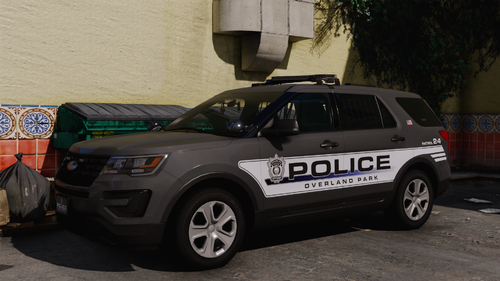 Alright this pack is straight HEAT! Love the environmental lighting and moveable spotlights, keep up the amazing work bro! ❤️🔥
 -
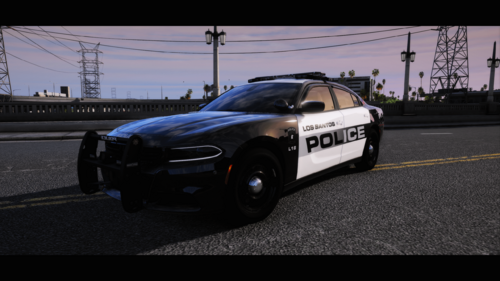 I'm a little confused, what makes this car different from the charger that was in the Durango/Charger reflective pack?
- 8 comments
- 1 review
-
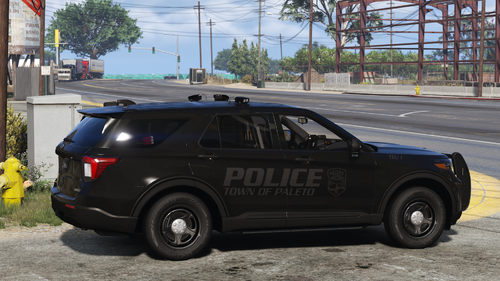 Amazing car, my only critique is that the arges spotlight isn't usable from what I've tested, good work man!
 -
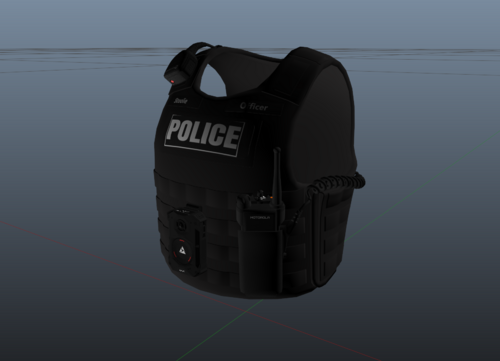 Sadly, no. I really would like to use this vest for some of my characters but it is bugged at the moment.
 -
Okay thanks for your patience and time to help me out! Don't think I don't appreciate what you do, doing wonders helping out the community and I thank you from the bottom of my heart. Have a nice day
-
Join Geoffrey Gamer's discord he has an auto log reader bot that reads RPH, SHV, SHVDN, & ELS logs and it will tell you what you need to do/fix to resolve your issues.
-
RagePluginHook.log Log looks the same as the other one to me. So the only way I can really get the game to hook consistently is if I just start GTA V through steam and then load into story mode and tab out and launch rage, then it's a guaranteed hook (knock on wood). So I've just been launching through steam and then using RPH after I load into story mode.
-
this whole texture crashes my game when I try to cycle over to it via EUP menu
-
Created a new GTA V directory folder so it reset permissions, copied every file to the new folder, deleted the old one, reinstalled lspdfr 3 times, reinstalled scripthookv, still get the crash popup. The log attached shows what is logged during the startup right before the crash window popup. Something is not right with this lspdfr build, this can't be an issue on my end and it even sounds like you guys don't know what's wrong. RagePluginHook_30032025_192427.log
-
The plugins aren't the issue if I can get the game to hook after multiple crashes and reboots, like I said before I will be able to play SOMETIMES. Like the point is this is just annoying like the game will only hook when it wants to and there is no videos out there to help with this kind of issue, I tried disabling every overlay on the internet, I have tried using exceptions on my antivirus, I have installed all the crash preventers, and this issue still persists. I am at the end of my rope with this one and it can't be the plugins if I can get all of them to load and work perfectly when the game actually hooks. Would it be a problem to just make an entirely new GTA V folder and drag and drop everything to a new folder because the directory permissions are the only ones that are messed up. Thanks for being patient with me as I am losing mine.
-
(Bump) Please help me out one on one this posting stuff is not helping I need help in real time. I've tried renaming mods to _mods and it still crashed I just want to be able to play lspdfr guaranteed when I startup the game, I have packfile I have heap, I have gameconfig. This can't just be an issue on my part. Something is wrong with the rage build because this is outrageous.
-
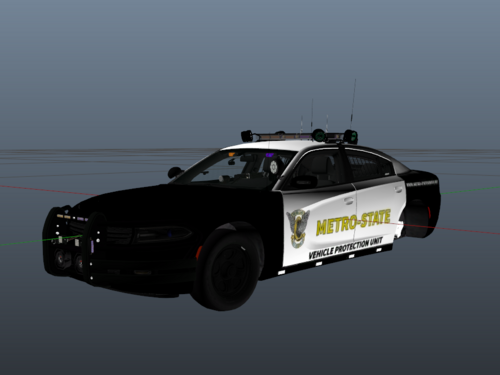 Dewitte
 -
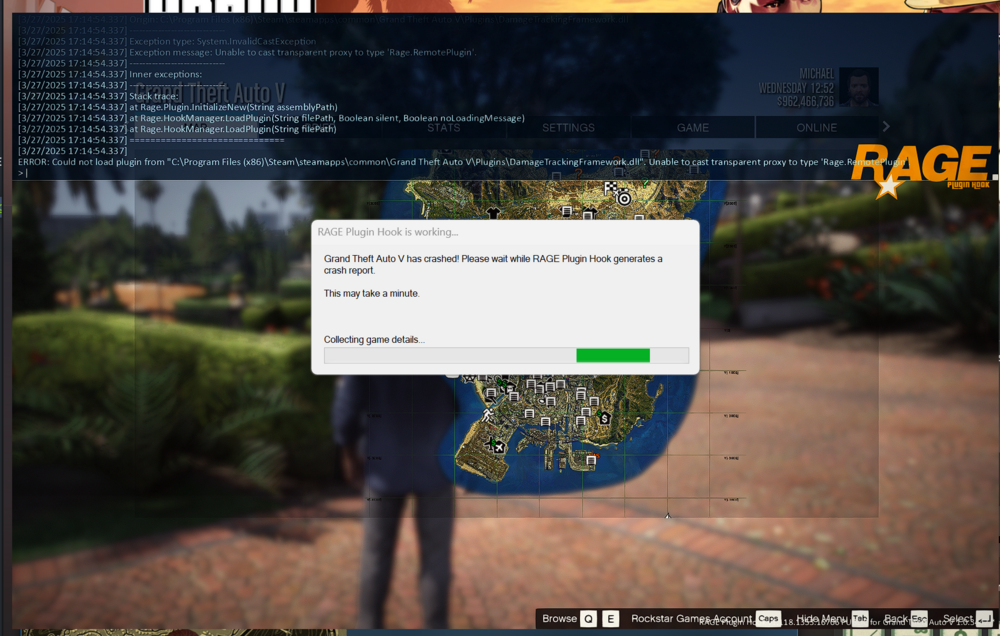
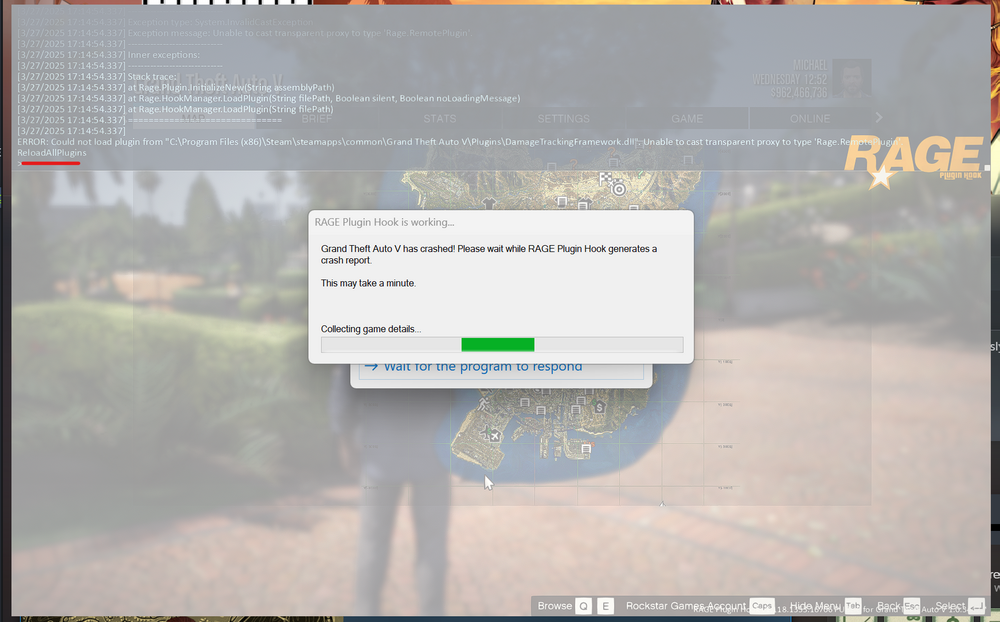
I tried this again and managed to have rage hook to the game but the error still obnoxiously shows up and never goes away. (First pic for example) Then after it hooks, I notice the damagetrackingframework.dll doesn't load when I marked it as a load on startup plugin through RPH settings. So I try to reload all plugins as seen in the second picture (second pic going to be post after this one with this post quoted), and my game completely freezes and the game fails to responds and crashes. Second pic after trying to reload plugins: RagePluginHook.log Here is my log when I tried to hook as shown in the screenshots
-
Well it would help if the properties portion of the FAQ wasn't in German. Look, I've tried everything and I feel like messing with my properties so much is just going to make things worse. Is there any way we can hop on a discord call and I can screen share because I'm honestly lost here.
-
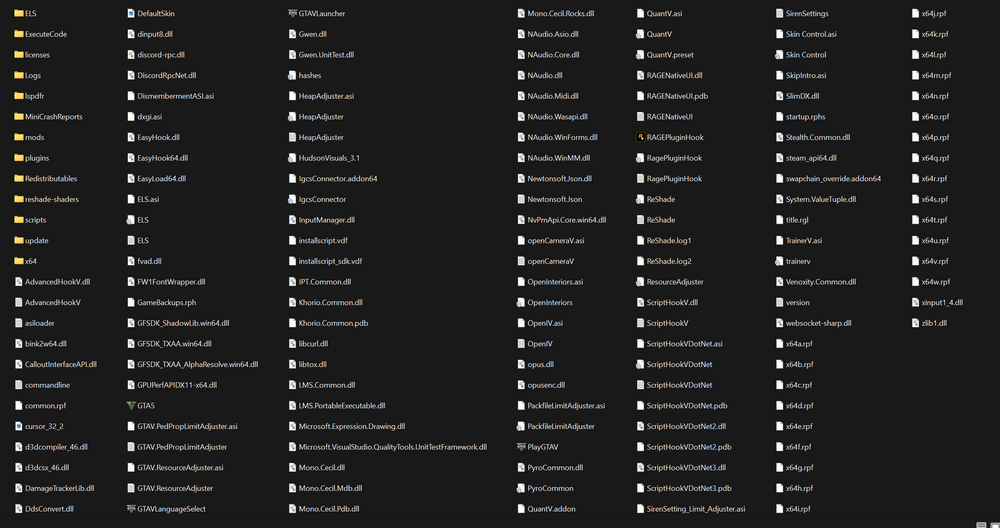
Yes I still am having this problem and I have gone through all the steps in the FAQ and no change. Here's my directory if this helps.
-
How do I upload my crash report if this damn website only has a 4 MB max file size.
-
Me too man. I genuinely think this an issue with the new LSPDFR build and the new versions of GTA on PC. Mods and devs seem to think we fucked our game up but that can't be the case if other people are having the issue all around the same time.
-
Still get the same issue. I don't think its an antivirus or permissions issue since I use Bitdefender and I have GTA V directory, RPH, and GTAV.exe marked as exceptions and even turned the whole antivirus off to check and no changes. I also checked all permissions like they suggested in the FAQ. Still run into this issue but after enough startups it will finally hook, I don't think insufficient permissions or a bad antivirus would even let me play the game at all, so I think this issue is coming from somewhere else. It's also weird that I temporarily fixed this problem a week ago by changing my packfile_list_size and updating my scripthookv nightly but now it wants to break again.
-
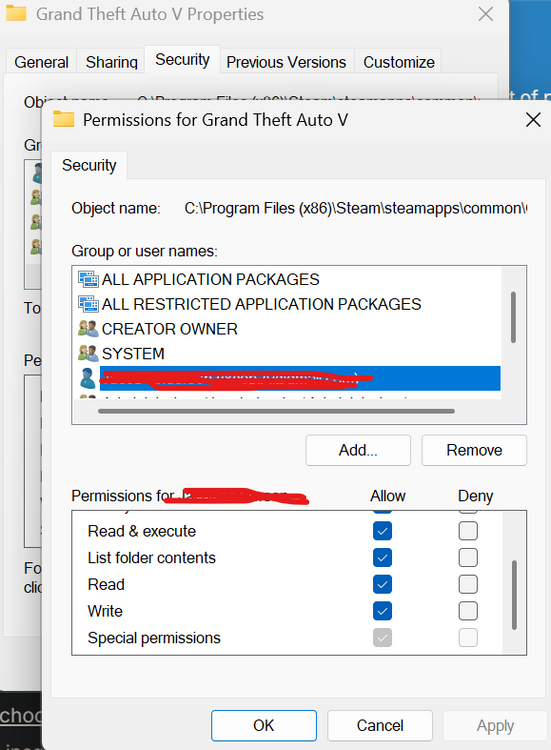
I am following the FAQ and I ran into an issue. On my security tab under my directory properties, my own user had all the boxes unchecked except for the special permissions. I checked all of them like the docx says but I can't uncheck special permissions because it is greyed out, any help?
-
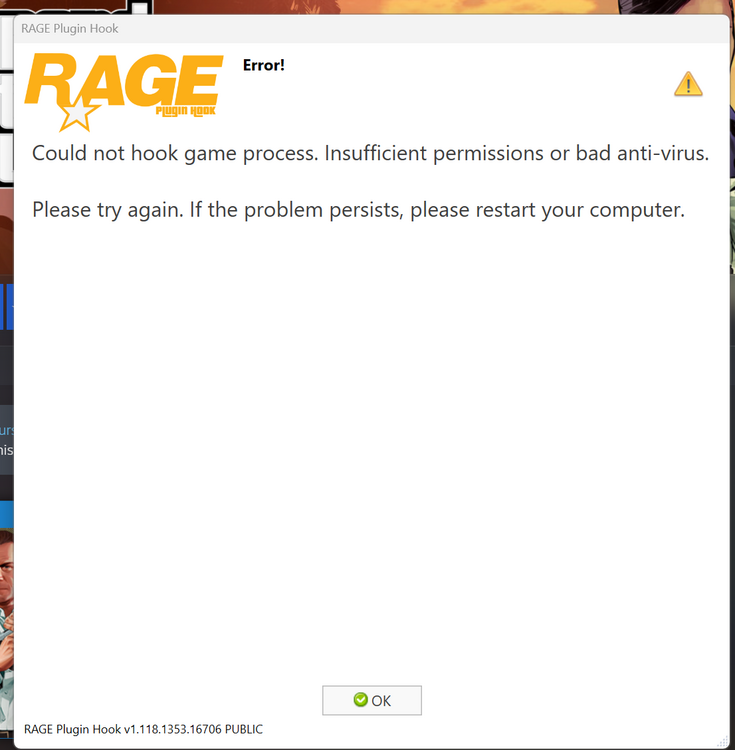
I get this. I also turned off my anti-virus and tried it again and it didn't hook but I still tried to load story mode and tab out and try hooking again like you said but I get the same issue. When I restart my computer it still does the same thing after a while, I don't know why it does this I've only installed callouts and the grappler script recently.
-
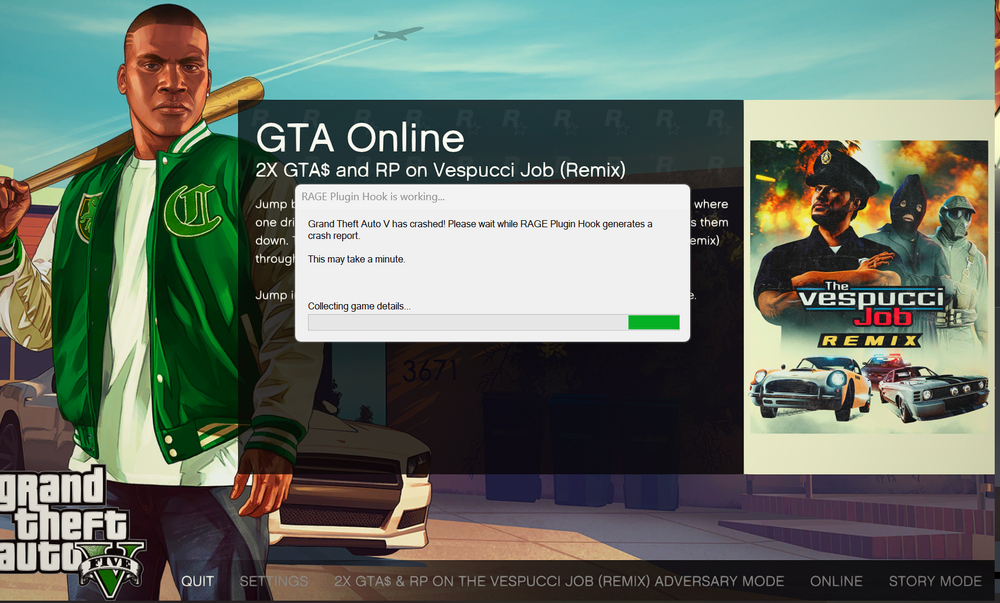
Does anyone know what causes this. When I encountered it the first time and I increased my packfile_list_size (48000) and my HEAP_SIZE (1000) but today the game decides to break on me again and now it only hooks when it wants to. This is something that's been really annoying me and I've tried to backtrack what I've installed but I'm starting to think its an LSPDFR or a RAGEPluginHook issue. Please someone help me if you know how to fix. Yes I have up to date gameconfig. Before anyone asks for a log, there is no log as this popup stays loading for eternity, like actually I could leave this on for 24 hours and it would still be loading, I wish I had a log but sadly I do not.
-
 This plugin is genuinely one of the most useful plugins I've ever added to my game. When I first saw it on SSTGamings YT channel I knew I had to install it when it came out. Works like a charm and now I can make better use and realism out of my cars that I have with no pushbars. I think everyone should have this plugin in their game and if you don't already have it you are missing out!
- 61 comments
- 24 reviews
-
-

- 1
-
-
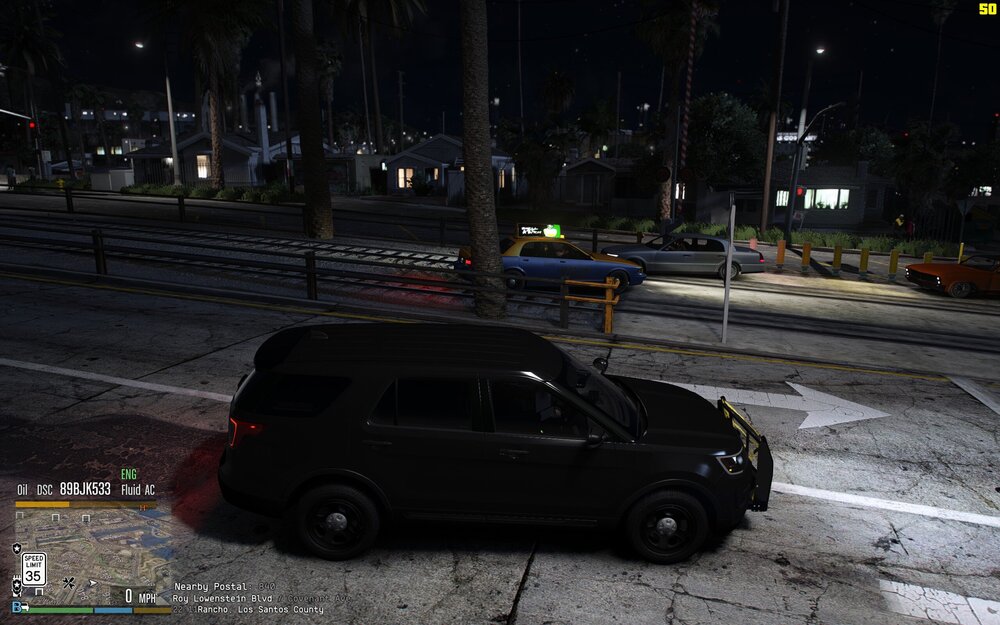
Hello everyone, I don't know if what I am encountering is a bug, maybe a bug within the traffic because I know the AI is supposed to follow the invisible road nodes but I've been encountering a lot of erratic drivers in los santos, mainly by the casino and strawberry. Picture below shows what I am talking about, cars driving on the train tracks like they're off a yerc.
-
-