Skip to content
View in the app

A better way to browse. Learn more.

LCPDFR.com

A full-screen app on your home screen with push notifications, badges and more.

To install this app on iOS and iPadOS
  1. Tap the Share icon in Safari
  2. Scroll the menu and tap Add to Home Screen.
  3. Tap Add in the top-right corner.
To install this app on Android
  1. Tap the 3-dot menu (⋮) in the top-right corner of the browser.
  2. Tap Add to Home screen or Install app.
  3. Confirm by tapping Install.

pohlow

Members
  • Joined

  • Last visited

Everything posted by pohlow

  1. I was downloading some things as normal and suddenly i have no in game audio but i have audio on start up.RagePluginHook.log
  2. Ok sorry for multiple posting and thank you i will try it now
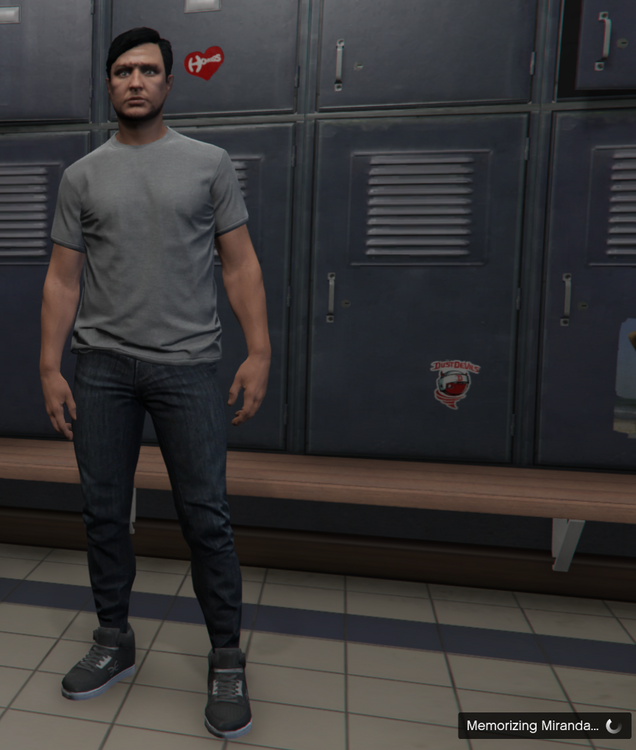
  3. Every time i go on duty i get brought with message on the bottom left. Ive tried reinstalling everything from top to bottom but its still not working please help me! My plugins -Stop The Ped -Speed Radar Lite -Ultimate Backup -CompuLite My PC Specs: -Intel(R) Core(TM) i7-4770T CPU @ 2.50GHz 2.50 GHz -16 GB RAM -Win 10 RagePluginHook.log

Account

Navigation

Search

Search

Configure browser push notifications

Chrome (Android)
  1. Tap the lock icon next to the address bar.
  2. Tap Permissions → Notifications.
  3. Adjust your preference.
Chrome (Desktop)
  1. Click the padlock icon in the address bar.
  2. Select Site settings.
  3. Find Notifications and adjust your preference.