Sheriff943
Members
-
Joined
-
Last visited
Everything posted by Sheriff943
-
 Ok thank you! Can I do that in simple trainer?
 -
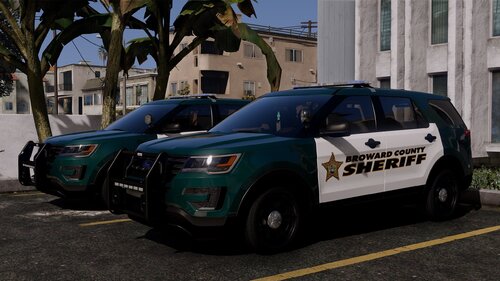
Yes, see how in the picture below “sheriff” is printed on the window. Can we get a file with plane windows without sheriff on them?
-
Absolutely Love this pack! Is there anyway we can get a plane window template? I would love to put my personal livery on the K9 2021 Tahoe but the “sheriff” in the back window doesn’t exactly match. Thank you for an amazing pack!
-
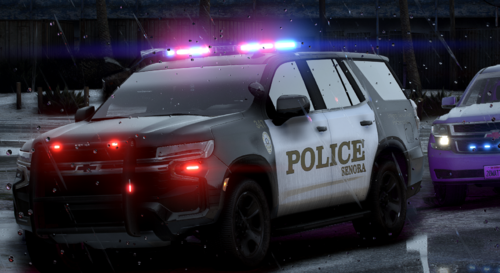 Love this pack! Amazing 2021 Tahoe! Absolutely love!
 -
Ok I remade my mods folder thank you for the help! Everything works great now!
-
Ok! My last thing I added was a car. I deleted all the files and the ELS xml from it. Do you think there is anything else?
-
-
How do I revert the latest changes?
-
Hello! So, I renamed my mods folder to "_mods" and the game loaded into story mode just fine. Then I added those three things into the game, game config, pack file limit adjuster, and heap adjuster and named my mods folder back to "mods". Loaded into the game and it did the same thing where it gave me that "corrupt game data..." message on the loading into game screen. So now my question is, what's next?
-
-
Ok I will try this ASAP! Are you saying after I add the config and limit adjuster and heap adjuster to then name my mods folder back to “mods” or keep it named “_mods” after I add those? Thank you so much for the help!
-
-
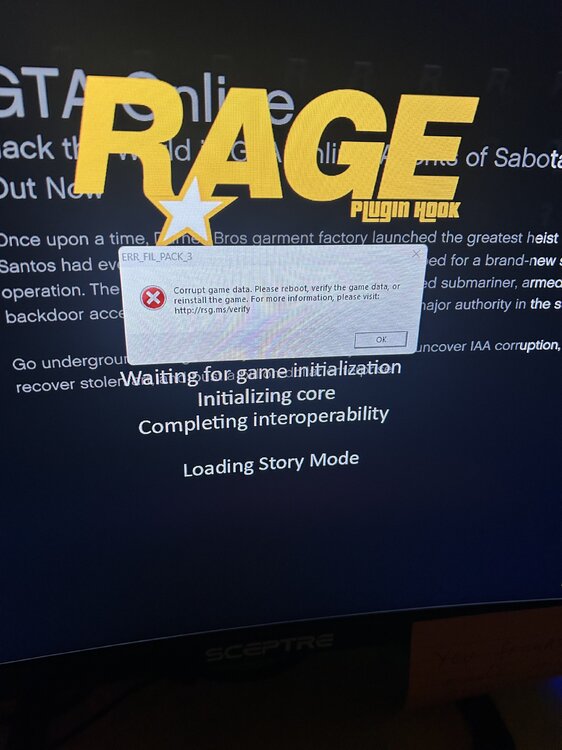
I have been playing lspdfr for a while and ran into a problem! I went to go put a new vehicle in and after I put it in as a replace vehicle I went into game and in the loading screen after I clicked “story mode with rage plugin hook” it said corrrupt game data”. So immediately going out and into open IV and deleting the car I put in and the ELS xml file that was in my pack default in my main game directory. Then I went back into my game and it said the same thing. So how do I take out whatever is in there? Please help!
-
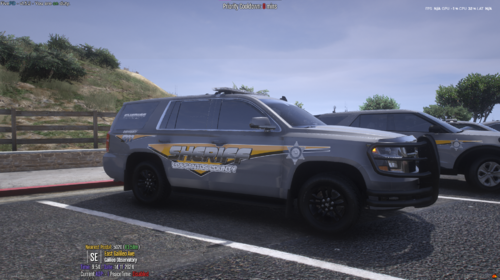 Wow these look absolutely amazing! Can you provide the car model for the first picture of that Tahoe? Would love to see a 21 Tahoe as well! Great work!
 -
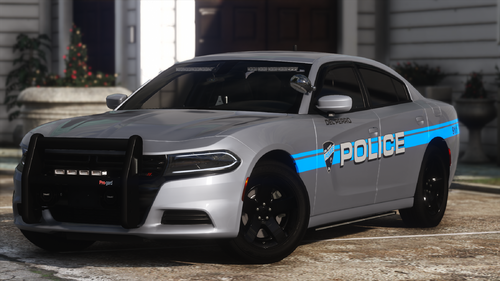 Yes Please!
 -
 Anyway we can get a replace version? Absolutely beautiful looking pack!
 -
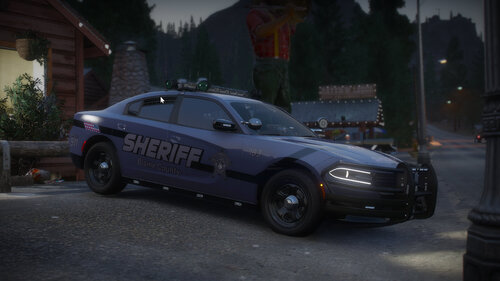 Can we please get a 21 tahoe!!! Love this!
 -
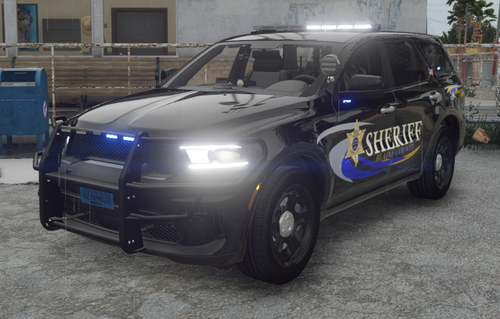 Where is there a 2021 Tahoe? Boy this would truly be my favorite pack if that was in there!
- 47 comments
- 5 reviews
-
 Why is the replace not recommended? Just curious. Love this though!
 -
 Thank you so much! Let me know if theirs anything i can do for you! I'll await your update! Thanks again!
- 61 comments
- 12 reviews
-
In my opinion, top three best Tahoe ever made in the LSPDFR community! Unbelievable work! Only comments I have to make is I wish it had full takedowns, weather that be in the light bar or just in the strobe lights on the grille. Only other thing is, I wish it had side runners like the F-150 in the big pack, other than that cant complain at all. If those two things were added i would never use another tahoe again! Amazing work cant wait to see more in the future!
- 61 comments
- 12 reviews
-
-

- 1
-
-
It is not crashing my game, it just doesn’t work! Thanks for you help but hope that makes more since.
-
I have been playing LSPDFR for a while now and I am finally addressing an annoying problem. One of I think everybody's key mods is Grammer Police. I followed all these tutorials and watched Blue line vibes tutorial on it countless of times but it still wont work. The dispatch doesn't understand me. The only thing it understands is when i scream 10-8 into it and it recognizes it 1 out of 10 times. I am just amazed at how many times someone will use it in their stream or video and i cant use it like them. So i don't know if it's my headset or my game or what. But can somebody please help me out on this one!
-
 Awsome thank you so much! Love the crown Vic btw! Can’t wait for the next pack!
 -
Love this! So freaking much! I am trying to make a livery right now and was wondering what font you used for these cars! Absolutely love these, great work!