


Irish1Brian
Members
-
Joined
-
Last visited
Everything posted by Irish1Brian
-
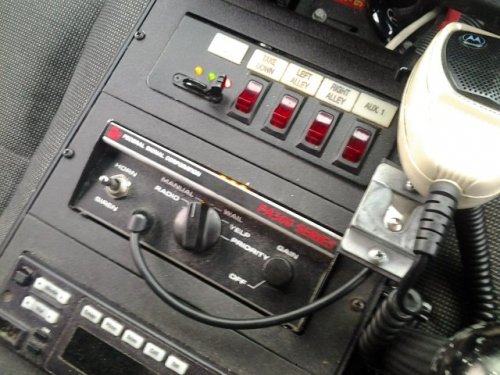 Very nice! I love this siren a lot!!! My only question is how do I make this siren for my other police cars? Like fbi and sheriff as well? I tired googling this and really can't find what i'm looking for!!! Again AMAZING work!!!!!!
- 30 comments
- 10 reviews
-
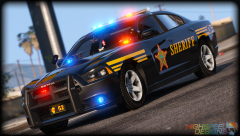 SEXY!!!!!!!!!
 -
-
-
-
-
-
-
-
I really hope I selected the right forum group to post this question... Just trying to figure out what's the name of this light bar? I believe this light bar was most commonly used in the late 80s and up to early-mid 90s. Just wondering if there's a light bar like this around to upload? Been looking everywhere but don't know the name. Any feedback would be appreciated. Thanks!
-
I used to live in this city about 15 years ago. Rowlett really changed their colors around on their squad cars. Nice texture!
- 13 comments
- 2 reviews
-
-
I really love the work here!!!! 5/5 stars! Awesome job!!!!!!!!!!!!!!!!! My only question Is there a better handling line for this model? I'm really flipping over at turns and I'm not even going 25mph?
- 27 comments
- 10 reviews
-
-
-
-
Thanks man!
-
This is my first texture so bare with me guys on skills level. I'd decided to do the county that I live in which is Cole County,MO. This model is made by KevinDV which I downloaded about 4-5 months ago is Unfortunately as of right now unavailable to my knowledge. However any of the other Ford Explorer made by KevinDV will work. I did send a PM to KevinDV and ask him if he could re-release this exact model on here.
- 7 comments
- 2 reviews
-
I'll have to give that a try! Thanks!
-
Thanks man! Really appreciate it
-
"Also why would you need the link to release a skin? It will fit any explorer made by KevinDV. " Ummmmmmm Well What if someone wanted to used the same exact model (lightbar, rambar,ect.) that I have? Really? LOL Oh I'm calm down. LOL I just didn't like your smarta,$,% comment so I called you out on it. No need to carry on about this topic and add drama. I figure this problem out with help from others that do care. Anyways this thread is done.
-
I chose this Explorer (I downloaded this model maybe 4-6 months ago?) since it is the same looking Explorer as one my county sheriff uses. I figure I do a explorer which are more rare than the more usual crown Vic police cars. I'll PM KevinDV and go from there. I'll go ahead and used a different model just in case KevinDV does not respond. Again thanks guys for your help and I'll try to be more updated on picking a model. Um I have the file and I downloaded this file about 4-5 months ago. And also I'm not a random LOL I come here everyday. I'm not trying to sound rude but I'm still trying to figure out the purpose of your comment? LOL I guess thanks for responding to respond? I don't wanna go down that path. I'll ask KevinDV and go from there. Thanks a lot for your help That's what I was afraid of. Thanks for responding to my thread.
-
I'm struggling trying to find this 2012 NFS modified explorer. In the readMe is gave credit to KevinDV for the model template? I have looked everywhere and I'm getting the same model but a different light bar or a slicktop or a different ram bar. I just finished my skin for this model and I would really like to release my skin but don't want to until I at least have a site address of the model so that I can post it with my texture. I looked all over and can't seem to find it between KevinDV page and Bxbugs page? Any help please!
-
Thanks guys! Any and all comments are welcome
-
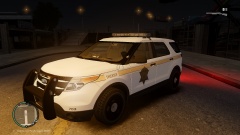 I'll release it soon. I just need to touch up a little on the skin.



