



SantosMods.dev
Members
-
Joined
-
Last visited
Everything posted by SantosMods.dev
-
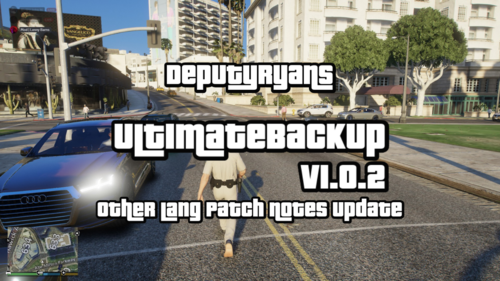 DeputyRyansUltimateBackup is an enhancement mod for Ultimate Backup by BejoIjo. It improves the realism and clarity of backup requests in LSPDFR through refined notifications and response messages. Features Improved Notifications: Updated backup request and response text for clearer and more realistic interactions. Traffic Stop Alerts: Improved warnings help prevent accidental traffic stop cancellations when requesting backup. Emergency Response Messages: Refined notifications for: Code 2 and Code 3 responses Panic and group backup requests Ambulance and fire department responses Air support requests Spike Strips and Roadblocks: Clear notifications for requesting and deploying spike strips or roadblocks during pursuits. Requirements LSPDFR, latest version Ultimate Backup by BejoIjo Rage Plugin Hook, latest version Customization Notification text and other settings can be changed through the configuration file to better match your preferred gameplay experience. Credits BejoIjo for creating Ultimate Backup SantosMods.dev for enhancing and refining the backup experience Support For support, bug reports, or suggestions, visit SantosMods.dev. Thank you for using DeputyRyansUltimateBackup. Stay safe.
 -
 I have been posting these on GitHub and the files are messing up so i will try to fix it again thanks! @GTA 5 Jedi Master I just checked the ZIP I sent in the files have stuff in them @GTA 5 Jedi Master I just re uploaded the file to fix the issue please feel free to check it out and let me know if it worked!
 -
Oh Thanks checking now. I just checked the folders and they seem fine but I will try uploading it again. @GTA 5 Jedi Master Its fixed thanks!
-
-
Did you use the new folder added that said Put Out Patch?
-
-
-
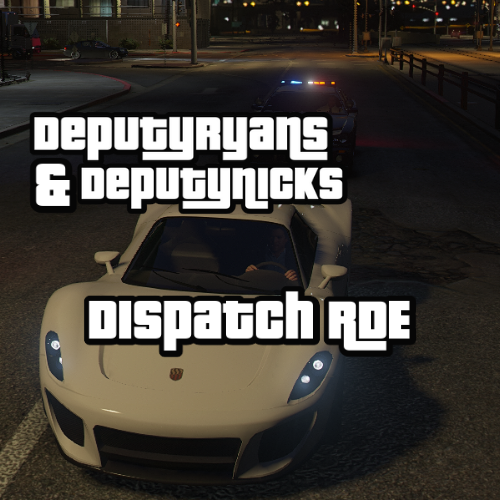 NO LONGER UPDATEDDeputyRyansDispatchRDE improves the police dispatch system in GTA V with the following enhancements: Realism: Adjustments to dispatch frequencies, response times, and law enforcement behavior to make police responses more realistic and challenging. Visual Appeal: Enhanced interactions between various emergency services and more engaging police chases. Performance: Optimized for balanced gameplay while maintaining high visual and functional quality. Installation Path: Place the modified dispatch.meta file in: GTAV/Mods/Update/Update.RPF/Common/Data
 -
-
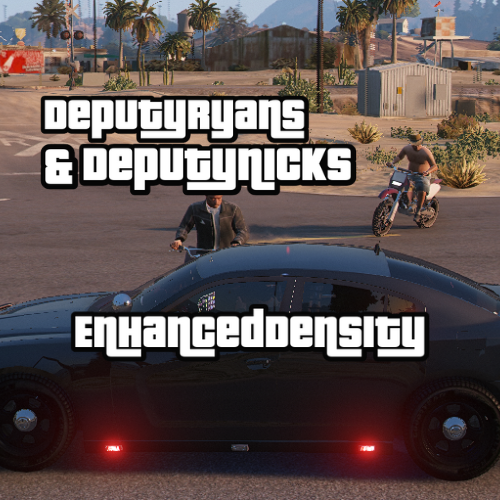 DeputyRyansEnhancedDensity Buy Us a Coffee: https://buymeacoffee.com/deputymods Important Notice: This mod is in deep public beta. DeputyRyansEnhancedDensity is a sophisticated mod aimed at significantly enhancing the density of pedestrians and vehicles in GTA V, offering a more vibrant and realistic game environment. This mod fine-tunes various settings, using the unlimited cars game config as a base, to increase the liveliness of the game world, ensuring a more immersive gameplay experience. Description The DeputyRyansEnhancedDensity mod introduces substantial improvements to the density of both pedestrians and vehicles, addressing several aspects to enrich the in-game experience: Increased Pedestrian Density: The mod doubles the base values for scenario and ambient pedestrian multipliers, ensuring a bustling environment with more pedestrians in various scenarios. Enhanced Vehicle Density: It boosts vehicle density parameters, including elevated vehicle limits and adjusted spacing, to simulate more realistic traffic conditions. Optimized Memory Usage: The mod adjusts memory usage for both vehicles and pedestrians, balancing performance with realism. Updated Distance Parameters: Scan distances for players are increased, and density increments are finely tuned to enhance game performance without compromising on quality. Customizable Settings: Various settings such as vehicle creation distances and density removal rates have been adjusted to provide a more tailored and optimized experience. Installation Instructions Navigate to: mods/update/update.rpf/common/data. Replace the existing gameconfig.xml file with the new one provided by this mod. This setup will ensure that the modifications are applied correctly, enhancing your gameplay with improved density and realism. Enjoy the new level of immersion in your GTA V experience!
 -
 No problem, but the issue should be solved! The missing '5.00' has now been added, and I checked the other files just to make sure everything's good! The file was just accepted by LSPDFR. Have a great time being blown up!
 -
Sorry about the issue I will fix it now.
-
-
Feel free to check out the new Geoffrey_Gamer Video and he will help ya fix it!
-
Should be fixed @Smoking.Rhino.
-
I will look into it.
-
What version where you using? - Chaos - Realistic - Normal
-
DeputyRyansFireFX should without needing Ambient FX or SHVDOTNET. Just place the FireFX.DAT file in the right spot in the mods folder, and you’re all set! Note: It hasn’t been tested without these tools, but I don’t believe they’re needed for this mod.
-
.thumb.png.34af87f5880af5cc01a2fefdc6c9a90c.png) This mod is a reimagined and enhanced version of the previous STPQuestioningReimagined, which is now officially RETIRED. DeputyRyansSTPQuestionsReCoded introduces new features and improvements for a more immersive and realistic experience in LSPDFR. Dependencies: Stop The Ped (STP): Download STP Usage Rights: All code and modifications included in this mod are proprietary. Unauthorized copying or use of any code or content is strictly prohibited. For permissions or inquiries, please contact SantosMods.dev
This mod is a reimagined and enhanced version of the previous STPQuestioningReimagined, which is now officially RETIRED. DeputyRyansSTPQuestionsReCoded introduces new features and improvements for a more immersive and realistic experience in LSPDFR. Dependencies: Stop The Ped (STP): Download STP Usage Rights: All code and modifications included in this mod are proprietary. Unauthorized copying or use of any code or content is strictly prohibited. For permissions or inquiries, please contact SantosMods.dev -
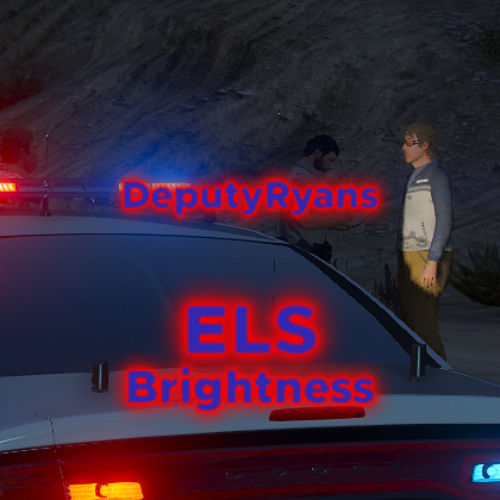 DeputyRyansELS Buy Us a Coffee: https://buymeacoffee.com/deputymods Version: 1.0 Description: DeputyRyansELS is a custom modification designed to enhance the Emergency Lighting System (ELS) in Grand Theft Auto V. This mod improves the visibility and realism of emergency vehicle lights, offering a more vibrant and intense lighting effect for better immersion and functionality during emergency scenarios. Features: Increased light intensity and range for better visibility. Customizable settings for light size and brightness. Improved emergency lighting effects for a more realistic experience. Installation: Download the mod from LCPDFR.com. Extract the downloaded file. Drop the ELS.ini file into your GTAV directory. Dependency: Emergency Lighting System is required for this mod to function.
 -
-
.thumb.png.7c0c093d0fd631f2f8148225f2662f5c.png) They are here!
They are here! -
-
-
 I love how they still have broken speech when they're drunk or scared! I'm giving it 5 stars!
- 4 comments
- 1 review





.thumb.png.34af87f5880af5cc01a2fefdc6c9a90c.png)

.thumb.png.7c0c093d0fd631f2f8148225f2662f5c.png)
