DrPeppah
Members
-
Joined
-
Last visited
Everything posted by DrPeppah
-
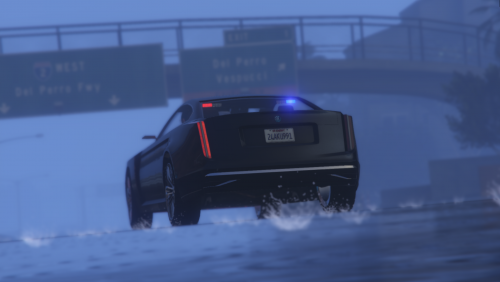 dash lightbar needs to be changed to no longer collide with rear view mirror, and radio bug needs to get fixed. overall, still good for use.
- 4 comments
- 1 review
-
neat. buggy tho, radio doesnt want to stay off. also, front dash lightbar couldve been done better. collides with rear view mirror. doesnt really feel highest of quality but ima still use it for FIB and stuff
- 4 comments
- 1 review
-
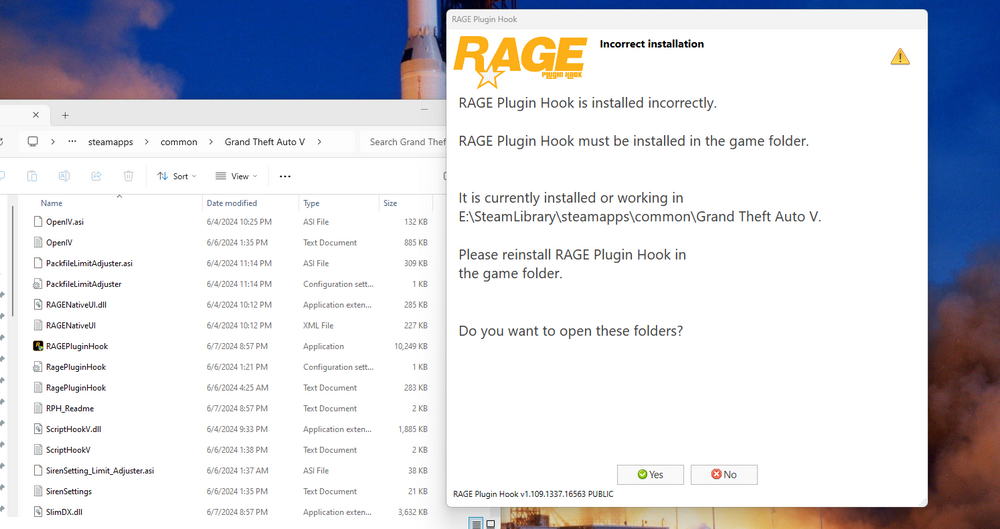
As the title suggests, after I cleared some space and installed GTA V onto my computers storage, RPH won't open as it claims its downloaded in the wrong folder despite not being so. In my attempt to clear space, I idiotically uninstalled every visual c++ package on my computer. After reinstalling the 2 Microsoft visual c++ packages that RPH requires (Microsoft Visual C++ 2010 SP1 Redistributable Package (x64) as well as Visual C++ Redistributable for Visual Studio 2015 (x64)) and reinstalling RPH and restarting my computer, no success. I'm not sure if RPH requires a modified version of those packages that I haven't downloaded or what. Any input would be nice.
-
 where do i find these things in-game, i installed everything correctly but nothing changed in my EUP menu, its still just showing the outfit options for the the law and order pack and the SR pack too
- 144 comments
- 9 reviews
-
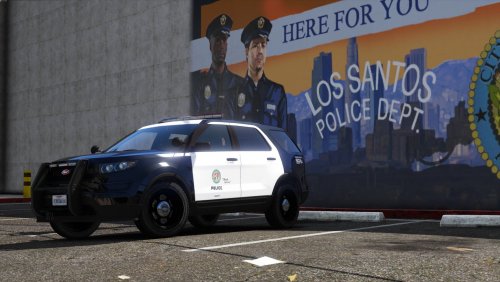 how do i spawn the vehicles in-game? do i need to use rage plugins command thing? if so, i tried to put in the names of the vehicles and yet it didnt work. did i do the last installation step correctly? or is it supposed to be at the very bottom, below the </SMandatoryPacksData> line?
- 23 comments
- 3 reviews
-
-

- 1
-