
IceGuy221
Members
-
Joined
-
Last visited
Everything posted by IceGuy221
-
please send you RagePluginHook log Also, ensure you are using the advancedhookv file that comes in the v1.05 download, and not the one that comes in its own separate download

-
try the steps i gave to the person in this forum:
-
possibly related: Clear The Way V and Realistic traffic AI are NOT compatible with each other
-
I don't see any thing causing a crash in particular, but if you attach the actual ragepluginhook log file it might be able to take a better look at it.
-
-
does it only crash during pursuits?
-
Could be anything, might not even be this particular mod. However if it is this mod, it: - Might be installed incorrectly - missing required files - May be outdated/not updated to function with the latest version of lspdfr Please send your RPH log for further analysis! Also, side note, you posted this under the wrong topic category, the correct category would've been LSPDFR 0.4 Support
-
You are experiencing a system access violation. The typical cause for this is a faulty mods folder, but there are other things that can lead to it, in some cases, SHVDN (Nightly) not being up-to-date has lead to it in the past for me, as well as having any of the following files not installed, or set too high/low: - Heap Adjuster - Gameconfig - packfile limit adjuster - Resource adjuster
-
This is a common occurrence with mod packs that are outdated, or just old in general. However, Code 3 Callouts might be the pack that is doing this the most, as it is infact outdated and not updated for the current version of lspdfr. My recommendation is to remove the old pack and see if that resolves the issue
-
honestly in my opinion ReShade is bound to cause issues, especially on lower end PC's. but try installing these if you haven't already, and adjust their .ini's as needed: - HeapAdjuster - Resource Adjuster - Packfile Limit Adjuster - Gameconfig.xml
-
Ensure you have resource adjuster, packfile limit adjuster, gameconfig, and heap adjuster, and that they are set as necessary/needed via their .ini settings
-
in addition to what nocturn said, if you are having trouble locating this file, it is in your main game directoy, near RagePluginHook.exe

-
While a crash isn't located in the log, it appears that it occurred while loading LSPDFR. If there is a particular message (besides the RPH crash message and log generation) then this could help identify other issues. - Make sure you have the latest version of heap, gameconfig, and packfile adjusters - Try installing resource adjuster - Ensure you have the latest RageNativeUI - Check that you have the latest scripthookv - if you run ScriptHookVDotNet (Nightly), ensure that it is updated, as this mod updates more frequently. If you are still having issues, try these steps to resolve them:
.thumb.png.4632c7fb6281bc56912555fe295505d2.png)
-
Try updating GrammarPolice and JM Callouts rematered, as they have available updates from your current versions. Next follow this instruction: This should solve your crashing issue.

-
Can you send you RagePluginHook.log file? This text file is located in you main game directory next to RagePluginHook.exe. Just send the file itself.

-
Try renaming mods to _mods and see if it will run that way. if it does, then the issue is in your mods folder, if not, then we can continue to a different step
-
You missing the CalloutInterface API it looks lie, which is needed for CalloutInterface and anything else that relies on it like callout packs. Also, you need to install the latest version of RageNativeUI
-
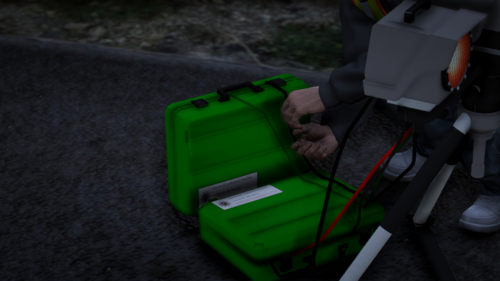 This is the English Translation of the About This File information for those who are having any trouble:
 -
-
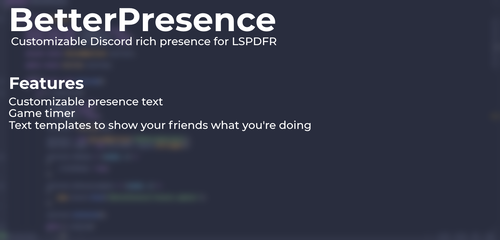 It seems this has stopped working in one of the later GTA updates, as it no longer shows in discord. It says i updated the information, but doesn't reflect in discord. It is installed correctly, as I have not changed it since my last install of the mod
- 37 comments
- 5 reviews
-
My bad i wasn't trying to sound criticizing, that was just my understanding of it. I personally hadn't looked into it a whole lot until now, seeing a lot of other developers mention something about it through discord, and it being described that way. Trust me i appreciate the time they put into this. I myself am trying to learn C# and other methods of coding so that I can also become a developer, I just don't have the time on my hands to do it.
-
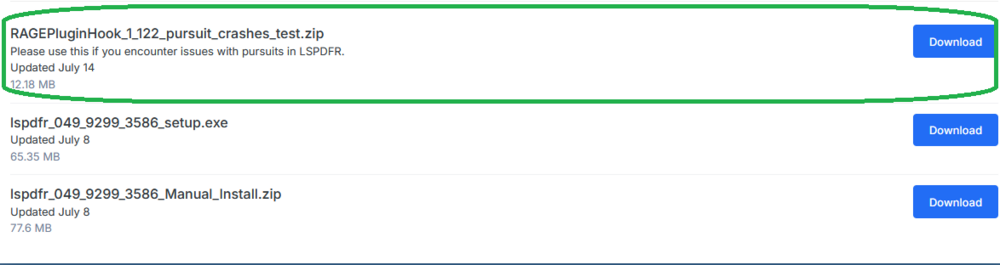
download the Ragepluginhook pursuit fix from the main lspdfr download page. You can install everything in there except the SDK folder into your main game directory,
-
it looks like you have some things installed incorrectly. Remove Automatic Siren Cutout, it is discontinued and well known for causing issues. The developer has created a better alternative call riches police enhancements move calloutinterfaceAPI from gtav/plugins/lspdfr to GTAV main directory update grammar police download the ragepluginhook pursuit fix from the main lspdfr download page then i also found this, and i will attach a screenshot below:

-
automatic siren cutout doesn't work period, the developer discontinued the mod, and made a new mod called Rich's police enhancements. It implements updated coding while being able to do more, you'll need to configure the .ini tho. This could be the cause of you issues, but there could be more underlying factors. ASC is definitely a big factor, as it is known for causing crashes now considering it is discontinued and outdated
-
I won't be able to get anything from this file, however, make sure that args.txt is not located in your files anymore, as this causes an issue with the R* games launcher now. If it is in your files, it would be located in the main directory. if it is there, simply remove it. If thats not the case, try sending you RagePluginHook log, and i will see if anything there is related.



.png.54556673b8c8745630e15e7c0ea86f6c.png)