


ElVisteros
Members
-
Joined
-
Last visited
Everything posted by ElVisteros
-
-
nothing changed unfortunately
-
i checked, and the crash happens even without lspdfr, when i open gta 5 without RPH, everything works
-
i don't have a mod folder, screenshot is in previous comment
-
will try reinstalling. I don't know how it's possible, because i don't have gta 5 on steam same thing, still crashing RagePluginHook.log
-
the second one is more recent, i just tried to resinstall it fresh i don't have nothing installed, just gta 5 + lspdfr + rage plugin hokk from lspdfr automatic installator
-
RagePluginHook.log
-
still the same problem after veryfing, crashing on startup/:
-
i didn't do that
-
Tried but nothing changed, i don't even have a mod folder
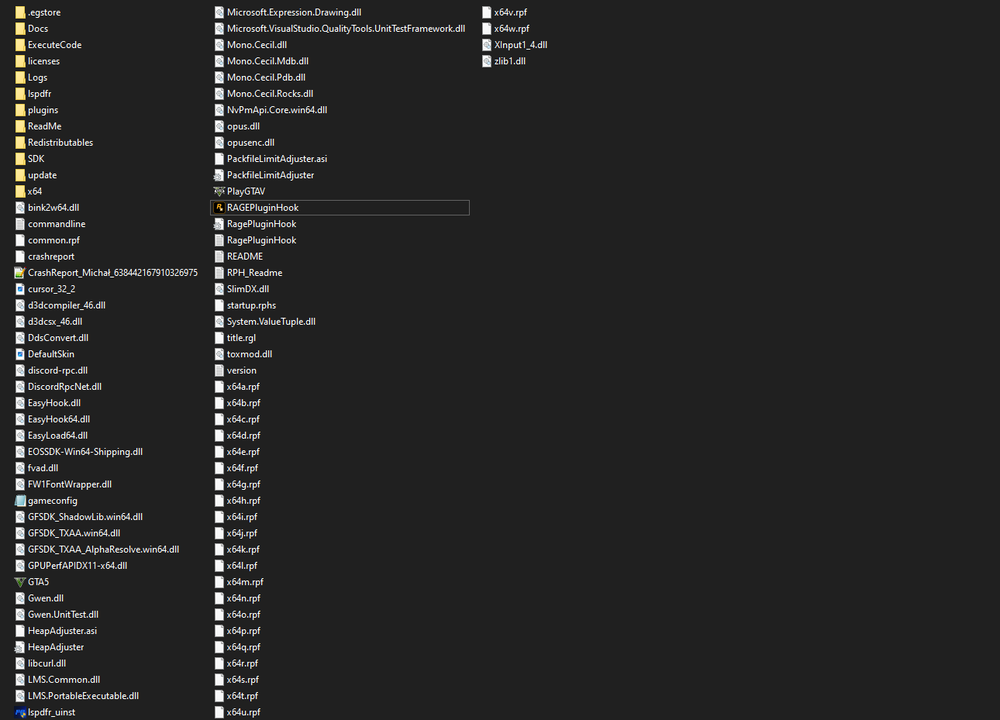
-
Hi, my game is always crashing, no matter what i do, tried everythink, can you help me? Im playing on epic games RagePluginHook_22022024_050926.log


