blacksubbath
Members
-
Joined
-
Last visited
Everything posted by blacksubbath
-
That worked for my other mods that i installed too and i had to get rid of some, thanks! This worked the on duty in the pd didnt load my stuff forceduty worked lspdfr probably ran into a problem or its on my end
-
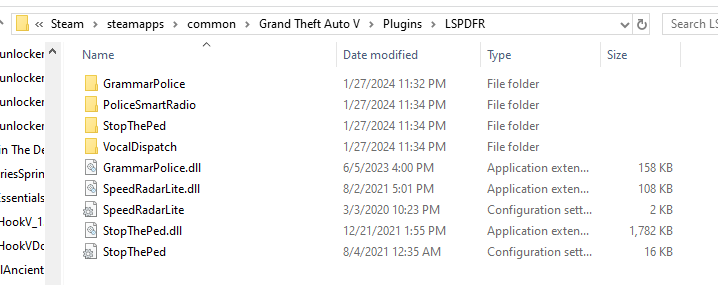
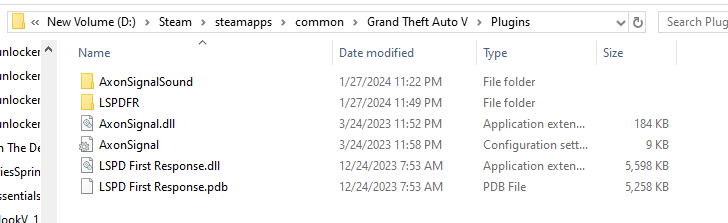
Ive been eyeing out lspdfr and installed it just today, it worked fine I played a few sessions then decided to mod, I'm not an idiot but this sure is making me feel like one. Im not new to modding, but im new to this community so basically when i installed lspdfr i installed it correctly did everything correct, made an LSPDFR folder in my plugins bc there isnt one. i wanted a mod called speedradarlite along with other mods since they indicated to be added in an lspdfr folder inside plugins i did so, i did with more plugins saying that but every plugin i put in lspdr folder doesnt register. really need help here bc i looked at every single topic with this problem but none helped. the axon signal mod is the only mod i have in the plugins folder since it didnt tell me to put it on lspdfr inside plugin. care to help me? Load plugin or plugin list lspdfr folder (some mods missing dependencies ik abt that) aaaaand plugins folder theres definitely something im doing wrong