


orso
Members
-
Joined
-
Last visited
Everything posted by orso
-
As Lennyy said rename the mods folder to _mods and attach you rph log
-
You probably need to re-install LSPDFR mod, you're missing the outfits file
-
Uninstall CalloutManager, you have CalloutInterface that is basically the same
-
There's some tutorial on youtube, it's pretty hard explain here
-
You mean the OpenIV app or the EUP .oiv files?
-
EUP Law&Order and EUP Fire&Rescue you need to install OpenIV (if you installed the .oiv files) there's also some tutorial on how to install them. For EUP Menu open EUPMenu_release_2_3_0_0 > Files > Drag the plugins folder into the gta5 main directory. To enable the EUP Menu plugin you can do 2 things: Open the RPH settings when launching, click "Plugins" and select: Load all plugins on start up or Load these plugins on startup (and then select the plugin), or when in game click F4 and digit: LoadPlugin EUPMenu It's more easy if you installed .oiv files
-
My bad, here the EUP Menu link:
-
Hello, this is the log of yesterday, the most recent log is in the main gta directory called "RagePluginHook.log" or just RagePluginHook, it's a text file
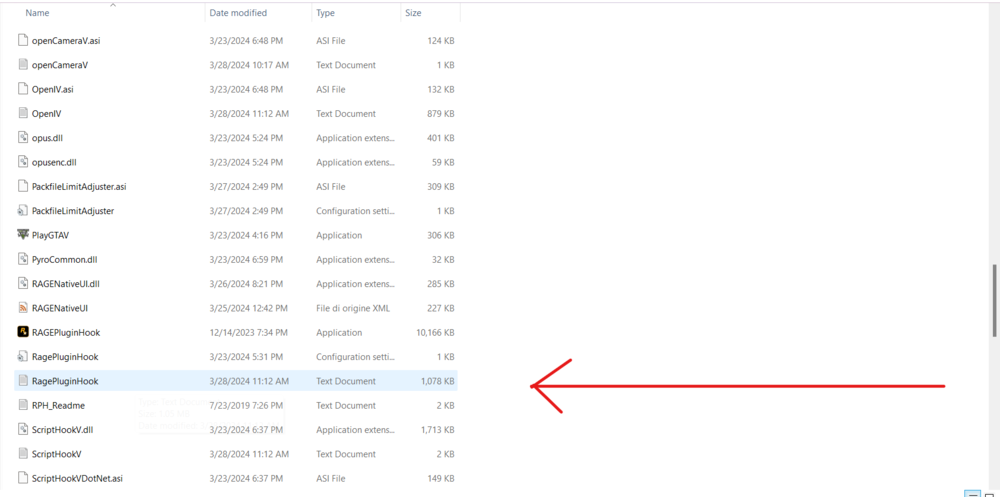
-
Hey there! You can look here in this topic: https://www.lcpdfr.com/forums/topic/136077-★-modslist-plugins-suggestions-stabletested-049-march-2024-★/
-
Please send the RagePluginHook.log here
-
Could be a mod problem, try rename the mods folder to _mods and try again
-
Glad to hear that! 🙂
-
The first two you need OpenIV, there's also a tutorial on how to install them. EUP Menu: EUPMenu_release_2_3_0_0 > Files > Drag the plugins folder into the gta5 main directory. To enable the EUP Menu plugin you can do 2 things: Open the RPH settings when launching, click "Plugins" and select: Load all plugins on start up or Load these plugins on startup (and then select the plugin), or when in game click F4 and digit: LoadPlugin EUPMenu
-
Hi, try run RPH as administrator if you didn't. if you did run as administrator run it not as administrator
-
No problem, also do what UnknownBastion said so you can play this mod better and without any problem!
-
The log says that this version of lspdfr mod is outdated, you are on this version: 0.4.8433.20359, the most recent version is 0.4.8757.33971
-
Not really, you can have this car by installing LAPD Car pack. Link
-
Try this: Update ForestryCallouts and re-install "Seatbelt" there's something missing Also in rph settings set PluginTimeoutThreshold to 60000
-
aha np, happy that now it works. Happy easter!
-
Seems POLICE4
-
Log states it is a vehicle model causing the crash. You could rename the mods folder to _mods and see if crashes (it'll disable the mods) if doens't crash then i suggest you to re-create the mods folder
-
As YakinDaks said update your lspdfr mod, you're currently in 0.4.8678.25591 version (If it works mark the message of YakinDaks as a solution 😄)
-
Try verifying the files integrity
-
Hello, open OpenIV and click this: See if you have all installed

-
Hello, attach also the most recent log, it's in the main gta directory named "RagePluginHook.log" it's not in the logs folder




