


chief888
Members
-
Joined
-
Last visited
Everything posted by chief888
-
Yeah just did a reinstall, story modes working now, might have a bit more care installing mods from now on.... Cheers
-
whenever i replace the game config it updates via the rockstar launcher... i got RDE and ever since then its just messed everything up, all my els vehicles were gone and now this.. would a fresh install with fresh lspdfr and mods fix this properly?
-
Got another one for you legends to figure out!! This time its poolmanager identifying a crash, to be specific; poolName: unknown poolHash: unknown poolSize: 1050 poolPointer: 00007FF79D07EB98 Ive lead this to be; <PoolName>MapDataLoadedNode</PoolName> <PoolSize value="1050"/> ive changed it to 10500, and yet it still throws the same crash, as if the gameconfig never changed?? ive confirmed that the values have changed.
-
 How do i uninstall this? its replaced all of my custom ELS vehicles with weird ones that dont have ELS.
- 1,524 comments
- 85 reviews
-
cheers mate thanks for the help!
-
this has worked. i cannot thank you enough YOU WIZARD what do i do about the scripts folder?
-
_lml and _mods did nothing, removing shv works, loads straight into story mode - from memory did i not mention this? what do i do if shv is causing the problem?
-
-
i get past the initial loading screen to select online story mode etc.... it loads into story mode for roughly 20-30s and crashes. this is with the updated SHV.net you provided and with mods renamed to _mods.
-
-
bro it does nothing but crashes how do i screenshot a crash?? it launches and plays the intro sequence for 2 seconds and exits, these logs are all i have
-
Exception Access Violation
-
-
The only thing that is working so far is removing Scripthookv _els didnt work RPH log
-
what log do you want me to attatch
-
Ok, here is the RPH Crash Log Here is the RagePluginHook.log File Scripthook V is back in as stated above to replicate the crash conditions.
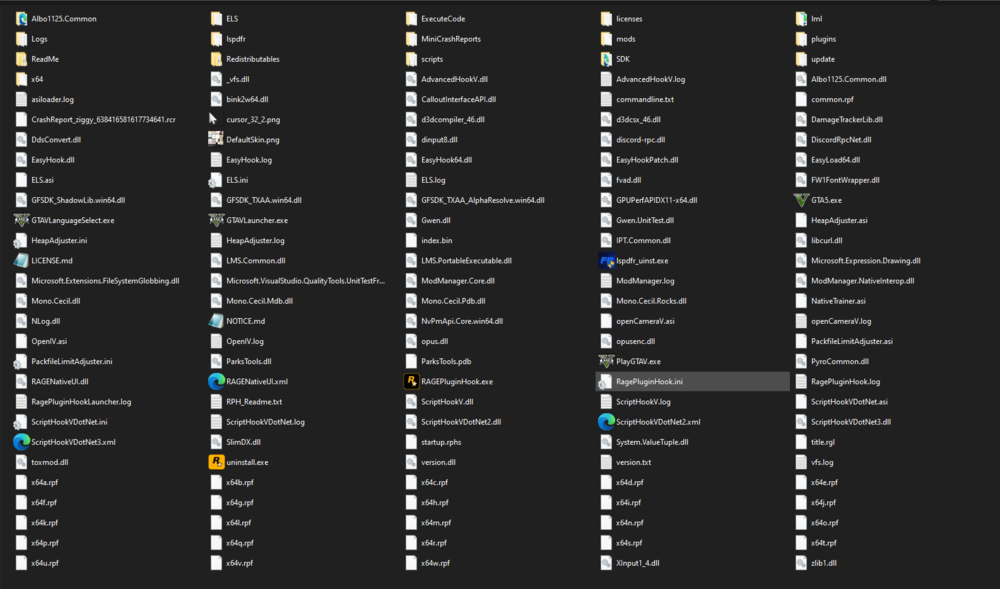
-
nah it didnt i uploaded another log. also should i be using RPH? or just regular gta? nvm using rph without loading plugins its worked. re downloading and using the 15 dec distro of scripthookv crashes the game edit 31/01/2024 9:29pm AEDT Upon further research it seems to be that script hook v is causing issues for a lot of people using mods loading ASI's from the most recent update. No solution for R* launcher yet - downgrading on steam seems to work. RPH log attached :
-
Ive used LML to install a couple mods. i do have a graphics mod but cannot remember the one, its the one that makes the taxi signs bright and it comes with the option to fix it. never did cause im lazy. uploading another launcher log after deleting the stuff you told me too -
-
hi all, got lspdfr crashing all of a sudden, no changes on my end have changed except for updating lspdfr recently. attatching a rph log file below. Story mode does not work. Turning Anti-Virus off Does not work, renaming mods to _mods does not work. https://pastebin.com/d3MvB84b Again, i have made zero changes except for updating lspdfr. Edit: found the rockstar launcher log which is probs helpful. https://pastebin.com/3rfqhkG0
-
Fixed it with a restart and several packages. (heapadjuster packfilelimitadjuster)
-
hey, just updated all of the required files for rph and lspdfr, (scripthookv, rph, ragenative, lspdfr) and its not working. stuck on slow or insufficient perms. i have disabled windows defender and malwarebytes



