


xElementVideoz
Members
-
Joined
-
Last visited
Everything posted by xElementVideoz
-
New LSPDFR Patrol! Sorry I couldn't release a video on Friday, I was caught up in that week with school and submitting all my college applications before their due date. Hope you guys enjoy!
-
New LSPDFR Patrol! Two days late, sorry about that.
-
Hope you guys had an awesome Thanksgiving! Here's a new LSPDFR Patrol for you guys.
-
Forgot to update you guys on my 11th day of LSPDFR Patrols when it came out! Here it is. Here is the 12th day of LSPDFR Patrols, just released today.
-
Hey everyone! New patrol video up. Got a new police pack!
-
Back at it again with another LSPDFR patrol! Highway patrol gone wrong. Enjoy!
-
Hey everyone! Hope you're all having a great day. Here's a new patrol video. Check it out!
-
Hey everyone! A little late on this post since I took a nap during its release, but my newest patrol video has been released! Make sure to check it out! Thanks so much.
-
Hey everyone! Hope you're all having a fantastic day. I just uploaded a new LSPDFR Patrol; check it out if you can!
-
Hi Everyone! I'm pretty sure a lot of you readers are not familiar with who I am, but I was once an active LCPDFR player on GTA IV PC. I recorded a lot of my sessions onto YouTube, with one of my patrol videos reaching nearly 950,000 views now. It's been about a year since I've recorded anything, but I have recently gotten back into doing patrol videos since LSPDFR and its add-on components are running at a stable rate to where I can record without having to worry about crashing. Again it's been a while since I've recorded anything, so I ask that you please forgive me for my unprofessional or unrealistic content. I'm currently on my fifth day of LSPDFR patrol, and I upload every Tuesday and Thursday at around 3:00 P.M (PST). If you could please take some time out of your day to check out my content and leave any suggestions to help my videos become better (or possibly subscribe if you already like what you see), I would greatly appreciate it. It's been a while, and I'm making a comeback! Here is a playlist of all my LSPDFR patrols that I have currently uploaded. Definitely more to come! If you're curious about my LCPDFR patrol videos that I did in the past, here they are. All my LCPDFR patrols in one playlist. Enjoy!
-
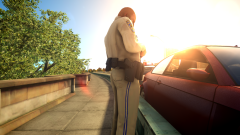 Is there an ETA of when these pedestrian models will be released?
 -
This is an overall great pack, but would you be able to provide the pedestrian models that you used in the screenshots? I am trying to look for them, but I cannot find them anywhere in the database.
- 28 comments
- 12 reviews
-
I'm absolutely loving this police pack, but I do have a slight problem with the Vapid Cruiser with the Whelen Lightbar.
- 28 comments
- 12 reviews
-
Great! Thanks for the help.
-
Hello everyone, I have recently been getting back into playing LCPDFR and I have been trying to investigate why I have been crashing all these times. After looking around and tampering with some of the LCPDFR settings and looking at the LCPDFR Diagnostics program, it turns out that it was unable to identify and locate .NET Framework 4.5. I was guided to the website to download .NET Framework 4.5, but after continuing through the installation it said that I had the updated version of it. Should I keep the updated version, or should I uninstall the current version that I have and download .NET Framework 4.5? Would that improve my game performance? I hope I can get some help on this. Thanks!
-
I was more into activating the sirens three times before toggling the siren with the controller. I really don't want to turn to Express Mode unless there is no other possible solution. Sorry, mate.
-
Yes, I have activated the light stages to the highest stage before attempting to toggle the siren with the controller. So there's really no solution for how I want to activate them?
-
Hey guys, I'm experiencing issues on configuring the siren for single player with the Xbox 360 controller. As I try to toggle it with my left thumbstick as you would, the siren does not activate and only makes a slight siren sound. Can anyone help me out here? Thanks!
-
Sorry, but I wouldn't know how to resolve the problem for Single Player. I don't use single player to do my patrols, anyway.
-
If you don't mind leaning forward to initiate your lights to stage 3, there is a way to have you controller manage the siren. If you go to your ELS.ini, you should disable the Siren Tones that you were able to manually trigger by pressing the numbers 1-4 (above QWERTY). In the ELS.ini, I disabled those by setting them to 0. SirenTone_WL = 0 // Nothing/disabled by default SirenTone_YP = 0 // Nothing/disabled by default SirenTone_A1 = 0 // Nothing/disabled by default SirenTone_A2 = 0 // Nothing/disabled by default After that, you should be okay and be able to use your siren for the controller. As far as turning the lights on and off, I usually just lean forward to the keyboard and initiate them by "J".
-
What I did to make my siren work for the controller again was disable the Siren Tones that you were able to manually trigger by pressing the numbers 1-4 (above QWERTY). In the ELS.ini, I disabled those by setting them to 0. SirenTone_WL = 0 // Nothing/disabled by default SirenTone_YP = 0 // Nothing/disabled by default SirenTone_A1 = 0 // Nothing/disabled by default SirenTone_A2 = 0 // Nothing/disabled by default After I did that, it just magically worked again.
-
It seems that I have fixed the solution, thank you all for the support. I actually had to disable the new feature of selecting the siren style you'd wish to use by pressing on 1-4. By disabling those, I am now able to use the siren with the Xbox controller. Once again, thank you all.
-
It's just weird because I never had to use xpadder before, using the siren on the controller for ELS v7 was perfectly fine, it's just this one that I'm having troubles with.
-
So, I just recently installed ELS v8, and I'm already having a problem with it. My siren doesn't activate when told to, it would only work in some instances after clicking "G" or clicking my left thumbstick on my Xbox controller for nearly a million times. Would anyone have a solution to this situation? This problem never occurred to me in ELS v7, only in this version. I play this on Multiplayer, if it helps any. Please help!
-

