



V1zZ
Members
-
Joined
-
Last visited
Everything posted by V1zZ
-
The problem was successfully found, it was the inventory_rde file in the EpicGames\GTAV\lspdfr\data\custom folder
-
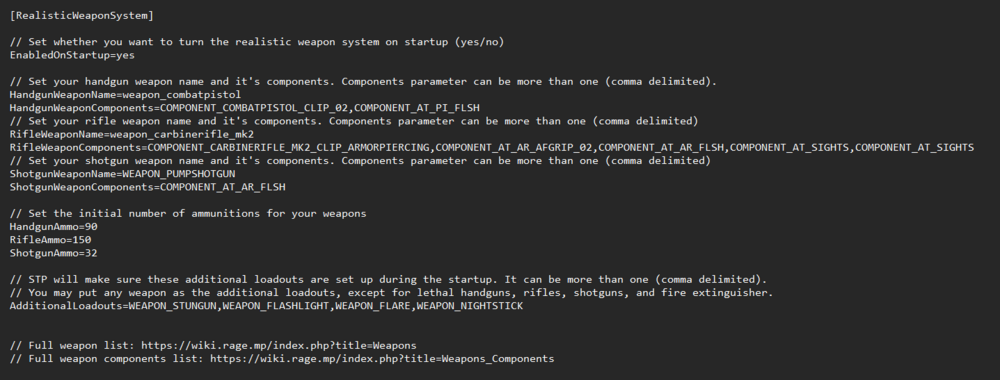
all my plugins

-
I get a ceramic pistol, in addition to my main combat pistol. I'm using the Stop The Pad plugin and it has a RealisticWeaponSystem in it. But I still don't understand where the ceramic pistol comes from after each shift. I've been through the whole CFG
-
Hello people, have you noticed that when arrested, bots come too close literally poking a gun into the suspect's back before he lay down, thereby making the arrest less realistic? Maybe someone knows a mod or something similar that can fix it? thx
-
 I'm fine with the shift, but the Menyoo menu and QuantV graphics settings stopped working for me upd: after the fifth restart of the game Everything became normal
- 295 comments
- 34 reviews
-
-

- 1
-


