
Skip to content
View in the app

A better way to browse. Learn more.

LCPDFR.com

A full-screen app on your home screen with push notifications, badges and more.

To install this app on iOS and iPadOS
  1. Tap the Share icon in Safari
  2. Scroll the menu and tap Add to Home Screen.
  3. Tap Add in the top-right corner.
To install this app on Android
  1. Tap the 3-dot menu (⋮) in the top-right corner of the browser.
  2. Tap Add to Home screen or Install app.
  3. Confirm by tapping Install.

Chr0nicxHack3r

Members
  • Joined

  • Last visited

Everything posted by Chr0nicxHack3r

  1. Am I missing a setting or a plug in? Whenever I issue any citations or arrests that they are found guilty it is not tracked if I bring them to the station. If if I do not report and grab someone I took a call from it is not tracked. Cab someone help me?
  2. Welp that was it, should have attempted that. Thank you for the info!
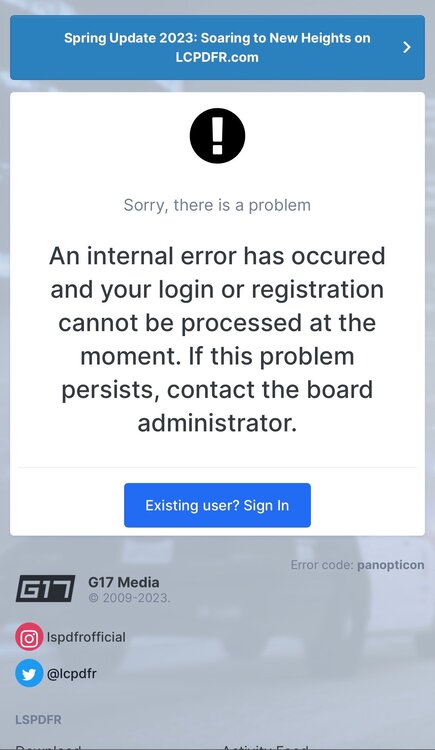
  3. Hello, my wife is trying to make an account so she can also start this weird and fun journey. It says there is an internal error when submitting?
  4. Hello! Stumbled across this on my ventures into the internet. Enjoyed the little bit I played last night. Would love some tips and maybe even some inclusive mods to add to the experience!

Account

Navigation

Search

Search

Configure browser push notifications

Chrome (Android)
  1. Tap the lock icon next to the address bar.
  2. Tap Permissions → Notifications.
  3. Adjust your preference.
Chrome (Desktop)
  1. Click the padlock icon in the address bar.
  2. Select Site settings.
  3. Find Notifications and adjust your preference.