Conbert11
Members
-
Joined
-
Last visited
Everything posted by Conbert11
-
-
 Hey, i didn't change anything. But i'm currently working on a new update.
 -
 Hi, I don’t work on the plugins I created anymore because I don’t have time to maintain them.
- 5 comments
- 1 review
-
-
-
Yeah, NPCs drive more like in Real Life too.
-
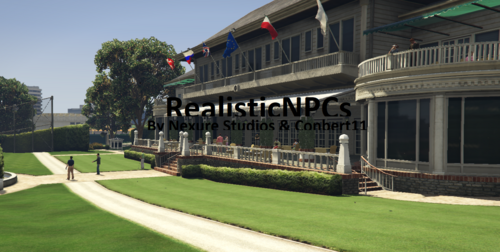
The NPCs behave more realistically. Not everyone is just neutral or runs away when something happens. With the plugin, they gain different personality types: aggressive, neutral, brave, or cowardly. This makes them react in unique ways to different situations. On top of that, NPCs don’t just wander around aimlessly. They interact with each other, have conversations, exercise, and follow daily routines. Just like in real life.
-
RealisticNPCs – Enhance NPC Behavior in GTA V (RAGEPluginHook) Created by Nexure Studios 🔹 What is RealisticNPCs? RealisticNPCs is a simple yet powerful plugin for GTA V that lets you control NPC behavior in real time. Built for RAGEPluginHook and using RAGENativeUI, it provides an easy-to-use in-game menu to adjust aggression levels, toggle debug mode, and manage notifications — perfect for roleplay, LSPDFR, or just making Los Santos feel more alive. 🔧 Features: Interactive in-game menu powered by RAGENativeUI Adjust NPC aggression levels dynamically Turn Menu notifications on or off Lightweight and performance-friendly 📦 Installation: Drag and drop RAGENativeUI.dll into your GTA V main directory Drag and drop the plugins folder into your GTA V main directory Launch the game using RAGEPluginHook and enjoy! 🎮 Controls / Keybind: Open the menu with F8 by default 🛠️ Requirements: RAGENativeUI RAGEPluginHook 📬 Support & Updates: If you encounter bugs or have suggestions, feel free to leave a comment or join my discord (https://dsc.gg/nexure-studios) or make an post on the nexure studios forum (https://nexure-forum.cb-hosting.tech/)
-
-
-
 yeah, i could build that in the plugin in the next update. i will write that on my todo list!
- 21 comments
- 1 review
-
i don't know why but it's still not working
-
no, i don't.
-
Hi, i installed both but it still does not work.
-
Hi, sorry but i only make Vehicle Skins and Scripts. I don't make vehicle sounds.
- 5 comments
- 1 review
-
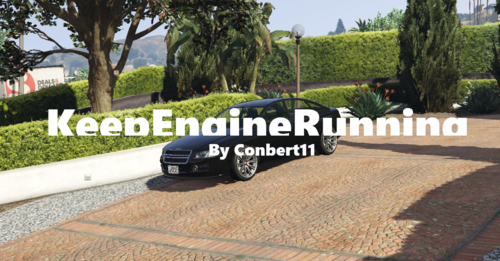
KeepEngineRunning Created by Conbert11 🔹 What is KeepEngineRunning? KeepEngineRunning is a lightweight, easy-to-use plugin for GTA V designed to run with RAGEPluginHook. It ensures that your vehicle's engine remains running at all times, even if you exit or leave the vehicle. 🔧 Features: KeepEngineRunning ensures that the engine of your vehicle remains on, even when you exit or leave the vehicle. There are no keybinds to activate or deactivate it – the behavior is automatic as soon as the plugin is loaded. The plugin will work as long as it is running in the background and RAGEPluginHook is active. 📦 Installation: Copy the "KeepEngineRunning.dll" into your "Plugins" folder in the GTA V main directory. Ensure that RAGEPluginHook is properly installed and set up. Launch the game using RAGEPluginHook. 🛠️ Requirements: RAGEPluginHook
- 5 comments
- 1 review
-
-

- 2
-
-
-
-
CBHelper – A Simple Utility Menu for GTA V (RAGEPluginHook) Created by wfkax. (aka Conbert11) 🔹 What is CBHelper? CBHelper is a lightweight, easy-to-use in-game menu for GTA V designed to run with RAGEPluginHook. It serves as a simple alternative to Native Trainer, providing quick access to useful tools and settings for your gameplay or modding needs — especially handy for LSPDFR players. 🔧 Features: Clean and straightforward in-game menu (default key: F10) Adjustable settings directly from the menu Aimed to be a basic Native Trainer-style tool for quick access Minimal and performance-friendly 📦 Installation: Drag and drop RAGENativeUI.dll into your GTA V main directory Drag and drop the plugins folder into your GTA V main directory Launch the game using RAGEPluginHook and enjoy! 🎮 Controls / Keybind: Open the menu with F10 by default You can change the keybind in the in-game menu under “Settings” 🛠️ Requirements: RAGENativeUI 📬 Support & Updates: If you encounter bugs or have suggestions, feel free to leave a comment or send me an PM!
- 21 comments
- 1 review
-
-
-

-

- 6
-
-
-
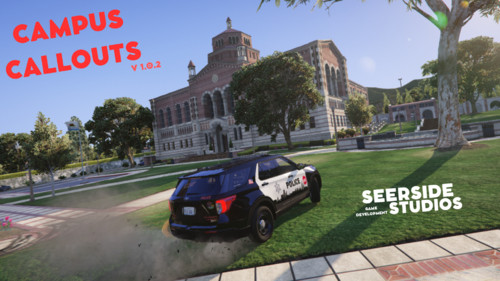 Nice Callouts!
 -
-
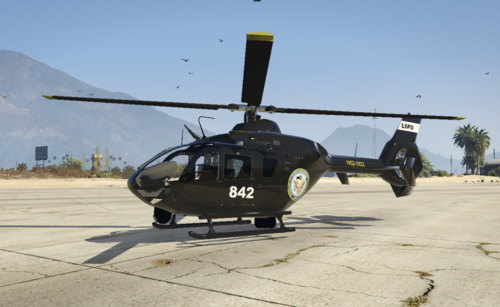 I AM NOT RESPONSIBLE FOR ANY DAMAGE! Download: https://www.gta5-mods.com/vehicles/royal-australian-navy-ec135-helicopter-militok0
 -
Hi, i had the problem too. You could try archive.org. I don't remember how I was able to download it myself. But I think you would have to wait until the site is online again. I don't know why it doesn't work. I had already tried to somehow contact the owner of dev-c.com but couldn't find anything.
-
Hi, I changed my visualsettings.dat to make emergency lights brighter and also installed SirenSetting Limit Adjust. But after starting the game, the emergency lights weren't any brighter. However, when I open the pause menu, the lights become bright but then once I close the pause menu the lights are back normal.