OfficerMcDoobie
Members
-
Joined
-
Last visited
Everything posted by OfficerMcDoobie
-
Speaking about when you stop a ped and you always shout HALT!! or STAND BY!! super loud and aggressively. Where do I turn that off? Looked through the .inis and audio files etc but I can't find where that setting is. Pretty sure it's something I can disable cos I never see Benzo on YouTube having this problem, his character is silent when stopping people
-
Yeah, I'm gonna trust it haha, it's just something I wanted to double check, cos in all my time modding Skyrim/Fallout and GTA I've never had this happen, heard about it tho. I thought that was just proper antivirus systems that made issues tho, hadn't heard Windows Defender interferes that way, thought it was too low level a thing haha
-
Never happened to me before, I've always heard its possible that false positives can happen, just wanna be sure by checking with someone first. It's from trying to download this mod It's weird cos it's not even an actual antivirus program that is flagging it, just plain ol' windows defender... Claims there is a Trojan in the file and refuses to download it
-
 Windows Defender keeps saying this is bad and won't download it. Trojan. Never got that alert before.
- 276 comments
- 46 reviews
-
Thank you! I'll try that today when I play, didn't realise it was configurable in-game! Thought I'd have to go through the ini file which can be confusing as heck
-
I suspect Simple Trainer to be the culprit, but I can't find how to unbind those commands in the .ini file, it's SO bloated and tough to decipher it's hard to find anything. Is there some easy way to remove ALL the Simple trainer keybinds, besides the MAIN one for activation of the menu in game? That's ALL I need from this mod after all, all these keybinds are totally unnecessary and I'd never have a chance of memorising em anyways...
-
yeah, that's what I have been doing basically, it'd just be handy to have a pack that already had a car for each department included. Plus I'm worrying about stuff like the vehicle metadata files matching up and the VCF's and all that. Been copying/renaming VCFs along with vehicles lately, but I can't do much about the metadata file, that's out of my league. Usually each car pack comes with their own one and I can't seperate out only wanting the files for this car or that. It's just for all of em. Not sure if that's an issue or not
-
Anyone got a good car replacer for all the police/FIB/Sheriff cars? Like, every pack I've seen so far will replace ALL my police vehicles with Sheriff ones or vice versa rather than just having one or two models in the appropriate places
-
Yeah I've been watching a lot of Benzos stuff lately and getting some info from him in the comments, will check out that site too
-
Thanks for the info guys, been pretty sick the past day or two so I haven't been able to check back, but I'll look into this more when I'm feeling better
-
I'm a noob, and it's hard to know what to look for and install, looking for the main stuff. Also wondering if there's any kinds of tutorials out there for actual gameplay and how it works like the stop the ped stuff and questioning and all.
-
Main question I'm wondering about right now is if I have Stop The Ped, should I go and completely unbind all the ped related stuff in the main LSPDFR ini? A lot of it seems to overlap and do the same stuff, like LSPDFR has a mechanic for stopping pedestrians, obviously so does Stop The Ped. I should just learn the keybinds of it and not worry about vanilla mod stuff right?
-
Got the game installed and created my first character, but I'm not sure how the general gameplay loop works here. Can I arrest people? Went on one callout and just ended up chasing a dude down and braining him with the butt of my gun and that was mission accomplished lol. I feel like I need a tutorial?
-
Yeah, finally managed to get a character created and play.
-
Well.... I finally got RPH to stop crashing thanks to some ideas from this thread I updated my drivers, forced GTA V, RPH and the Rockstar launcher to all run as administrator all the time and disabled the Geforce overlay. Now it's finally at least STARTING for me. Not sure yet if it's 100% working. Gotta play a little
-
And there's definitely been no crash report generated.
-
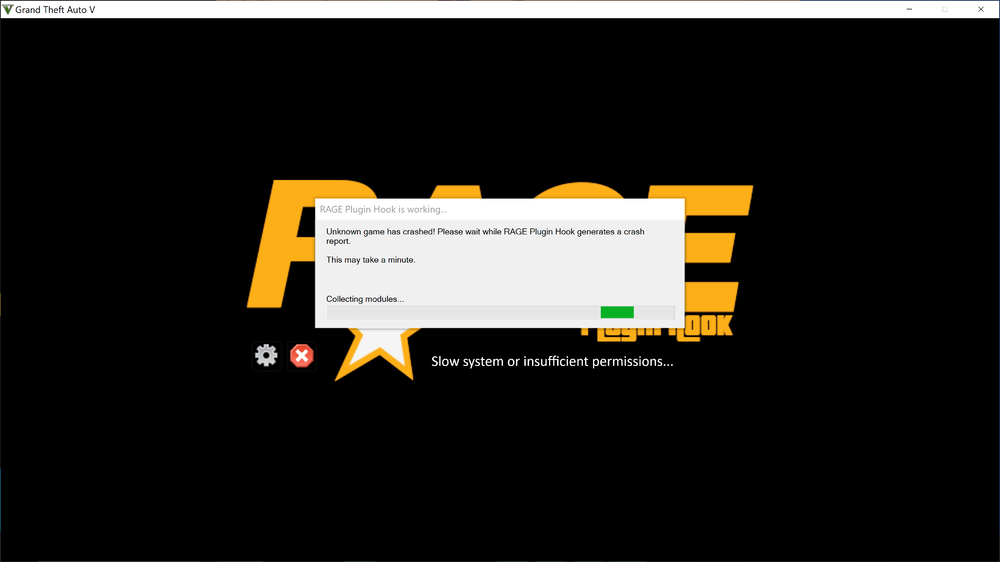
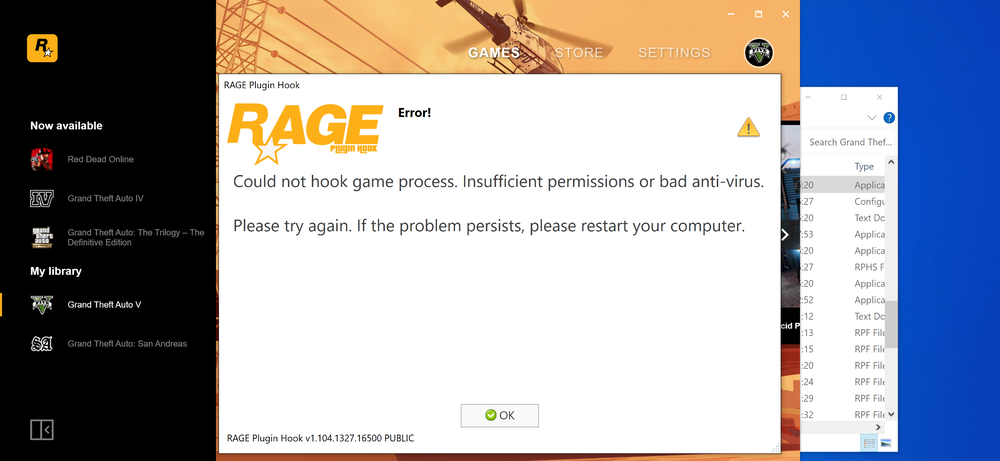
Tried again. Still crashed. Still no crash log. It says it's generating one, then doesn't. No idea what to do from here
-
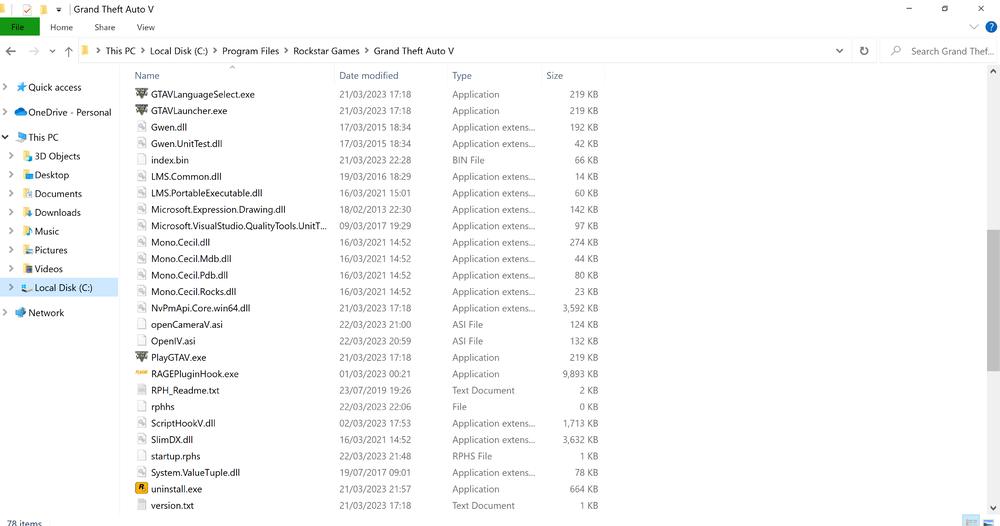
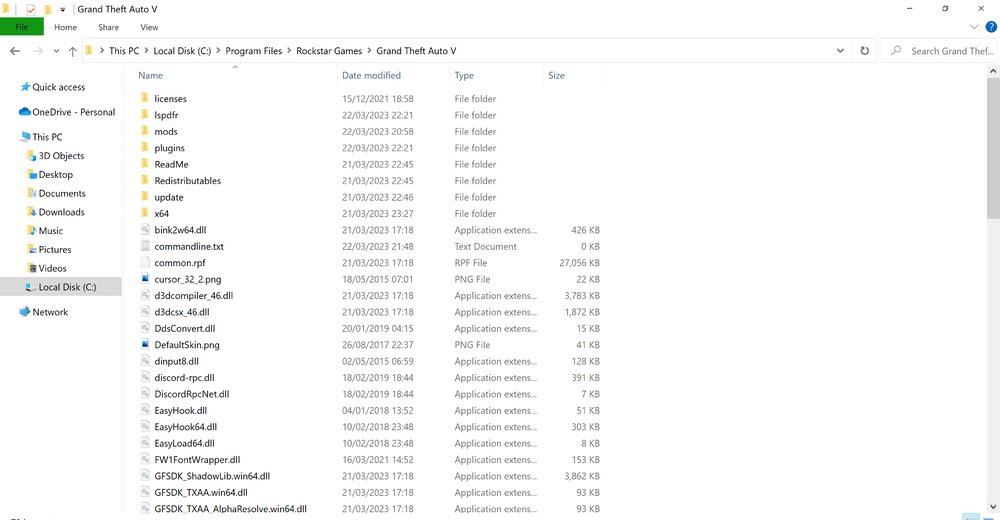
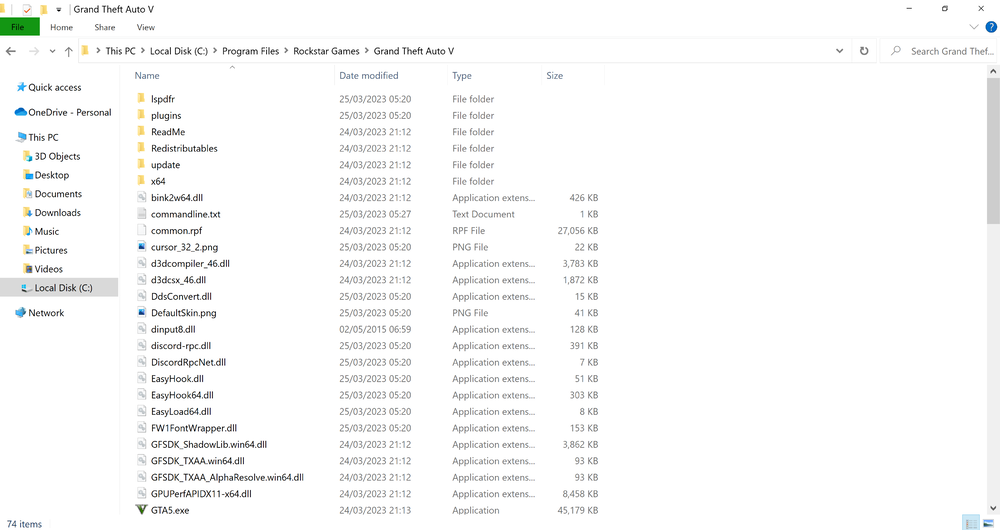
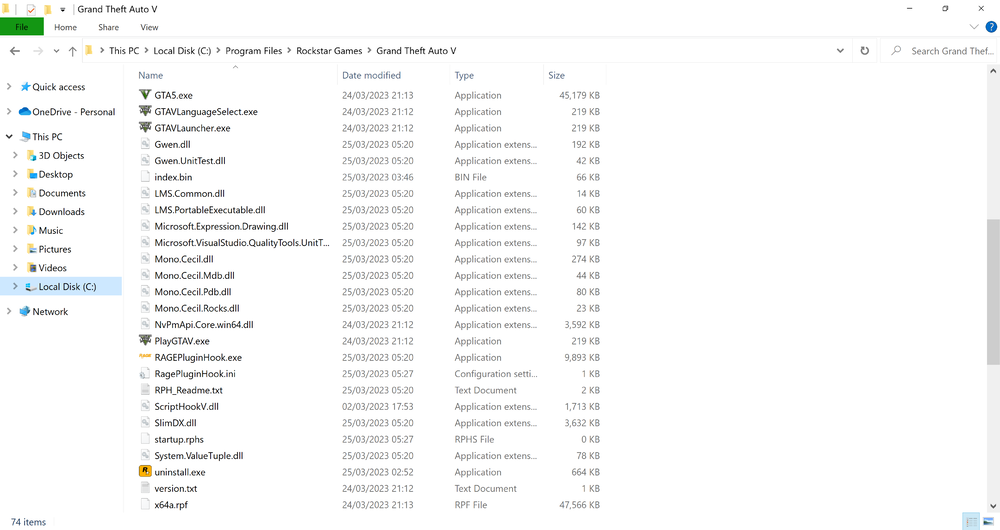
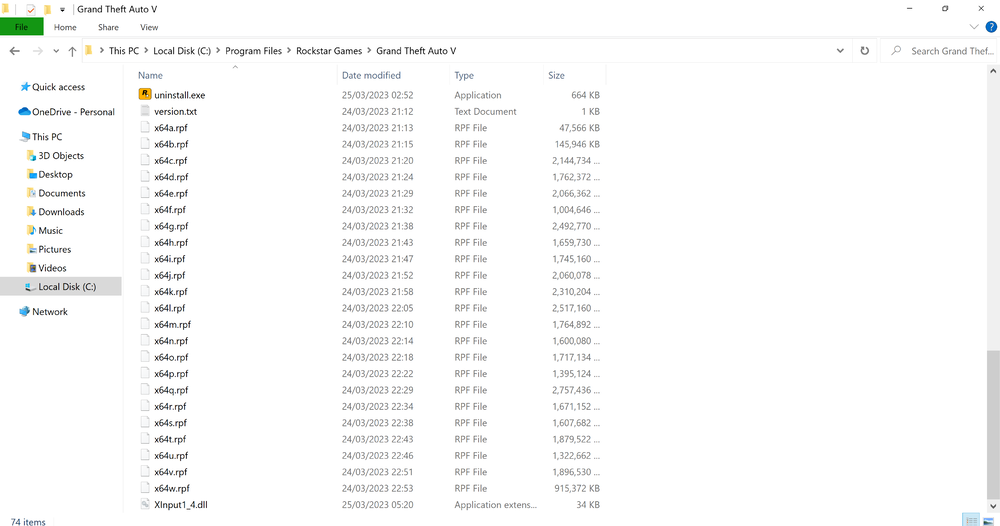
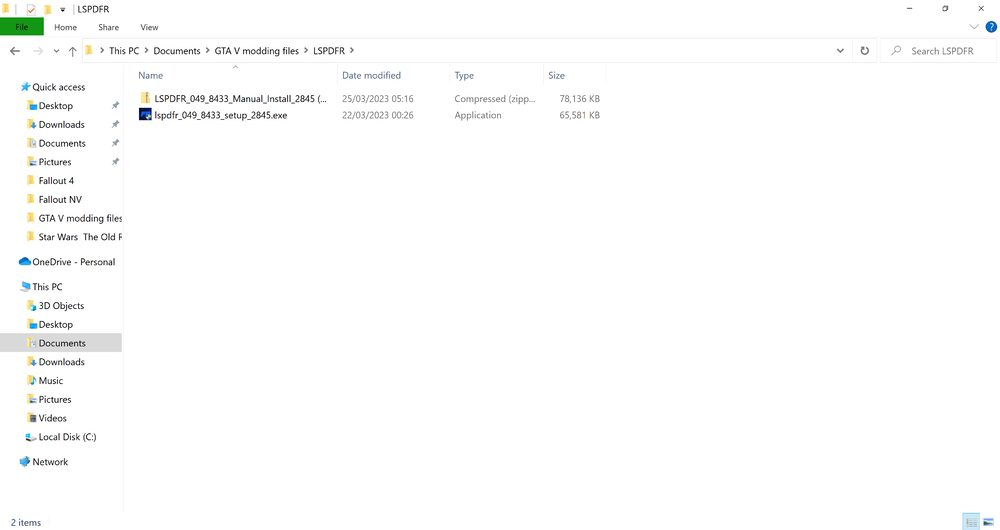
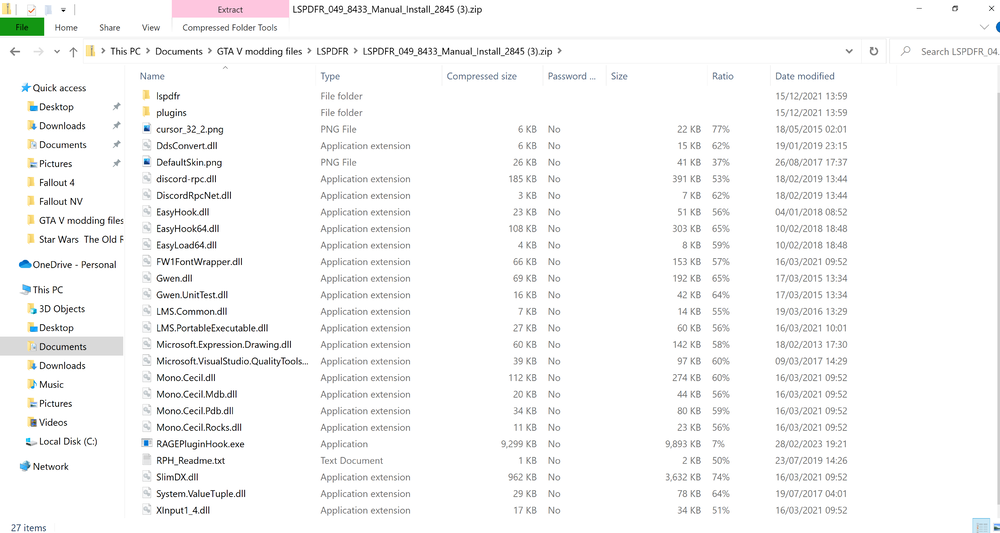
Been trying for days now. Already got help in another topic, but nothing worked and nobody is replying there anymore (It's named as if I'm just looking for extra mods, didn't realise LSPDFR wasn't working yet at the time I originally made the thread). Thought I better make a different thread asking for help on this specifically. I've watched multiple install videos, the one on this site plus a video on YouTube walking me through it from only 2 months back, I know I'm installing everything correctly, but it still just doesn't work and I have no idea why. Here's the full story. I'm working from Rockstar Games Launcher, I installed the game and did all the install instructions with a host of other mods I wanted at the time, the game worked at first, even RPH and I could see the LSPDFR menu in the pause menu, but the game would crash anytime I approached a police station. So, I tried again. Reinstalled the game, verified the files this time and made a backup so I wouldn't have to reinstall again and tried with JUST Scripthook V and LSPDFR. This time it wouldn't work at all. RPH crashes my game every time I try to start it. And that's how I've been stuck since basically. Tried everything I can think of. Reinstalled the mods over my backups multiple time, manual install, auto install, nothing changes. Tried starting RPH before the game, during the loadup, from inside story mode itself, nothing changes. RPH crashes when it tries to load up every single time. And it does NOT generate any crash reports. it loads for a while then tells me I have "a slow system or insufficient permissions". Both make no sense. Unless you need a super PC to run this, I should be fine, I can play the base game on highest settings after all. And RPH CONSTANTLY starts in Admin Mode anyways (even though a popup will sometimes say I shouldnt do that, I can't avoid it, it forces me t open it that way) so I dunno what it is talking about with insufficient permissions. I'm honestly stumped. Here's my filetree in case it helps. But I doubt it. This is my last attempt before giving up, seems like it's not gonna work. Been trying on and off for like a week now By the way, my last install was manual, because the YouTube walkthrough suggested it was better due to it always including an up to date RageHook whereas the auto sometimes doesn't. Not sure if that's true, just what the dude told me in the video. And since I've had someone confused about if I installed the right files once already in these forums, here they are too. First is the auto installer, then the manual files. There's a licenses folder above the lspdfr one too, but I couldn't fit it all in one screenshot and it's a less important to the mod thing.
-
Like I said. I've done everything I've been instructed, it still doesn't work. Seems like it just won't work for me no matter what I do
-
It's still just not working for me no matter what way I do it. I tried opening Rockstar Games Launcher, then starting RPH without the game running first, didn't work. Tried it by actually starting GTA V then alt tab and starting RPH, didn't work. Tried the manual install, tried the auto install, uninstalled/reinstalled my game, verified the files and everything else I can think of. Nothing is working. I only have Scripthook V as my other other altered file in the game too so it can't be a conflict surely, because don't I need it for any mods basically? Seems this just won't work for me. RPH crashes the game every single time
-
What? Oh my god. Why is the installation guide ON THIS SITE so incredibly wrong then? The official YouTube video TOLD me to do it that way. Start the game, alt tab out of it, then start rage. Literally, watch the video on this page! https://www.lcpdfr.com/lspdfr/how-to-install/ Why is their own info wrong? So confusing. So much conflicting info out there its crazy..
-
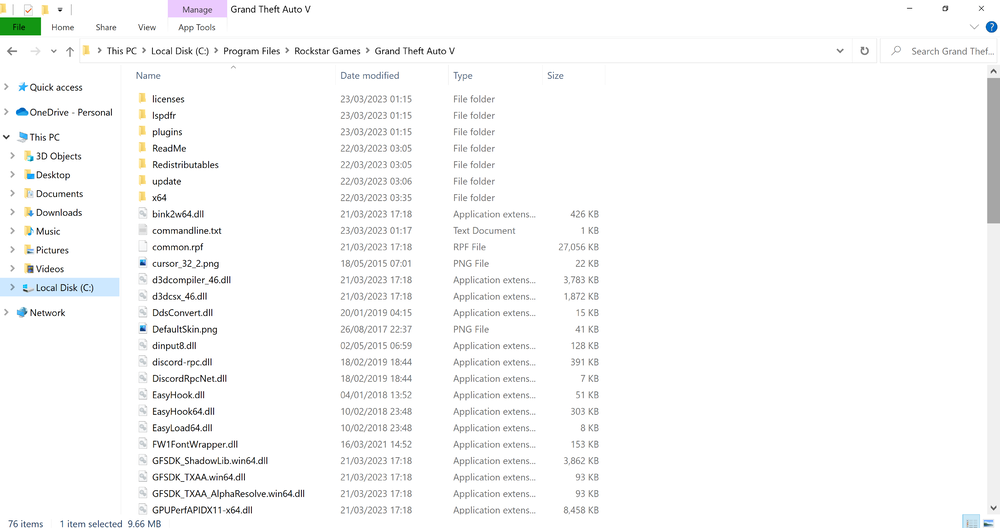
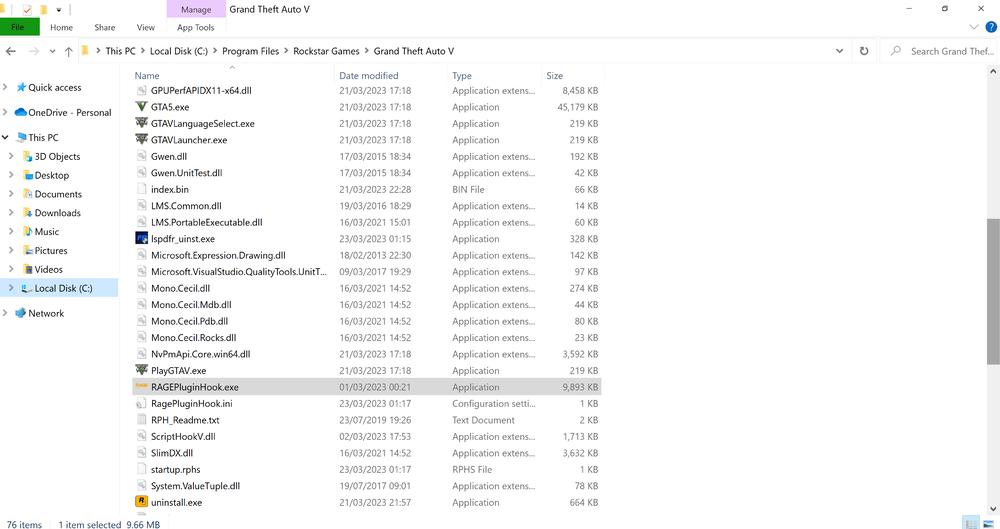
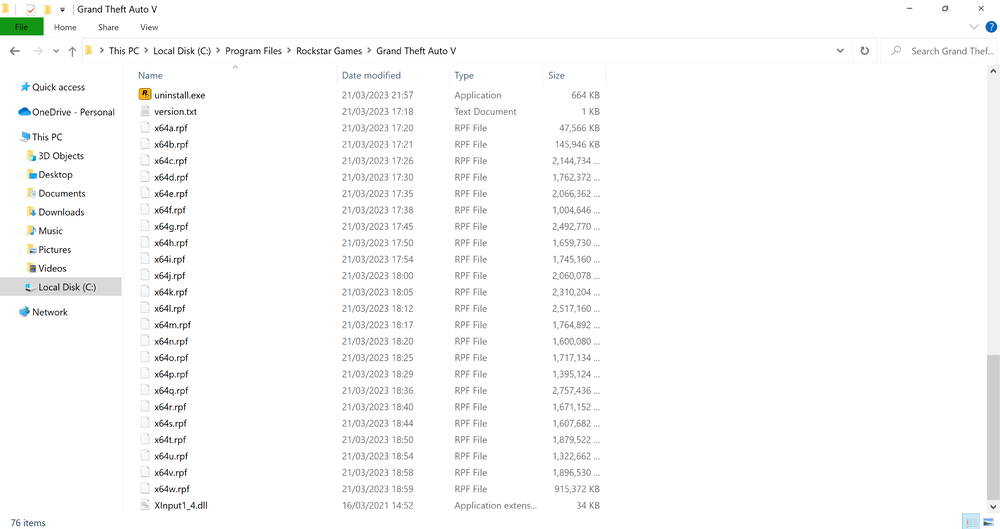
Switched to my backup GTA, so it's a clean install again basically since I copied it right after I installed and verified the files.. Installed Scripthook V. Nothing else. Ran the auto installer, completed it.... And still, the same thing happens. The exact same. RPH won't run outside admin mode. And it won't hook to the game in progress, fails, crashes, then complains about system being too slow (it's not, it plays way more intensive stuff) or my antivrus interfering (it's not, don't have one). And it gives no option for a crash log either. I'm stumped. File tree looks no different to me at a glance having done it this way either
-
I downloaded the installer and did it that way a few days back, wouldn't work. Then I downloaded the manual files and copied them myself. I'll just extract the contents again and show you. Here's a screenshot. There's one more file at the bottom XInput1_4.dll not worth another screenshot
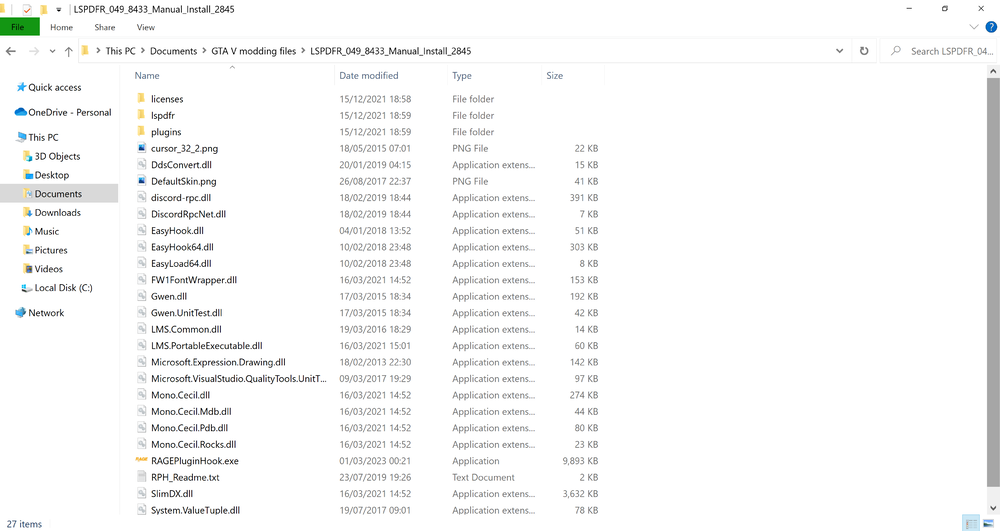
-
It for sure doesn't ask me anything about generating a crash report. I installed ONLY the files that are on THIS website? Thats what the install instructions, also from this website, told me to do? Step by step. 1. I went to the homepage of this site 2. I clicked on get LSPDFR and downloaded the latest version 3. I extracted the contents and put them into my GTA folder. Done? That what the install page said to do? I've also tried auto installing a day or two ago and that method wouldn't work either. I have no idea how my files are a mess! I mean it's LITERALLY a clean install, plus Scripthook, plus LSPDFR files from this website. That's IT. I haven't added a single other thing!? RPH version says 1.104.1327.16500 like I said it's what was in the LSPDFR download Also checked my GTA V version and it's the same as yours too
-
See, I don't even have a folder called logs... I dunno why. And my RPH area looks like this Not sure it matters but this is the top half pretty much