ShayanHosseinzadeh
Members
-
Joined
-
Last visited
Everything posted by ShayanHosseinzadeh
-
 I would Thanks! I am glad you like it. I'd appreciate leaving a review if you like it. More updates would be on way
 -
-
-
As I remember It was working with that as well, i would take a look at it again. Did you put the whole roadnoise folder in the scripts folder? That would be great if you share your ScriptHookVDotNet.log as well. You can do it here or DM me on discord @shayandj
-
Thank you!
-
-
Thanks! Drop the scripts foldsr into gta v root so you would have RoadNoise folder in scripts folder
-
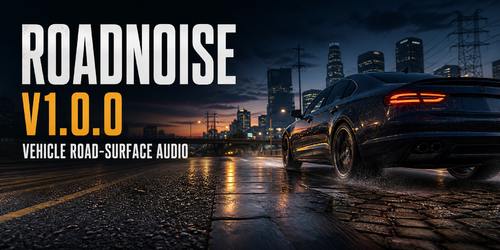
About This FileRoadNoise adds a subtle, speed-aware in-car road-surface audio layer to single-player GTA V. The sound reacts to the surface beneath your vehicle, adding extra road texture while keeping GTA V’s original engine, tyre, traffic, and radio audio audible. FeaturesSurface-aware road noise Smooth transitions between surfaces Asphalt, concrete, gravel, dirt, mud, grass, snow, wet pavement, metal, wood, and more Subtle bumps and suspension impacts Optional tyre-slip, gravel-detail, and puddle effects Settings menu: Ctrl + Shift + R RequirementsGTA V single-player ScriptHookV ScriptHookVDotNet3 v3.6.0 or newer PreviewInstallationDrag and drop the contents of the release archive into your main GTA V folder—the folder containing GTA5.exe. So you will have Roadnoise folder in the scripts folder CompatibilityRoadNoise is intended for single-player GTA V only. Do not use it in GTA Online.
-
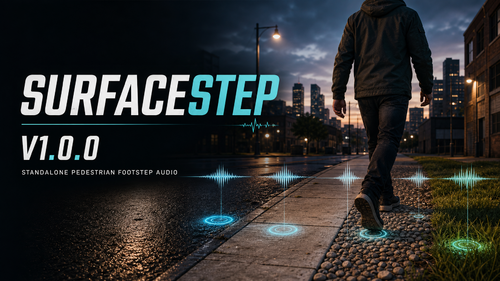 SurfaceStep v1.0.0AboutI have always been looking for maximum realism in GTA V, especially in the small details that make the world feel alive. SurfaceStep is a standalone pedestrian footstep audio plugin designed to make walking, running, and sprinting sound more natural and immersive. Footsteps are synchronized with movement and routed according to the surface the pedestrian is walking on. Features16 surface categories 3 audio variations per surface 48 processed footstep audio files Surface-aware audio routing Synchronized walk, run, and sprint footsteps Suppression of GTA’s duplicate native footstep layers Native footsteps restored when the plugin is disabled or unloaded In-game settings menu Adjustable volume and diagnostic options Default menu key: Ctrl+Shift+T PreviewRequirementsGTA V single-player ScriptHookV ScriptHookVDotNet3 v3.6.0 or newer. InstallationExtract the included scripts folder into your GTA V directory. The plugin should be installed at: GTA V\scripts\SurfaceStep\ CompatibilitySurfaceStep is intended for GTA V single-player only. Do not use it in GTA Online.
 -
-