


DeKaiGuy
Members
-
Joined
-
Last visited
Everything posted by DeKaiGuy
-
my pc is on some weird crack ting i swear heres a onedrive link to a video illustrating what happens: https://1drv.ms/f/s!AtpaPvGKVzwwgrALnp-LYubqTpQu7g?e=c7SjET also, there is no crash log
-
I've tried reinstalling Script Hook V, I've tried reinstalling RPH, I've tried reinstalling GTA, nothing works.
-
Hi, I've downloaded the latest version of GTAV, RPH and SHV, but for whatever reason, this message still keeps popping up and blocks me from playing GTA. Any advice??

-
So, I'm currently modding GTA 5 with LSPDFR and UK mods. However, I've only noticed one good British AI car replace pack, which only consists of 28 vehicles, GTA obviously having a far wider range than that. I'm looking for one of two solutions: A. is there a UK car pack somewhere which does cover a far larger amount of civilian vehicles, or B. limit the variety of ai vehicles that can spawn, so that just the UK ones that I have added can spawn, if that makes sense. Anyone got any ideas on how I could do the second one?
-
Turns out I did delete it. I tried recovering it, which caused a crash. I tried reinstalling it through http://www.dev-c.com/gtav/scripthookv which caused a crash, I tried removing every single file that is more or less called ScriptHookV, caused a crash. This time though, I have a crash report instead of a normal log file. The only SHV files i have now are the dll file, the NativeTrainer asi file, and the SHV .log file. So we've gone from working but no Menyoo and mod menu to crashing again lol Should I just reinstall everything? crash report.zip
-
Right so ELS isn't running, Menyoo isn't running, ModTrainer isn't running. I'll just try to give everything a clean re-install and hope that works.
-
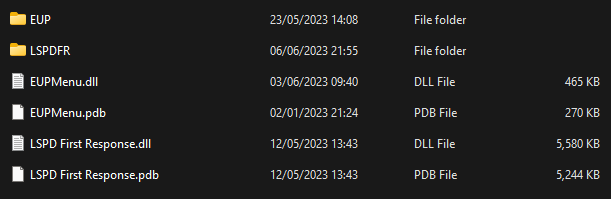
so these are fine to be in plugins? also i'll run the game now EDIT Okay so update, game has loaded, but things like Menyoo and ModTrainer won't load... I don't know what the hell is going on to be honest lol
-
I moved them to the plugins/LSPDFR folder, i presume i have to drag them back lol Could you tell me what files have to be in the main plugins folder? Like all the possible ones
-
like it loaded GTA without LSPDFR, if that makes sense. I spawned as Franklin, not my LSPDFR character
-
somehow it loaded the normal version of GTA??
-
Even when the folder is renamed to _scripts, the game does not load, so it's safe to presume it doesn't load when named normally.
-
Do I delete the plugins that are in the plugins folder or do i just move them to plugins/LSPDFR?
-
Right so what I've got so far is the game loads when dinput8.dll is renamed to _dinput8.dll, however, it crashes when renamed back to what it's meant to be. The log file for the crash is attached. Is this to do with RPH or should I try renaming scripts? RagePluginHook_06062023_191935.log
-
Does this suffice? 2023-06-06 19-18-26.zip
-
GTA crashes at the loading screen, log file attached, if that helps. Tried the _mods thing, doesn't work. This happens on both the normal game path, as well as the RagePluginHook path. RagePluginHook_06062023_152202.log
-
Pros and cons to everything innit. ELS doesn't seem to have a working .ini file, normal game mechanics decide what sirens you have for you.
-
Ah, fair enough. I just use ELS because it's handy to be able to switch normally between sirens without having to keep your finger held on the keyboard.
-
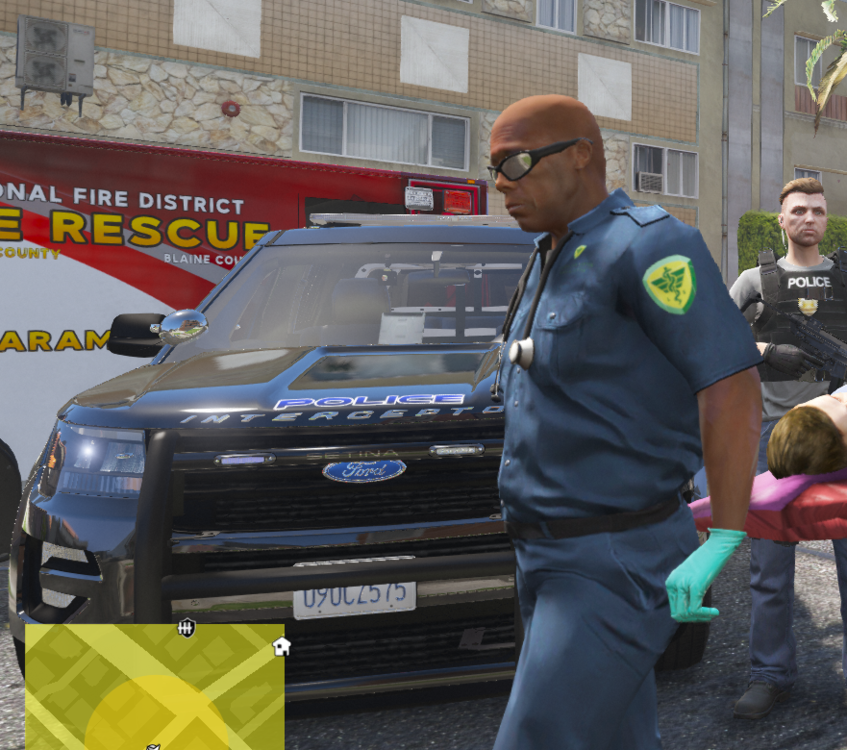
It's solved the texture loss issue, but for some reason now els lights won't flash. The only things that do are the headlights and taillights. Any idea why this is or what could help it? Also do i put this on another topic or stick to this one?
-
Just curious, what do you use instead?
-
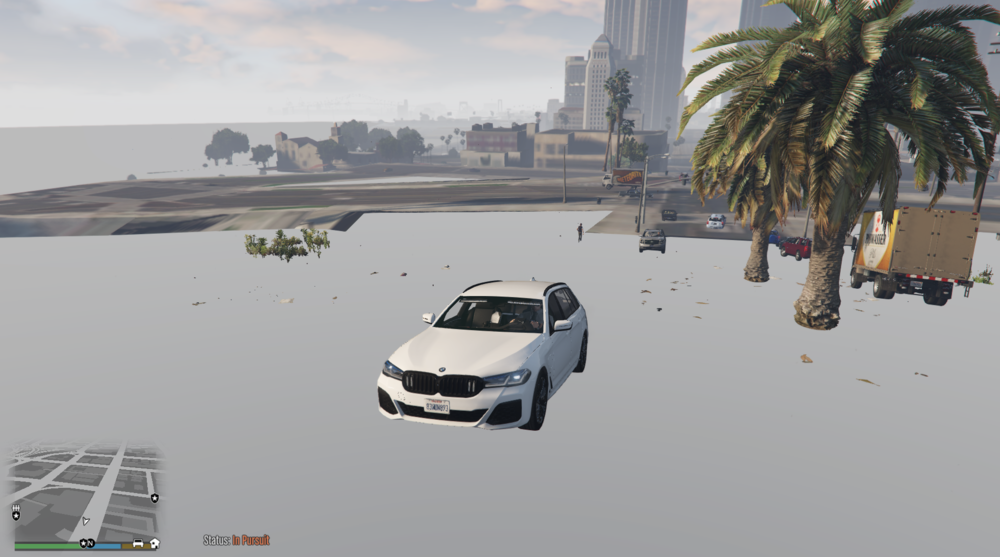
another example of what this monstrosity looks like at its worst
-
So out of nowhere, i keep losing a boatload of textures from around me for a good 1-3 minutes. The roads sort of turn invisible, buildings look like they were drawn in MS paint, here's a video link visualising what my problem is: https://streamable.com/0s6mq5 (ignore the black screen at the start, that's just OBS deciding whether to work or not) No, this isn't a GPU/specs issue, but for the sake of fixing this problem, my specs include an 11th Gen Intel Core i5, 16GB of RAM, RTX 3060, 2TB HDD and 500GB SSD. I am also connected through ethernet, so WiFi connection is not the issue. I did see a post stating this exact issue from 4 years ago, but there wasn't a solution to it. Figured I might give it another post to see if there's something I can do. At first when I had the issue, I thought it was VisualV causing the problem, but the problems still occurred even after I uninstalled VisualV. Btw, to my knowledge, this has not caused my game to crash yet, just a lot of confused yelling at my screen. Any ideas, anyone?
-
Hoping this is in the right section, if it isn't, please do correct me Right so, for some reason, half the keys on my keyboard have control over els. 1, 2, 3, 4, 5, 6, 7 have control over different types of sirens, when i only need 1-4. Y controls the horn for some reason, as well as H. T controls the manual siren or something, ykno the one where you can blip vehicles without putting your blues and reds on. G has the ability to turn your siren off/on. Half the keys here I don't need, but for some reason when i try to edit the ELS.ini file, no actual listed hotkeys are in sight. This might be common sense that I'm not catching on to, but I'm really curious as to how the ever-living hell i edit these keys to eradicate the useless ones. (Btw this isn't me dissing ELS or something, I'm just stating the ones I personally don't need)
-
Thanks for the help! I just thought you couldn't replace something that wasn't there 😅 You learn something new every day!
-
So, I've tried searching through every single patchday, every single place the already in-game fire trucks could be, but i can't find them. I'm trying to replace them using this one particular replace pack, but obviously i can't replace something that apparently isn't there. I've also tried searching the entire GTA 5 directory for files named "firetruk", as I am under the impression that that's what the default trucks are named, but nothing came up. Can anyone help me out?
-
Hey, Can't thank you enough, it's worked! I highly appreciate the help!


