Mazeroy
Members
-
Joined
-
Last visited
Everything posted by Mazeroy
-
When you press "P" it turns definition in your settings on and off. When it turns off it will make your vision blurry.
-
This was thrown together by myself it is my first mod! This is a BETA and there are bugs I am working to fix. Credits - View the "Read Me"
- 16 comments
- 8 reviews
-
RIP Chief Maloney ODMP "A Part of America Died" Somebody killed a policeman today, and a part of America died. A piece of our country he swore to protect, will be buried with him at his side. The suspect that shot him will stand up in court, with counsel demanding his rights. While a young widowed mother must work for her kids, and spend many long, lonely nights. The beat that he walked was a battle field too, just as if he'd gone off to war. Though the flag of our nation won't fly at half mast, to his name they will add a gold star. Yes, somebody killed a policeman today, in your town or mine. While we slept in comfort behind our locked doors, a cop put his life on the line. Now his ghost walks a beat on a dark city street, and he stands at each new rookie's side. He answered the call, of himself gave his all, and a part of America died." -Author unknown
-
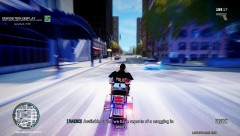 You can add it in your vehicles.img then you have to add it in your carcols, handling and vehicles.ide The bike is by Bxbugs. With the download for this bike it explains what you would need to do in better detail. http://gtapolicemods.com/downloads.php?do=file&id=545
 -
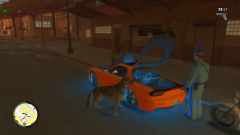 It was made by ac.amir. The dog runs a little funny in game but still cool! http://www.youtube.com/watch?v=VLKpvgtcZhA
 -
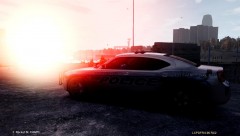 Looks like EVI's
 -
You can use "NJ5_FIREPIP02" That will spawn fire but you can not put it out with anything. The only way to "put it out" is for the person who spawned it to delete it. When your in game 1. Open SNT 2. Got to Object Spawning 3. Spawn Object by entering model hash or model name 4. Press F10 to change it to spawn by Name 5. Enter "NJ5_FIREPIP02" Then with SNT you can move it where you would like.
-
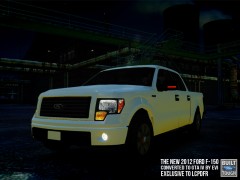 Can't wait!
 -
"]http://www.gtagaming.com/downloads/gta-iv/misc-mods/1814
-
Here you go! MODERATOR NOTICE Linking copyrighted materials is not permitted nor tolerated here.
-
That is the Google Maps mod http://www.gtagarage.com/mods/show.php?id=9129
-
No problem!
-
You can either turn them off every time you start the game opening your trainer and going to your options and disabling them. Or in your trainer config there is an option under the default section to disable it. You change KeyBindingsDisabled=0 //Key Bindings (except menu keys) disabled on startup to KeyBindingsDisabled=1 //Key Bindings (except menu keys) disabled on startup http://www.mediafire.com/?fypdk5zqcaui4y6 Here is a link to my SNT config with them disabled.
-
I'll help you out.
-
All you do is whatever image file your going to modify make a copy of it and save it somewhere on your computer where you won't delete it. It can be a long process of uninstalling GTA IV and re-installing if you don't.
-
Once you find the Non-els cars you want to put in your game and you have downloaded them. I suggest Sam's Non-els cars by the way those are the ones I use in game. (http://www.lcpdfr.com/user/12-sam/page__tab__idm) **Spark IV** 1. Open Spark IV 2. Navigate to (Gta IV-> PC -> Models -> Cdimages -> vehicles.img) 3. import the new cars you want to put in 4. Rebuild & Save **Open IV** 1. Navigate to (GTA IV -> PC -> Models -> Cdimages -> Vehicles.img) 2. Turn on Edit Mode 3. Replace the cars in there with the new ones you want. 4. Turn off Edit mode and close Open IV
-
Does anybody know where I can find this car?
-
You can go in your options and turn the volume for the radio all the way down.
-
-
1. All that is needed for the officer to use deadly force and be justified is if he feels his life is in serious danger or the life of another is in serious danger. 2. No, But all departments investigate any officer involved shooting. Internal Affairs could find it excessive use of force for the amount of shots fired. 3. The K9 could have been used yes. But it up to the officer if he wants to release his dog after the suspect. He is thinking of his dogs safety, his and his partner's safety too. that pipe and could do some serious damage. 4. K9 officers are trained to shoot like that... They are trained when shooting while holding their dog is to pull the their hand holding the leash in to their body and their hand with their gun out and with a slant. I am not 100% sure why they do that I assume it is to counter act the dog pulling toward the suspect. Also If your dog is going at the suspect pulling towards him you don't want your dog jumping and getting in the line of fire when your shooting.
-
-
http://s720.photobucket.com/albums/ww204/maze426/Ped%20Rel/ There are more photos of it. Not sure why the ones I linked to the file are not working.
- 6 comments
- 5 reviews
-
Yeah like I said up above all that was done to him was I added Handcuff cases to the front of his vest, mag pouches a badge the radio and the leg holster.
- 6 comments
- 5 reviews
-
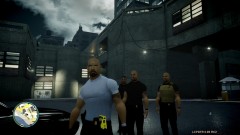
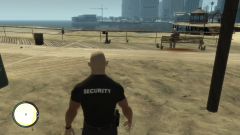
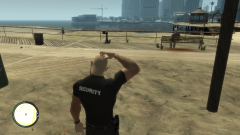
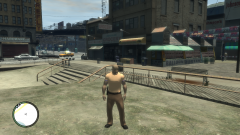
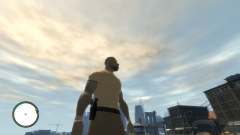
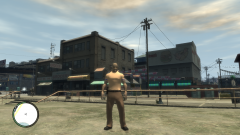
***NOTE*** I am aware that some of the items attached to the vest move in odd ways when you move! Tactical Officer added: - Gun in a drop down leg holster - Handcuff case attached to vest x3 - Radio Attached to vest -Badge -Mag pouch x2 If you have any questions,comments or concerns feel free to message me!
- 6 comments
- 5 reviews
-
Current WIP!