Skip to content
View in the app

A better way to browse. Learn more.

LCPDFR.com

A full-screen app on your home screen with push notifications, badges and more.

To install this app on iOS and iPadOS
  1. Tap the Share icon in Safari
  2. Scroll the menu and tap Add to Home Screen.
  3. Tap Add in the top-right corner.
To install this app on Android
  1. Tap the 3-dot menu (⋮) in the top-right corner of the browser.
  2. Tap Add to Home screen or Install app.
  3. Confirm by tapping Install.

Officer John H

Members
  • Joined

  • Last visited

  1.    Lennyy reacted to a post in a topic: My Game Closes
  2. Do you have a args.txt file? If you do, Delete it and try lauching again.
  3. Thank you for Replying! I already fixed it by making a new mods folder.
  4. I have the same issue.. It's from the Mods folder
  5. Hello! When i click on "Launch Storymode with Rage Plugin hook" it loads, And then my game closes. I found out if was my Mods folder that did it. Because when i Used this mods_ My game loaded just fine. Anybody that can help? Here is my Rage Plugin Hook File. RagePluginHook.log
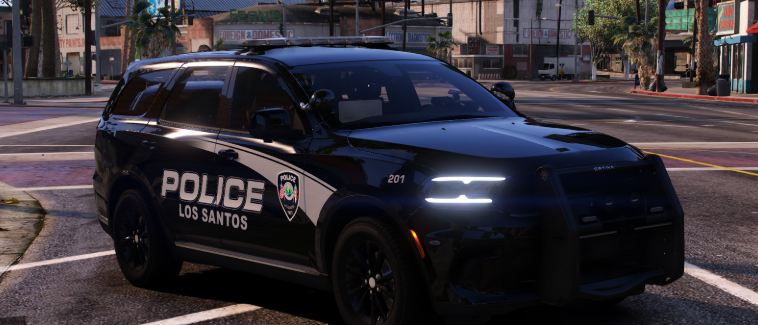
    Amazing Vehicle. Would love more Orange County/Blaine County Vehicles! 6 Stars.
  6. Hello! Usually, I deal with problem myself or with YouTube. But this is VERY annoying. My Game crashes when i turn on my ELS to stage 3? Kinda weird. I don't Know if thats the reason but here is my RPH log.RagePluginHook.logI Hope you can help me! It like pops up with a black background and says Grand Theft Auto V Has crashed! Thank you For Reading This - Emil Friborg

Account

Navigation

Search

Search

Configure browser push notifications

Chrome (Android)
  1. Tap the lock icon next to the address bar.
  2. Tap Permissions → Notifications.
  3. Adjust your preference.
Chrome (Desktop)
  1. Click the padlock icon in the address bar.
  2. Select Site settings.
  3. Find Notifications and adjust your preference.