

Ouxlaw
Members
-
Joined
-
Last visited
Everything posted by Ouxlaw
-
Those ones probably won't work on Enhanced, the only reason PolicingRedefined works on Enhanced is because the developer implemented fallbacks which prevent the crashes you experience in Stop The Ped. You could give those a try but PR is probably your best bet.
-
I'm not sure if Gan is aware, when you purchase GTA Enhanced, Legacy will also be added to your library. Legacy has better support for mods and Enhanced is more tricky, I recommend using Legacy for new players in order to understand how modding works.
-
PR is PolicingRedefined. Stop The Ped doesn't work on Enhanced because Enhanced has new different memory patterns compared to Legacy, Ultimate Backup works because it doesn't need to use those memory patterns. Bejoljo has essentially abandoned the community as well with no sign of updating anything. If you wish to use Stop The Ped then your best bet is to go Legacy.
-
stop the ped doesn't work on Enhanced, use PR
-
What he said, a lot of people have a "GTA5.exe" file in their Enhanced folder to make OpenIV work. However, when you have that file in your folder RagePluginHook will attempt for legacy as it favours that file. If you need it for OpenIV, I suggest you rename it to like "_GTA5.exe" for when you launch the game.
-
Does your Enhanced folder have a "GTA5.exe" file by chance?
-
What he said, but DLS does work. I use the latest version of DLS from their Discord on the latest version of Enhanced and it works.
-
Stop The Ped doesn't work on the Enhanced version due to memory patterns. Policing Redefined works.
-
Sounds like you have "GTA5.exe" in your game folder. Rename the file to "_GTA5.exe" and rename it back when you need to use OpenIV. RPH favours the legacy .exe over the enhanced one so it gets stuck on loading.
-
DLS has been working for me, idk why not for others. I went to Rocky Mountain Development Discord and got Scorpionfam's early access DLS UHP pack (it's free) which has like 60 addon cars. Not every car works but some do and I just roll with those and will probably change liveries in the future. Btw you do need to convert the cars too.
-
A lot of people with this issue are not using the correct xinput file. Please download ScriptHookV again and ensure you use the xinput file from ScriptHookV.
-
https://docs.sollumz.org/tutorials/asset-conversion-for-gtav-enhanced#troubleshooting The troubleshooting section of sollumz guide for converting to gen9 covers some things that need to be checked off in a sense to be compatible within Enhanced. In Legacy there wasn't many limitations so devs could go above & beyond but in Enhanced, there are more limitations and thus going past the limits will cause crashes.
-
remove arrest manager
-
ELS does not work on GTA Enhanced as far as I know. It will keep showing that error I think AdvancedHookV needs to be ported for Enhanced for it to work. If you wish to use ELS then switch back to GTA Legacy.
-
STP does not work because of different memory patterns between Legacy & Enhanced. PR works because Marcel wrote fallbacks which prevents it from crashing if there is different memory patterns. Unfortunately PR will likely be the only option for Enhanced since Bejoljo basically abandoned his plugins and will likely never update them for Enhanced.
-
https://www.gta5-mods.com/scripts/directstoragefix oops sorry I thought you hadn't downloaded that, if you have the correct xinput and shv then I don't see why it wouldn't be working Can you check to see if there is a scripthookv.log being created if you launch the game without rph?
-
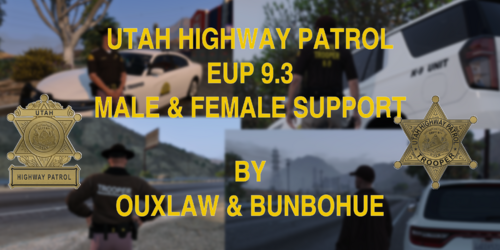 sorry about that, don't think this pack had one. As far as I remember the base EUP 9.3 preset outfits was good to use without tweaks but I could be mistaken.
 -
The only reason my uniform pack or vest would be crashing your game is if you installed the wrong version of the file. Both uploads include a Legacy and Enhanced build. If you installed the Enhanced into Legacy you will crash. If you installed the Legacy into Enhanced you will crash. Ensure you have downloaded the correct version.
-
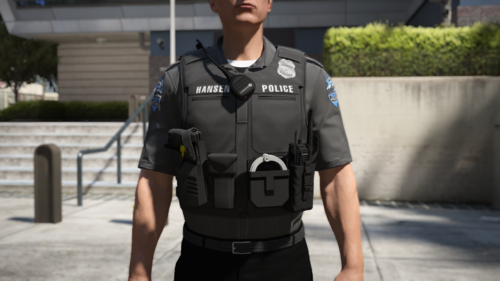 As I've tried to explain before, there is developer TOS that I have to follow and at the moment I can't make female vest variations of free releases. I do not have anything against women, thank you.
 -
Hello everyone, this a free vest release with a gear setup. This download also has a GTA Enhanced Compatible download. 4 vest textures included from my San Andreas Mega Pack EUP as well as a .PSD file to allow you to create your own textures for the vest. Currently there is only one setup of gear but I am open to ideas for more setups that could be added on in the future. There is no one definitive download location for this as each person would want to replace a different thing within their EUP folders, you are expected to have a decent knowledge in replacing EUP models yourself if you go down that route. The Enhanced readme includes a guide on converting EUP to Enhanced. Join my Discord for any support or to see the other things I am working on! (please don't download the enhanced models into legacy & vice versa) Nobody has permission to unlock, rip or reuse this upload in another download elsewhere
-
the xinput file from SHV should work just fine. Are you sure you haven't downloaded any other asi files?
-
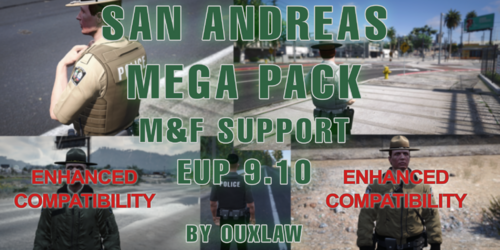 I've been backed up with so many things that I kind of forgot 😭 idk if I'll ever get to it but the outfits are almost similar to the EUP presetoutfits. Just scroll in armour for the mic or vest with 4 textures and hats for the campaign hat with 3 textures. Undercoat 50-70 should have the belts
 -
I haven't personally yet but I know the the .meta files should be fine to directly edit in.
-
encrypting might be needed for replace in patchday? Not too sure on that but addon packs is something I use so idk about replace cars. Maybe use EMF for Enhanced for replace cars. I personally haven't encrypted once.
-
Hello Everyone, During the Insider testing of Enhanced I have created my first draft of a guide to help people convert EUP & Vehicles to Enhanced. For me everything works great. Note that during the time of writing DLS did not work on Enhanced but it now does work on Enhanced, ELS still does not work on Enhanced. EUP Menu does not work on Enhanced. I do not mind people DMing me on Discord "Ouxlaw" for some support but if you see me in some generic support server you may ping me there too, the reason I created this forum post is so everyone can get together with potentially compatible vehicles or other things that we can add onto a guide for other people. The main goal here is if someone finds a vehicle that they converted to Enhanced and works straight out of converting, they can post it here and I can add it to a "Compatible & Convertible Vehicle List" to help more people. If there is more things that need to be guided, let me know down below and I will add onto the guide with more things than just EUP & Vehicles. If anyone else posts about EUP or Vehicles then they can be referred to this post! The guide can be found here: https://drive.google.com/file/d/1HNCU7DjPDD67dDmT34kvLxH0Imy_IoF8/view