
Big Mama JuJu
Members
-
Joined
-
Last visited
Everything posted by Big Mama JuJu
-
Trying to launch RPH, the only plugin loading at startup is LSPDFR. This is a fresh install, and it does work fine when loading without mods folder. Just trying to diagnose what's wrong with the mods folder if anyone is able to help. Here's the entire RPH crash log. Thanks in advance Tyler
-
That didn't work, unfortunately UPDATE: I removed NVR (Natural Vision Remastered) and it's still crashing when going on-duty. Log
-
I've never really had trouble like this before. Usually I can trial-and-error my way around crashes, but since this update, I've had nothing but trouble. I've rebuilt my mods folder, and even re-installed LSPDFR, but every time after LSPDFR is loaded, and it's been about 5 seconds beyond the black "loading LSPDFR" screen, GTA V crashes. However, GTA V runs fine without RPH. Would greatly appreciate it if someone that knows more than me would reach out and help me resolve my crash issues. Thanks! P.S. (possibly unrelated) The one second I did see my character before LSPDFR crashed, I was wearing a corrections vest, a neck badge, no arms, and a unicorn mask. Not sure if this is relevant or not, but I thought I'd let you know
-
Hey, I don't wanna be one of those people that just throw a log at you and say fuck it. But I've been trying to work to fix this for hours, and I've gotten nowhere. Every time I launch story mode with RPH, it crashes. I know it's not my mods folder, because GTA launches normally without RPH. Would greatly appreciate some assistance in diagnosing this one. Thanks in advance! RPH Crash Log from 6-29-2024 6pm.txt
-
No problem!
-
Alright, keep me posted
-
Try this version of SHV: ScriptHookV_1.0.3095.0.zip
-
Try looking in the default dlcpacks folder (the one outside of the mods folder) do you have it there?
-
If you don't already have ScripthookVDOTNET, then just drag it into your directory Also, could you attach your vehicles.meta and carvariations.meta files? I think that may be an issue...
-
Okay, you said you think it's a mods folder issue, right?
-
Mkay, are you working with 4.2, or 4.3?
-
Do you have any logs or screenshots that could help me diagnose the problem?
-
Hey, do you still need assistance? I'm asking due to the strikeout text. (this stuff)
-
Your RageNativeUI.dll is out of date. you can tell this by looking in the RPH log. (See below) Click the link below. Once downloaded, open the .zip file, and drag RAGENativeUI.dll into your root GTAV folder. https://github.com/alexguirre/RAGENativeUI/releases/download/1.9/RAGENativeUI.zip Note that you need to update your GTAV.

-
Hey MrToby, Do you play with a controller, or do you only use Keyboard & Mouse? Asking this, because on the Xbox One controller, you can hold Left on the D-Pad and the station wheel comes up. Additionally, you can tap left and it switches channels. If you only use Keyboard & Mouse, try pressing the M key to open the LSPDFR menu, go to Vehicle, then you should see something along the lines of "Police Car Radio" try switching that off then back on, and try to switch stations again. Keep me posted, Tyler
-
.thumb.png.fe8ef378496cd3d75f3ebf4b8d41b020.png) What vehicle pack is that? It looks great!
What vehicle pack is that? It looks great! -
 Hey Jed, I love the pack, and I'm making liveries using the templates. I looked through the readme's, though I might have overlooked it, I can't seem to find whether or not the liveries are reflective, and if they are, what is the names of the reflective liveries? As in the normal ones being named car_sign_...... what are the reflective ones? Thanks!
- 143 comments
- 23 reviews
-
After renaming my mods folder to _mods, GTA V launched without any issue, so that means that the problem is in my mods folder. I'll have to try and track that down. Anything else?
-
Hi there, Could you please post an image of where you went to see "0 traces" of an LSPDFR installation (i.e. a folder or file location)?
-
Recently, when I launch GTA V first, then launch RPH, my game will crash. This crash happens around 1-2 seconds after RPH's floaty loading screen displays the text "Loading and Populating Game World" Here is a crash log:
-
You know how when you start GTA V, there is usually the screen that you hear a window breaking, an engine startup, then you see police lights and hear a siren, as the wanted level in the top right corner rises, followed by the two R* Logos? Well, that isn't happening when I launch GTA V anymore. It might be a sign that something is missing like files, code, etc., or it could just be cosmetic or visual related. I'll post the R* Logo screen from the startup I'm referring to. Let me know if you have any information or have experienced this. Thanks in advance! -Tyler

-
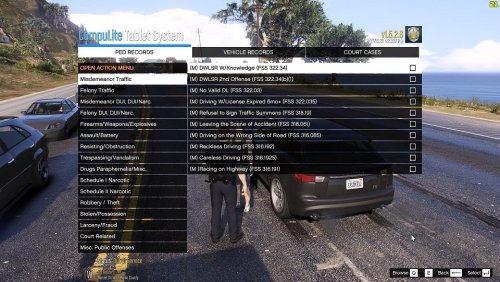 Thanks, please go a bit easier on the eyes with your color choices next time! /jk
- 4 comments
- 2 reviews
-
Hi! Install https://www.gta5-mods.com/misc/gta-5-gameconfig-300-cars and replace your GameConfig file, I recommend "Gta Config v30 for v 1.0.2802" >> "For More Mods" >> "0,1x traffic 0,1x peds" if you plan on adding multiple mods to the game. If this solved your problem, please make sure to mark it as the solution! Keep me updated, -Tyler
-
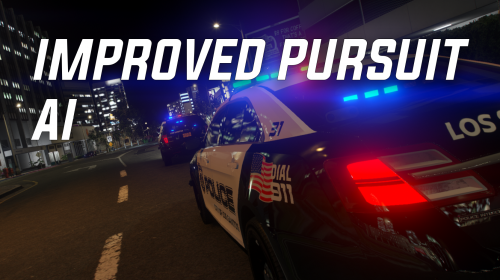 Not too sure how to work this mod, I disabled the Tactics in the LSPDFR N menu, but nothing happens, other than the AI not ramming the suspect.
- 61 comments
- 8 reviews
-
 Actually, there are different variants of the polar bear markings that the CHP use. Some of them do have "HIGHWAY PATROL" on the rear, and some do not. The ones that do also have "Safety, Service, and Security" on the rear quarter panels, the ones without the HP wording on the trunk do not have the CHP's motto on the quarter panels.
 -


.thumb.png.fe8ef378496cd3d75f3ebf4b8d41b020.png)