


TmBB101
Members
-
Joined
-
Last visited
Everything posted by TmBB101
-
.My latest FIRST LSPD:FR VIDEOAMD FX-8350 GTX 960 2GB Almost always a solid 60 FPS on High-Very High SettingsWell Behaved? We must be playing in two different citys.Sadly I cannotI don't have one in particular but the usual layout, that I enjoy seeing (& using ingame) are sheriffs in THIS type of setup.I'm sure once all of the amazing script developers discover what they need to create such scripts, that they will create it.I wonder how it feels to get 4 fps?Here is a little list of what needs to be fixed (I do make skins myself, I've made these problems before.).
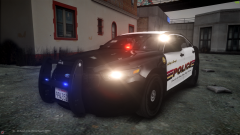
From the album: TmBB101's WIPs
Full Album HEREAll vehicles I'm working on! Some may be private and some may be released eventually.-
enb2015 4 2 5 7 8
-
 Liberty County Police Crown Victoria
-
 New Work in Progress Motorcycle
-
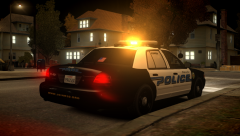 Model Request
-
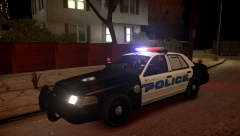 Model Request
-
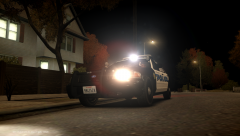 Model Request
-
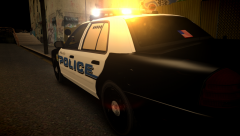 Model Request
-
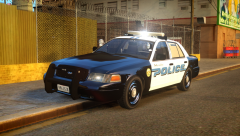 Model Request
-
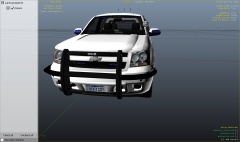 1.0 BETA of Unmarked Tahoe
-
 0.9 BETA of Unmarked Tahoe
-
 0.9 BETA of Unmarked Tahoe
-
 Gang Task Force Vehicle
-
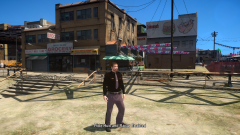 I don't create peds but when I do....
-
 Liberty County Sheriffs Office CVPI
-
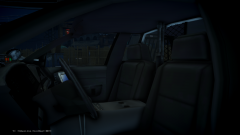 Liberty County Sheriffs Office CVPI
-
 Liberty County Sheriffs Office CVPI
-
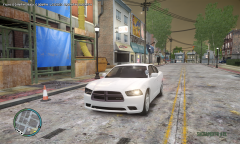 2011 Dodge Charger Slicktop Unit
-
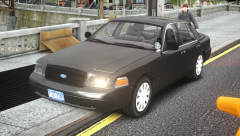 IR Camera & '09 Bxbugs Rims
-
 Slicktop CVPI
-
 WIP Slicktop CVPI
From the album: TmBB101's WIPs
This is suppose to be an older version of the CVPI I have currently in my game..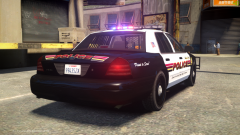
From the album: Law523 On-Duty
Full Album Here






Account
Navigation
Search
Configure browser push notifications
Chrome (Android)
- Tap the lock icon next to the address bar.
- Tap Permissions → Notifications.
- Adjust your preference.
Chrome (Desktop)
- Click the padlock icon in the address bar.
- Select Site settings.
- Find Notifications and adjust your preference.
Safari (iOS 16.4+)
- Ensure the site is installed via Add to Home Screen.
- Open Settings App → Notifications.
- Find your app name and adjust your preference.
Safari (macOS)
- Go to Safari → Preferences.
- Click the Websites tab.
- Select Notifications in the sidebar.
- Find this website and adjust your preference.
Edge (Android)
- Tap the lock icon next to the address bar.
- Tap Permissions.
- Find Notifications and adjust your preference.
Edge (Desktop)
- Click the padlock icon in the address bar.
- Click Permissions for this site.
- Find Notifications and adjust your preference.
Firefox (Android)
- Go to Settings → Site permissions.
- Tap Notifications.
- Find this site in the list and adjust your preference.
Firefox (Desktop)
- Open Firefox Settings.
- Search for Notifications.
- Find this site in the list and adjust your preference.