


GoofySGB
Members
-
Joined
-
Last visited
Everything posted by GoofySGB
-
 Do you have simple trainer installed if so there is some odd keybind for indicators I want to say its J and K try that see if it works. Do you still have the model that only has the one head light on the driver side? this one seems like its on both sides?
- 427 comments
- 75 reviews
-
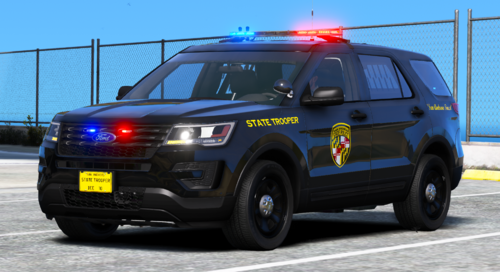 Love the SUV but can't find that model, do you have a link. Alot of the ones I have found have dual spot lights and the bullbar, Would like to find a clean one like the one you have showcased.
 -
Made the change and the game is still crashing when loading Coastal Call Outs. If you installed EUP prior to Costal Call Out does it still cause crash. It shows in LML you have to load them in order and I didn't install EUP with LML? Is there a way to change the load order another way or does it only work in LML?
-
 This mod doesn't seem to work well with wide screens monitors. is there a way to modify the location in game?
- 713 comments
- 33 reviews
-
-
Did a fresh install of GTA with LSPDFR. When I install Costal Callout and it loads in game it crashes. Installed with nothing works fine. When Coastal Call out loads the game crashes. Made the recommended change to the Coastal Callout INI. Updated LML and reverted it back then enabled it again. Game keeps crashing when Coastal Call out loads. RagePluginHook.log ModManager.log
-
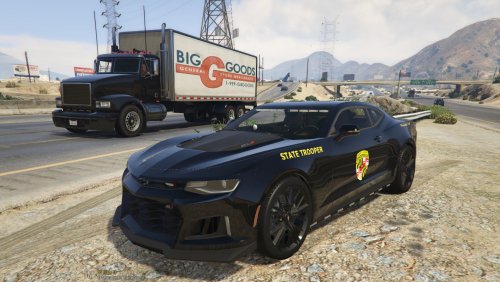 This is a Skin pack that goes with the vehicles listed below? New to moding and just want to make sure I am grabbing the right vehciles that go with the skin packes you created.
.thumb.png.9d0943161b37f863c291d6d6664edefb.png)
