
EX Aero
Members
-
Joined
-
Last visited
Everything posted by EX Aero
-
 Ive got nothing but respect for people like you, beautiful quality pack for free, I've had this in my kansas game setup for almost 4 months. Appreciate everything you do man
 -
 Glad to hear, I'm planning big changes for the future, hopefully it runs the same
 -
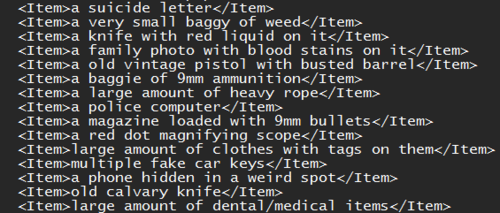
This STP Plugin is a plugin that is for sure gonna get updated! Adding 10+ Search items into Stop The Ped, This gives you extra immersion into your next LSPDFR Playthrough.
-
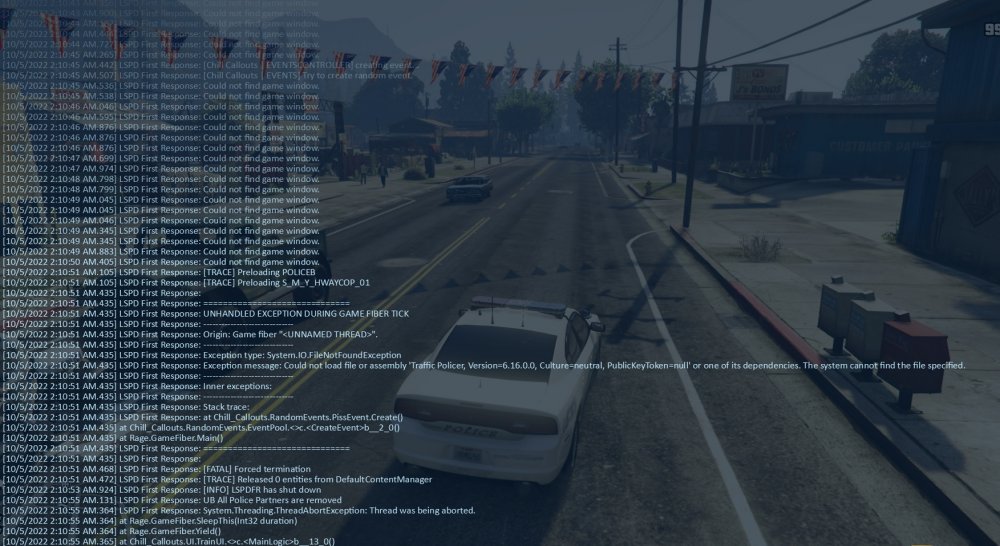
All I can ask you is PLEASE Help me with this, it makes the game unplayable, Everytime I go on duty It says in the RagePuginHook F4 Menu "LSPD First Response: Could Not Find Game window" Is this happening to anyone else? Please help me. RagePluginHook.log
-
Hello, I have a problem. I load up LSPDFR, Everything is going great, I go on duty, and boom. LSPDFR Couldn't find game window, The reason this is so annoying is: I load up Speed Radar Lite, And it flickers on and off rapidly, does the same with any On-Screen plugins/Speed Radar plugins (Excluding Placeable Speed Radar/Lidar Gun) Everything is up to date, If someone could please tell me how I can fix this, It would be very generous. Thank you, I will be replying to everyone who tries to help. Here is everything you should need. Log:RagePluginHook.log My plugins Consist of: CompuLite | ALPR Lite | Stop The Ped | Megaphone | Super Callouts | Ultimate Backup | Callout Manager Standalone Plugins: LSPDFR | EUP Menu (EVERYTHING IS UP TO DATE)
-
Everything is resolved! It just required a simple re-install of LSPDFR, I came back here to say thank you so much for your attempt to help! Everything is resolved! It just required a simple re-install of LSPDFR, I came back here to say thank you so much for your attempt to help! Everything is resolved! It just required a simple re-install of LSPDFR, I came back here to say thank you so much for your attempt to help!
-
Hello I am going to try to log on now, I use mpclothes to replace Task000 Vests as most of the time if you do it normally in EUP It doesn't show up, It also gives you more slot for EUP for more normal vests.
-
I think this is what you need: RagePluginHook.log (I haven't played until yesterday when I sent you that picture, I'm not sure if it changes anything about the log) I am VERY Suspicious of mpclothes causing the texture loss because it all started happening ever since I installed mpclothes to install EUP items. Note: I have tried most youtube solutions for this problem and none of them worked.
-
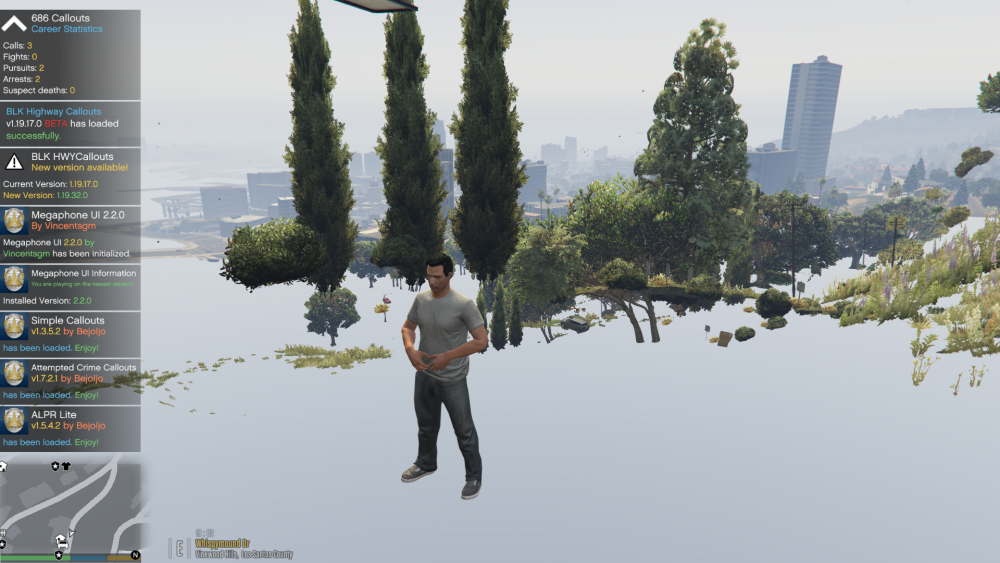
Here is the screenshot I've been waiting to send you about the secondary problem
-
Hey, The Crash is resolved, Everything is figured out on that behalf, But, Some things still are not right, Here is an example of what happens. Event 1: I load LSPDFR, Load up everything I need, And go on duty. Event 2: Textures Start to stop loading for a bit. Event 3: Every time I open and close my map textures just vanish to where it is a solid color ground of whatever color texture it is. I am suspicious of EUP Menu Causing this (Everything is up to date) I will get a picture I will get you a picture in the morning (EST) Hey, The Crash is resolved, Everything is figured out on that behalf, But, Some things still are not right, Here is an example of what happens. Event 1: I load LSPDFR, Load up everything I need, And go on duty. Event 2: Textures Start to stop loading for a bit. Event 3: Every time I open and close my map textures just vanish to where it is a solid color ground of whatever color texture it is. I am suspicious of EUP Menu Causing this (Everything is up to date) I thank you for your attempted help, And I have found the correct crash log, If you need it, Let me know, I will get a screenshot of what I see in the morning (EST) If that helps you out with anything.
-
RagePluginHook_05102022_055343.log Not sure if this is what you are talking about, Or if this is the correct, one, but here it is, Its the one on the top (Which is the one shown in the main picture)
-
Hello!, Quite the annoying problem I have, Every single time I go on duty and just cruise for a bit LSPDFR Just crashes, (Note: I do not have Traffic Policer) Crash List Here:
-
Hello, I have a problem. I load up LSPDFR, Everything is going great, I go on duty, and boom. LSPDFR Couldn't find game window, The reason this is so annoying is: I load up Speed Radar Lite, And it flickers on and off rapidly, does the same with any On-Screen plugins/Speed Radar plugins (Excluding Placeable Speed Radar/Lidar Gun) Everything is up to date, If someone could please tell me how I can fix this, It would be very generous. Thank you, I will be replying to everyone who tries to help if they need a question to be answerd.
-
Hello, I have a problem. I load up LSPDFR, Everything is going great, I go on duty, and boom. LSPDFR Couldn't find game window, The reason this is so annoying is: I load up Speed Radar Lite, And it flickers on and off rapidly, does the same with any On-Screen plugins/Speed Radar plugins (Excluding Placeable Speed Radar/Lidar Gun) Everything is up to date, If someone could please tell me how I can fix this, It would be very generous. Thank you, I will be replying to everyone who tries to help if they need a question to be answerd.