FiveOh
Members
-
Joined
-
Last visited
Everything posted by FiveOh
-
Chances are he was a graphics designer or hired one. I tried searching on the internet for the Rookie version of the LA seal months ago, but I found nothing. The closest match is the Los Angeles County seal, but even then it's still different.
-
Not really, the seal on the paint job is custom.
-
That's weird. I removed it, and everything works. Any clue on when it will be fixed? Thank you, regardless.
-
Yes. I made sure it was up to date, too.
-
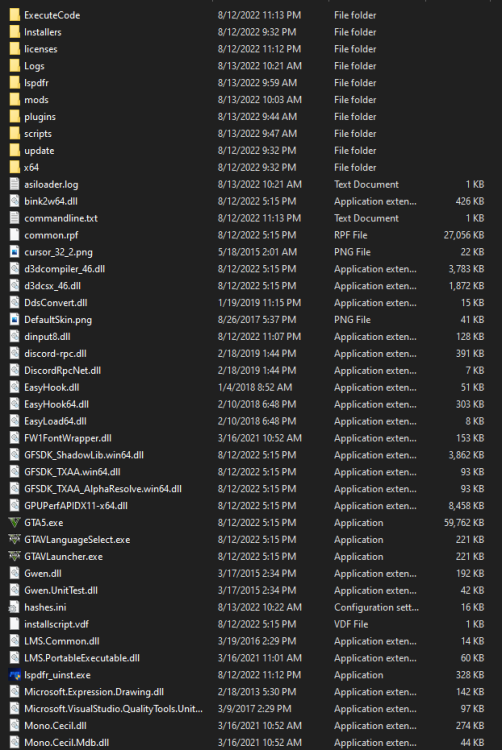
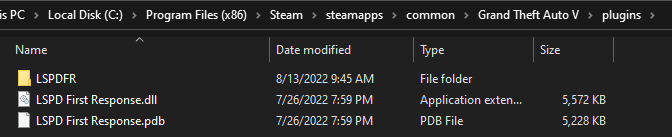
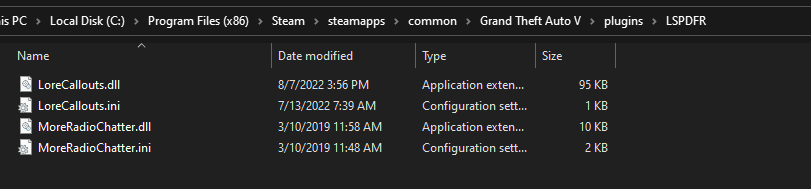
My RAGE files are in the main directory, not any sub-folders. plugins/lspdfr are the two LSPDR plugins I installed, which were LoreCallouts and MoreRadioChatter. This issue persisted both before and after they were installed.
-
I have tried just about everything. Never had an issue like this before. This happens on clean installations, by the way, whether I add plugins or not. I tried renaming the mods folder, verifying files, updating scripthooks, everything. LSPDFR is up to date. RagePluginHook.log
-
I've never had this issue before the update, and I haven't added any new mods or plugins after the recent update. I've tried removing all plugins, completely uninstalling LSPDFR and reinstalling it, nothing works. No other mod crashes the game. RagePluginHook.log