SlopCop
Members
-
Joined
-
Last visited
Everything posted by SlopCop
-
 If you want a lightweight career plugin, it kinda gets the job done aside from the bugs it has. The really problematic part about this mod is that its essentially just an advertisement for the paywalled $20+ USD a month plugin, in-game advertisements included (the mod includes an option on the menu that takes you directly to their paid mod page in your browser). This is in addition to the entire advertisement for the paid version on this mod page, in the files, and two advertisements in the game. I have no issue with mod authors selling their mod, but uploading a massively outdated branch as a bare minimum free version almost exclusively to advertise to people an always online subscription based "REBUILT" plugin doesn't feel like they care much and could be done better. I mean this with no ill-will or malintent. I'm sure the creator is very talented, but this release model ain't it, especially when the free version completely suffers. Feedback: I think the free version could serve as a great lightweight alternative to the paid version. Maybe just subtract some of the biggest selling point features of the paid mod, use the same updated codebase so that the stability and basic configuration is up to snuff, but still give people an incentive to get the "full" version without neglecting the old. Probably more people would check out the full version if this was purposed as a well-maintained "Lite" version rather than the skeleton-crew advertisement version that it is now. Pros: The save system is cool, the stations are alright, the ranks are decent, install is very easy. No crazy dependencies. Cons: In-game advertisements, can't turn off HUD elements completely, requires MP maps, longstanding bugs that remain after months without fix. I give two stars out of fairness and not out of spite. Genuinely want to see the mod team do better.
- 294 comments
- 33 reviews
-
-

- 1
-
-
 That's a valid criticism actually, I'll give you that for giving a decent explanation of your position
- 27 comments
- 2 reviews
-
 What did the update add specifically?
 -
-
 Is this pack made with any form of AI?
 -
Hypothetically, would you make this same comment if it were a Torah mod, Quran verse mod a Buddhist or Indigenous tradition's mod? Just curious.
- 27 comments
- 2 reviews
-
-
-
-
-
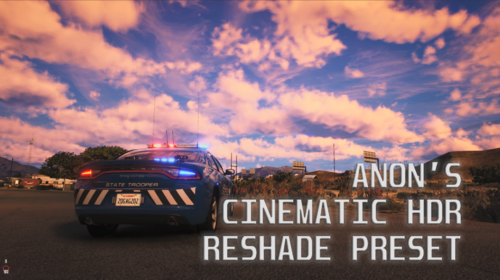 Pasted content Support/Feedback here --> https://discord.gg/TPVVsUYMTq Preview/Showcase video here --> https://www.youtube.com/watch?v=mIILDlyKjOE Ever see a ReShade preset that looks cool on a screenshot but you load it up in game and it's kinda lopsided? Too sharp, too dark at nights, too loud during the day, or too saturated during the sunny weather? Hate the framedrops you get when loading your shiny new preset into your game on top of your maxed out settings? You want something consistent across all weather types and times of day? Look no further. This preset was designed to look cinematic but save you frames in LSPDFR by not needing the unoptimized in-game anti-aliasing options. I spent HOURS putting together this ReShade Preset for myself for each weather type and time of day, and at the suggestions of others decided to give it away. No AI was used at any point in putting this together. It is designed around QuantV and an HDR monitor but will work fine across any setup (Tested with on VisualV, CoreFX, entirely vanilla graphics, and several other setups). The main benefit of this preset is that it looks great even with in-game anisotropic filtering, MSAA and FXAA turned off! This means you can turn them off and save precious frames for LSPDFR. This also works great with Lossless Scaling or any sort of frame upscaling software. Palette philosophy -- I'm unc and I have a fondness for really tacky cinematic filmography from like 2000-2009 with lots of corny post effects, but tastefully done and not overpowering. I like my lights bright and cinematic, with tasteful blur here and there, but not to a point where it obscures my vision. No vignettes or chromatic aberration, but stuff like slight blurring, a good amount of bloom and lense flares, dark shadows, bright daytimes where the sun is palpable but also kinda cold and gritty overcast days like you'd see in a thriller movie. Also has some really cool light shaft effects, making for a pseudo-volumetric feel for the lighting at a low performance cost. RECOMMENDED IN-GAME GRAPHICS SETTINGS: Display Mode -- Windowed Borderless DirectX Version - DirectX 11 FXAA -- Off MSAA -- Off *VSync -- Doesn't matter, tested on off Population Density -- 50% Population Variety -- Any, tested on max Distance Scaling -- 50% *Texture Quality -- Very High (Can be lowered if needed) Shader Quality -- Very High *Reflection Quality -- Very High (Can be lowered if needed) Reflection MSAA -- Off *Water Quality -- High (Can be lowered if needed) Particles Quality -- Very High *Grass Quality -- High (Can be lowered if needed) *Soft Shadows -- Softest (Can be lowered if needed) Post FX - Very High Motion Blur Strength -- 0% In-Game Depth of Field Effects -- On Anisotropic Filtering -- Off Tessellation -- Very High --- Adjust your settings accordingly to those marked with star * --- Highly recommended to turn Anisotropic Filtering 16x on in your NVIDIA control panel settings for GTA5.exe. This can be done by right clicking your desktop, going to NVIDIA Control Panel, going to Manage 3D settings > Program Settings > Add > GTA5.exe (add it manually if needed) and then turning Anisotropic Filtering to 16x. --- INSTALLATION INSTRUCTIONS --- 0. Make sure your GPU drivers are updated and that you set an exclusion in your anti-virus for GTA5.exe 1. Go to https://www.reshade.me/ and download the release with FULL ADD-ON SUPPORT 2. Open ReShade Setup 3. Browse and locate your GTA V directory, and select GTA5.exe 4. Choose Microsoft DirectX 10/11/12. 5. Uncheck all shaders and then CHECK ALL. 6. Double check to make sure you clicked the CHECK ALL box. 7. Skip addon installation unless there is something you like. 8. Drag 'AnonsHDRPresetV1.preset.ini' into your Grand Theft Auto V directory (the same place where GTA5.exe is). 9. Start your game, press the HOME key and use the drop down menu at the top left of the screen to select 'AnonsHDRPresetV1.preset.ini' 10. Tweak/Turn off HDR effects to taste. --- FAQ --- 1. Was this put together with any AI at all? - No. None. 2. Does this work with GTA V Legacy or Enhanced? - It should work with both, but I have not tested this on Enhanced. 3. Does this REQUIRE QuantV? - It shouldn't. Several people without QuantV have tested this and said it looks great! But it was built with QuantV in mind and contains settings for it. 4. How many frames does this consume? - For me around 5-10, but I gained it back by changing my graphics settings to those listed above. Adjust accordingly and it'll be worth it. 5. What system specs do you have? - System specs used in testing: RTX 4080, 7950X3D, 64GB DDR5, NVME SSD on GTA Legacy 6. Does it look good with snow and all weather types? - I tweaked this preset for hours manually for EACH weather setting and tried to do my best to make it look as good as possible. 7. It looks kinda washed/blown out for me, how can I fix it? - Disable the MagicHDR.fx in the ReShade Menu, or tweak that setting to your monitor's darkness/brightness. If this doesn't fix the brightness, toggle/tweak FGFX::LSPOIrr or any of the bloom effects to taste. 8. I'm getting way worse frames! How do I get them back? - Tweak your graphics settings lower, set your GPU to high performance in your driver settings or disable some of the more intense effects. Typically though framedrops in LSPDFR are due to large amounts of plugins, which is out of the scope of this graphics preset. This should work with most modern graphics cards. Enjoy!
 -
-
-
-
 Zero slop detected, please open a Patreon for this project. You are going places.
- 15 comments
- 5 reviews
-
-

-
-

- 4
-
-
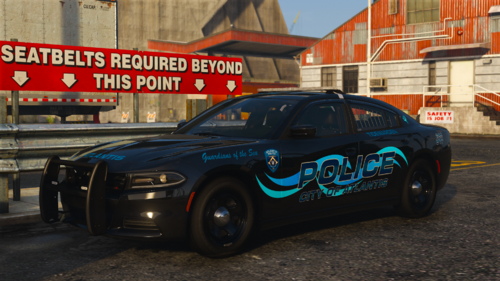 bun my GOAT
 -
-
 Surprisingly good AI mod, and I am usually very critical about them. Aside from recognition issues with a studio quality microphone and mixing setup, it works pretty good. I think the recognition thing or whatever engine it uses to understand speech might be out of your control anyway, but I am enjoying how this works. Good slop so far, watching with interest.
- 230 comments
- 6 reviews
-
-
-
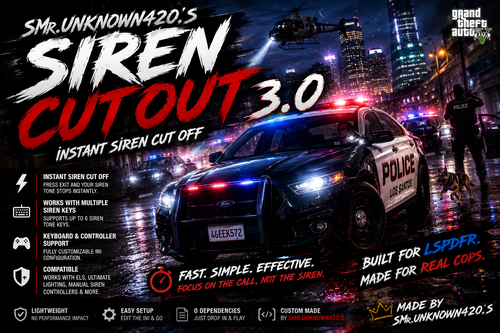 This is not a mod, and the uploader has not demonstrated himself to even be a developer of any capacity. This iterative upload is an an AI generated mod that does not work for anyone that uses it, and the author is incredibly vague as to what this even does or how it functions and in addition to that, snarky and combative when confronted about it. Tested on a clean build of LSPDFR with all the required dependencies by myself and several others of higher than average GTA modding experience. No evidence that this "mod" works for anyone, even from the author as there is not a demonstration of it working to be found anywhere. Mod author seems to take the opportunity to trash other actual mods like DLS upon receiving criticism of this AI generated script, including antagonizing admins and other users. Don't waste your time with this, probably one of the worst uploads I've ever seen on this site in the past 5 years.
- 29 comments
- 1 review
-
-
 I think you guys need to admit when you're mod has bugs instead of brushing the issue off. I'm a developer for a living, and while this mod generally is a suitable replacement, it does still have serious issues that need to be addressed, which literally most people who use the mod regularly can attest to. Which is fine, it's probably going to be a good replacement, but blaming 99% of issues on the end user because you don't wanna admit it has issues is not very good practice in the development field. If you don't have the patience or humility to be a decent to people bringing the issues to your awareness, then just upload the source code and let other people fix it.
- 728 comments
- 53 reviews
-
-
- 1
-
-
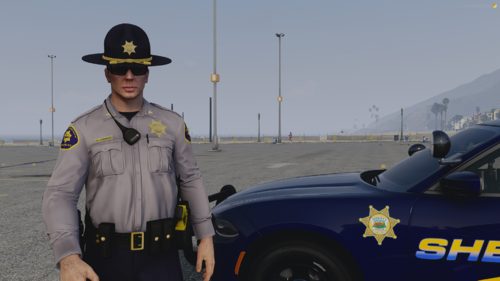 Which version of EUP is this for?
 -
 Awesome mod. Would be cool if you supported choice of translation through the API call you use, or a path to a dictionary file. If you were to share the method that calls the API or HTTP for Biblegateway or whatever site that's used, you could probably add an option to select a translation, and it would probably even support deuterocanon as well. Like an RSV-C option or like RSV2CE would be cool!
- 38 comments
- 4 reviews