


DukSezQuak
-
Joined
Everything posted by DukSezQuak
-
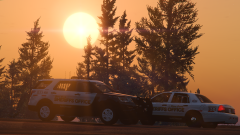
From the album: Termination Media
Two Blaine County Sheriffs Office Senior Deputy units ("Sierra Units") out on a wildlife complaint. -
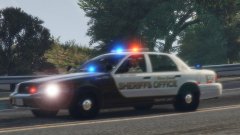
From the album: Termination Media
A Blaine County Sheriffs Office Traffic Unit responding Code 3 to a Motor Vehicle Collision involving multiple vehicles with patients trapped. -
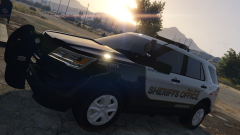
From the album: Termination Media
A Blaine County Sheriffs Office Supervisor unit parked at the Sandy Shores Sheriff Station to obtain information regarding a shared file between the two stations. -
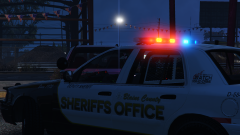
From the album: Termination Media
Blaine County Sheriffs Office launched its CrimeWatch program a few months ago, and have since made over a dozen arrests thanks to the service. Similar to CrimeSTOPPERS, anyone who discovers or suspects crime being committed can call 555-IC-CRIME to report it anonymously and/or receive a reward for any tips submitted that lead to an arrest. -
From the album: Termination Media
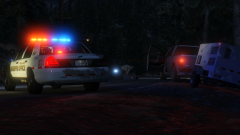
After stopping a vehicle for a minor traffic violation, a traffic deputy with the Blaine County Sheriffs Office takes an individual into custody after discovering he had warrants. -
From the album: Termination Media
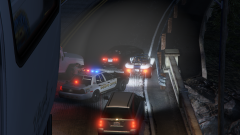
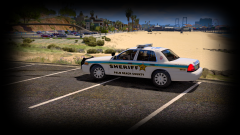
"One of the design requests from the BCSO was easy identifying markings from above. Termination Media and Design Studios wants there to be no mistake when LSPD Air 1 or 2 is following one of the many pursuits that BCSO engages in that there are BCSO units pursuing." -Mr. Quak, TMDS. "We, unfortunately, end up in more traffic pursuits than most agencies across the state. Often times, due to the size of our agency, we have to contact the Los Santos Police Department for assistance. When LSPD Air Support is following us, they weren't sure who was who when following the pursuit due to the similar designs of vehicles. We need to be seen and known by the air units, therefore one thing we stressed was the overhead markings." said Sergeant T. Steinbach of the BCSO. "By adding a clear "SO" marking on the trunk, and a "BCSO" marking on the roof, from whatever angle the aircraft is following the pursuit, there will be no mistake that the vehicle is a BCSO patrol vehicle." -
 Ofc. Hindgrinder 6969
 -
From the album: Termination Media
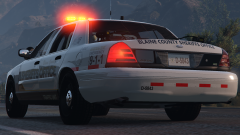
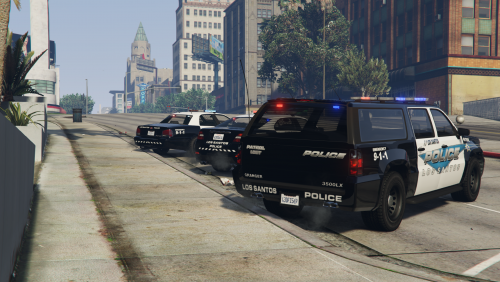
After outfitting a cruiser with traffic equipment and the new Blaine County Sheriffs Office decals, traffic officers were given the opportunity to drive the cruiser with the new graphics "We thought that if any specific unit that was fully capable of testing the effectiveness of the reflective decals, it would be our traffic unit" said Superintendent Brad Rackstone of the BCSO "So far the feedback from our members has been positive, and they think the reflective decals on the side and rear of the vehicle provide them with that extra sense of visibility in all light conditions, and it's a big step forward from our previous decals which had no reflective features." A couple of changes were recommended with the design and Termination Media and Design Studios is working towards fulfilling the wishes of the BCSO. -
 Realism is our goal!
 -
One key design point was rear-reflective striping. Termination Media utilized DOT-C2 certified red/silver dash striping to achieve a cost-efficient yet effective reflective design for the BCSO cruisers. BCSO want to be known in pursuits from police aircraft following above. Termination Media ensured that they won't be let down.
-
From the album: Termination Media
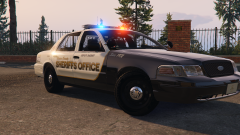
Blaine County Sheriffs Office contracted Termination Media and Design Studios after seeing the work they did with Los Santos Police Department. They wanted to completely facelift the fleet, with more modern textures but not too out-of-the-box. This is one of the designs that was presented to BCSO of four. The Sheriffs Office will vote on their favourite schemes at the end of the week. -
 If you would like a specific vehicle to be included, send me a PM with the template included and I will do my best to include it within the next couple of weeks!
- 6 comments
- 4 reviews
-
From the album: Termination Media
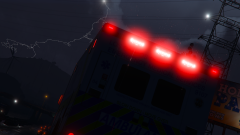
Los Santos County and District Emergency Medical Services ambulance responding to a multi-vehicle collision during a thunderstorm. -
 You bet!
 -
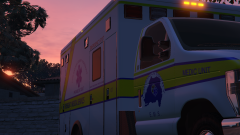
From the album: Termination Media
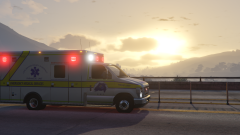
Los Santos County and District Emergency Medical Services Ambulance parked outside of the Paleto Bay District Health Services Center after an emergency call, finishing up paperwork and preparing for the next call. -
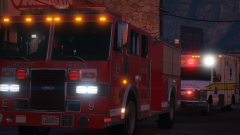
From the album: Termination Media
Los Santos County Fire Services Engine 9 on scene with Los Santos County and District Emergency Medical Services of a possible heart attack. Officials indicated that an elderly gentleman was in the bank and began complaining of chest pains and trouble breathing after checking his balance on the ATM Machine. He was transported to a local health facility where he was later released. -
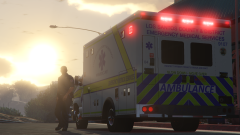
From the album: Termination Media
Los Santos County and District EMS Ambulance 9107 arrives on scene of a 911 dispatch call for a sixty-four year old female who was splashed in the face with gasoline while filling her vehicle. It is unclear how the incident occurred. -
From the album: Termination Media
Los Santos County and District EMS Ambulance 9107 responds in the early hours of the morning in heavy traffic to a 911 dispatch. -
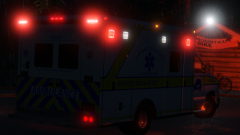
From the album: Termination Media
Los Santos County Emergency Ambulance 9107 responding from Paleto Bay to the Chilliad Mountain Cable Car Station for a sixteen year old who reportedly fell from the car. -
From the album: Termination Media
Los Santos County Emergency Ambulance 9107 responding from Paleto Bay to the Chilliad Mountain Cable Car Station for a sixteen year old who reportedly fell from the car. -
From the album: Termination Media
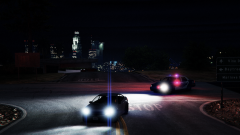
Los Santos Police Department Patrol Officer performing a traffic stop on a suspected impaired driver in the Los Santos Outskirts. -
From the album: Termination Media
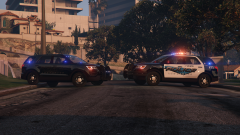
Updating my LSPD pack with new textures for the FPIU and other vehicles. -
From the album: Termination Media
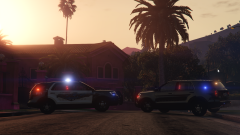
To be updated this weekend with textures for the FPIU and other vehicles. -
From the album: Termination Media
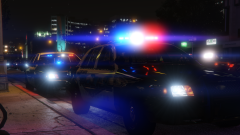
All new 4K LSPD Textures released -
From the album: Termination Media
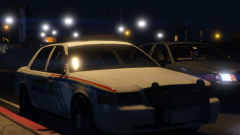
A marked Paleto Bay RCMP Cruiser parked outside of a residence while the member investigates a welfare concern, while a member in an unmarked cruiser drives away from the scene after assisting.


