Prismo 8
Members
-
Joined
-
Last visited
Everything posted by Prismo 8
-
Hey man, thought i answerd by myself lol. Anyways, i found out in my case the problem was that i used the newest Beta version that was a little buggy with the menu so i just installed the normal version and it worked fine. But thanks for your answer 😃
-
i got a small problem maybe one of you guys can help me here. I can't open the EUP menu, it loads (without error) I checked the settings, the hotkey is set to F11 by default. I have installed EUP Law & Order and EUP Serve & Rescue (both work in the game, as i can see from the NPCs). I have updated all EUP files, but it won't open or show up Small Thing ive noticed, if i press F11 nothing shows up but if i press ESC or Backspace to close a Menu, i hear the sound of closing a menu. but its visualy not there i also can interact with the menu so scroll and apply a outfit but as i allready said nothing visualy to see RagePluginHook.log
-
Hey Mate, got the same problem a few years ago, do you have GTA on Epic Games? Try Starting the Game normal and wait for the Game window to pop up, only than start rph, this works for me lol
-
i got a small problem maybe one of you guys can help me here. I can't open the EUP menu, it loads (without error) I checked the settings, the hotkey is set to F11 by default. I have installed EUP Law & Order and EUP Serve & Rescue (both work in the game, as i can see from the NPCs). I have updated all EUP files, but it won't open or show up Small Thing ive noticed, if i press F11 nothing shows up but if i press ESC or Backspace to close a Menu, i hear the sound of closing a menu. but its visualy not there i also can interact with the menu so scroll and apply a outfit but as i allready said nothing visualy to see RagePluginHook.log
-
Hey Mate, THX for this, i found the problem and succesfully fixed it, but now i got a other problem maybe you can help me here too. I can't open the EUP menu, it loads (without error) I checked the settings, the hotkey is set to F11 by default. I have installed EUP Law & Order and EUP Serve & Rescue (both work in the game, as you can see from the NPCs). I have updated all EUP files, but to no avail Ups forgott to upload the logRagePluginHook.log
-
Thx Will for the quick answer, i will check this out Tomorrow as soon as im Home and hopefully this will work, so thanks in advance and i'll keep you updated
-
Hello my friends, first of all I am not new to lspdfr and actually know my way around quite well. I had a perfectly working setup last year, unfortunately I lost everything after a reinstall, but never mind. Yesterday I sat down and redid everything, with callouts that were supposed to work etc. As i am also a patron of EUP and wanted to use the latest version, i went for a version with customized drivers from EUP (see attachment with requirements.txt). after spending a few hours installing everything exactly as per the installation instructions and readme, it still doesn't work. i also renamed the mods folder to _mods, but it still crashes. do you guys have any ideas? i have updated lspdfr again, as well as all callouts and plugins and scripthookv. attached are also the error log with and without activated mods folder RagePluginHook_WithoutModsFolder.log Requirements.txt RagePluginHook_WithModsFolder.log
-
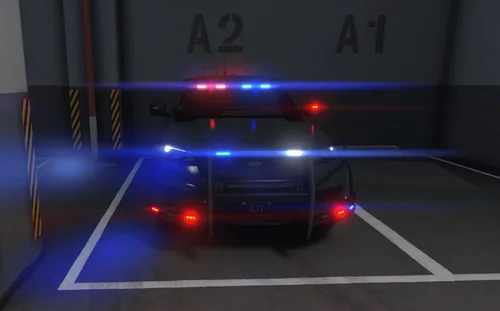 pretty cool car man 👍
 -
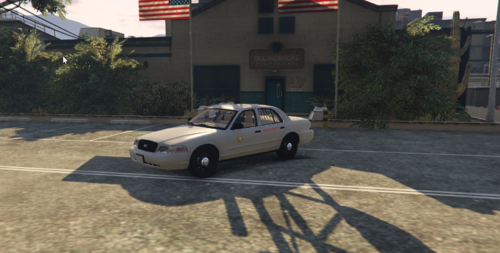 This vehicle I have created about 2 years ago and was my first project, now I have found it on my hard drive and just uploaded it, after my last tests everything seems to work, it is of course not the best of the best but it does what it should so I'm happy if you like it, if you notice a bug please contact me via Discord or my website
 -
Hello Ethan did you manage it ? I would also be interested but can not find you on Discord would be happy about a response best regards Jona